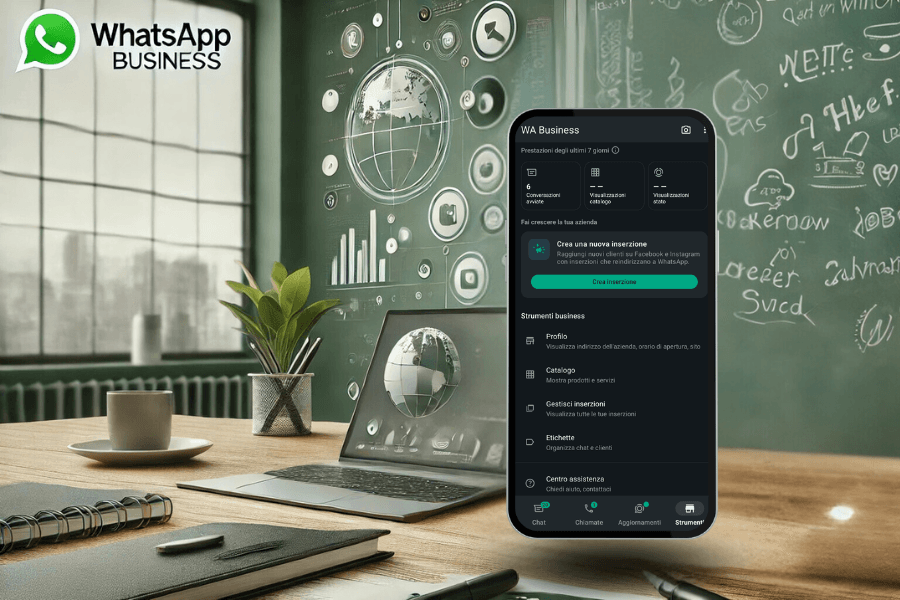
In a world where instant communication is crucial for the success of any business, WhatsApp Business emerges as an indispensable ally. Thanks to its advanced features, this platform allows you to manage communications simply and effectively, both on mobile devices and computers. Whether you are a small entrepreneur or the manager of a large company, WhatsApp Business can adapt to your needs, improving customer service and optimizing internal processes.
But who can have WhatsApp Business? How do you connect it on multiple phones? Is it possible to use it with a landline number? And what benefits does integration with a PC offer? This guide will answer all these questions, exploring in detail the possibilities offered by WhatsApp Business to improve your business communication strategy.
Who can have WhatsApp Business: the versatility that wins you over
The answer to the question who can have WhatsApp Business is clear: everyone. The platform has been designed to adapt to a wide range of sectors and types of businesses. From small local shops to large enterprises, any company can benefit from WhatsApp Business for companies.
A distinctive aspect is the possibility to create a personalized business profile. This includes key information such as the company name, address, opening hours, and a description of the services offered. For example, a beauty salon can use WhatsApp Business to send appointment updates, while a restaurant can share the daily menu with customers.
The platform's flexibility also makes it ideal for professionals and freelancers. Doctors, consultants, and artisans can use the app to communicate directly with their clients, reducing wait times and improving the user experience.
How to connect WhatsApp Business on two phones: multi-device management
One of the most requested features is the ability to use WhatsApp Business on two phones or more devices simultaneously. This option is particularly useful for business teams that handle large volumes of communications. With the introduction of multi-device support, it is possible to synchronize the same account on up to four devices, including PCs and tablets.
Here's how to set up the function:
- Update the WhatsApp Business app on your primary phone to the latest version.
- Go to Settings > Linked Devices.
- Scan the QR code shown on each additional device.
This function allows team members to access business chats without limitations, improving collaboration and ensuring quick responses to customers. However, it is important to remember that some features, such as chat backup, might not be available on linked devices. If you encounter problems, check the Internet connection on each device or repeat the synchronization procedure.
WhatsApp Business for PC: efficiency and convenience at your fingertips
Among the most appreciated features, using WhatsApp Business for PC allows you to significantly improve the management of business communications. Thanks to the ability to access the account via WhatsApp Web or the official desktop app, you can manage conversations in a more organized way, directly from your workstation.
This is particularly useful for support teams that handle a high volume of messages every day. The desktop interface, in addition to offering a full keyboard, allows you to share large files, images, and documents with customers. For example, a law office can send contracts or forms directly from the PC, while an online store can send catalogs to its customers.
To get the most out of WhatsApp Business for PC, make sure your primary phone is connected to the Internet. In case of problems, such as frequent disconnections or slow synchronization, check that both devices are connected to the same Wi-Fi network or use a cable for a more stable connection.
WhatsApp Business for a landline number: a professional choice
Many companies prefer to associate a landline number with WhatsApp Business, especially those operating in sectors where a landline phone represents a sign of reliability. This option is particularly useful for businesses that want to maintain a clear and centralized line of communication.
To set up WhatsApp Business for a landline number, follow these simple steps:
- Enter the landline number during account registration.
- Select the "Call me" option to receive the verification code via a voice call.
- Complete the setup by customizing the business profile.
However, if you have difficulty receiving the code, verify that the number is enabled to receive international calls or check for any filters on the switchboard. This function is ideal for shops, offices, and companies that want to associate a unique identity with their customer service, avoiding the use of mobile numbers.
WhatsApp Business for companies: a strategic ally in communication management
For businesses looking for an effective way to manage customer relationships, WhatsApp Business for companies offers strategic and practical tools. One of the most useful functions is the ability to organize conversations with custom labels. These allow you to categorize chats based on needs, for example "New Customer", "Quote Request", or "Order Completed". This approach makes it easier to identify and respond quickly to requests, improving operational efficiency.
Furthermore, WhatsApp Business for companies integrates advanced features such as interactive statistics. With these, you can monitor the number of messages sent, delivered, and read, obtaining valuable insights into the performance of your communication campaigns. This data helps improve business strategy and optimize response times.
Another key tool is the product catalog, which allows companies to create a virtual showcase directly in the app. Customers can explore the products or services offered without needing to leave the application, simplifying the sales process. For example, a clothing store can display the latest collections, while a travel agency can present available vacation packages.
An innovative approach for modern business
Using WhatsApp Business means going beyond simple messaging. This platform adapts to every type of business, offering scalable and customizable solutions. Thanks to its flexibility, it is possible to implement automations, manage large volumes of requests, and improve customer interaction. Whether you are managing a small shop or an international company, WhatsApp Business represents a turning point for your business. Through a direct and professional approach, you can strengthen your online presence and build trusting relationships with customers, providing high-quality service.
Sponsored Protocol