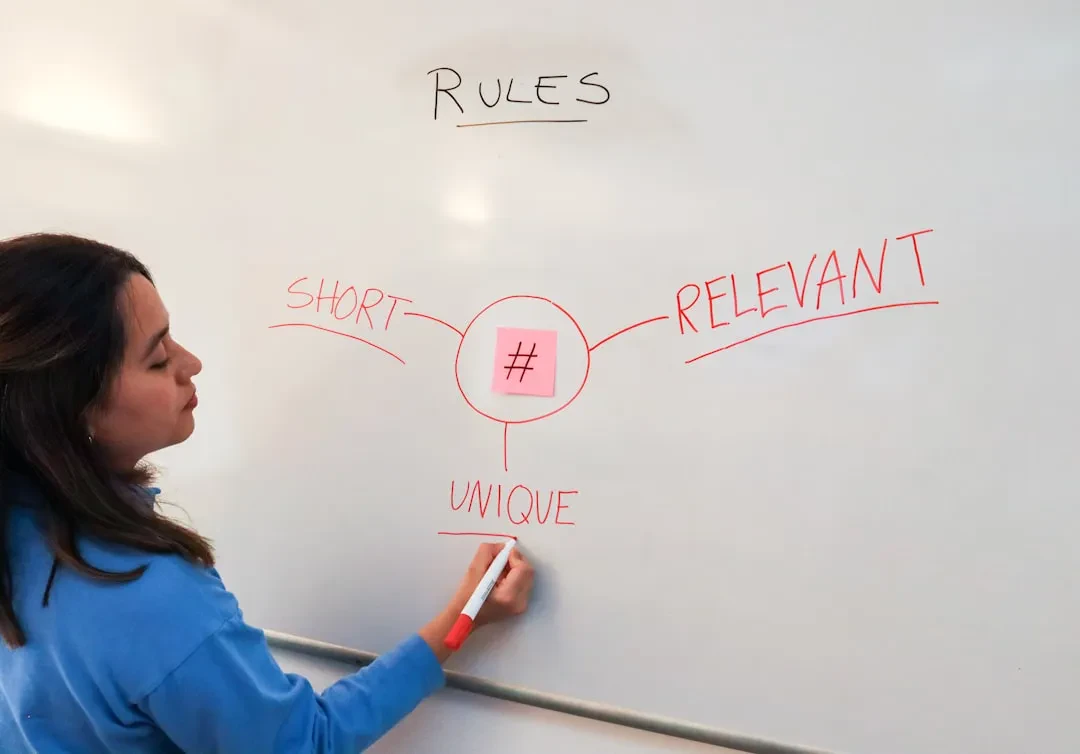
The problem isn't your video. It's the rectangle that announces it.
You publish quality content, write catchy titles, yet views stay low. The culprit is often invisible to the creator: the thumbnail. On YouTube, the average channel CTR hovers between 2% and 10%. If yours is below 4%, it's not the algorithm's fault. It's that 1280×720 pixel square you choose to show.
We, at Meteora Web, have been working with creators and businesses since 2017. We come from accounting and retail ERP — that's why we think in numbers, not just design. A thumbnail isn't art: it's an investment that must generate clicks. Every extra percentage point of CTR means more traffic, more subscribers, more revenue. This isn't about aesthetics. It's about performance.
In this guide we bring you six design principles we've tested on dozens of channels, with real examples and actions you can apply immediately. No abstract theory: only what works.
Principle 1: High (but controlled) contrast
Users scroll through the YouTube homepage in under half a second. Your thumbnail must scream "stop here" without using words. The secret is contrast: complementary colors, opposing luminance, high saturation compared to the platform's background (YouTube uses a dark gray #0f0f0f).
Warm colors (red, orange, yellow) work better on dark backgrounds because they create a pop effect. Cool colors (blue, purple) tend to get lost. But don't overdo it: an all-over acid red looks spammy. The rule of thumb: choose one dominant background color and only one for the subject or text.
What to do now
- Open your thumbnail in an editor and apply a +20% saturation filter.
- Check contrast with YouTube's background: use an extension like ColorZilla to sample the average color and compare with #0f0f0f. Luminance difference should be at least 50%.
- If the subject is on a light background, add a dark border 2-3 pixels thick.
Principle 2: Human face – emotions sell clicks
Faces are the natural magnet for human attention. Neuroscientific studies show the brain processes facial expressions in 13 milliseconds. YouTube knows this: thumbnails with close-ups of faces have CTRs on average 30-40% higher than those without.
You don't need an actor: just one strong, recognizable emotion. Surprise, disgust, explosive joy, restrained anger. The key is that the expression is readable even in a 50-pixel square. Avoid timid smiles: they look fake. Choose expressions that scream "you must click to understand".
What to do now
- Take a photo where your face occupies at least 60% of the frame.
- Exaggerate the expression: if surprised, open eyes and mouth wide. If angry, furrow brows. Then reduce it by half: the result will be perfect.
- Crop keeping the eyes in the upper half of the thumbnail (rule of thirds).
Principle 3: Minimal text (zero if possible)
Text on thumbnails is a double-edged sword. Used well, it explains the benefit at a glance. Used poorly, it clutters and distracts. The rule: max 3 words, in a bold sans-serif font, and only if they add clarity. If the image already communicates the message, remove the text.
Recommended fonts: Impact, Arial Bold, Roboto Bold, or thumbnail-specific fonts like Bebas Neue. Minimum size: 60-80 pt for main text (on a 1280×720 canvas). Color: white or yellow with thick black drop shadow (2px, 80% opacity). Do not use pastel colors or place text over the subject's face.
What to do now
- Take your latest thumbnail and delete all text. Ask yourself: "Is the message still clear?" If yes, keep it text-free forever.
- If you must write, use a single keyword (e.g., "AMAZING", "TRICK", "MISTAKE") in uppercase with black shadow.
- Test at small size: reduce preview to 200×113 px. If text is unreadable or covers the subject, change it.
Principle 4: Curiosity – the information gap
The perfect thumbnail doesn't reveal everything. It creates an information gap: shows enough to intrigue, but not enough to satisfy. It's the psychological mechanism that drives clicks. Examples: an object out of context, an incomplete sentence, an expression that can't be explained by itself.
But careful: the gap must not be confusing. The user must immediately understand the video's topic, but not the solution. Practical example: if the video is "How to earn $1000 a month with a blog", don't show a stack of money (too obvious). Instead show a computer with the site open and "$1000" partially hidden by a hand. The user clicks to see the rest.
What to do now
- Analyze competitors' thumbnails with higher CTR. Which element doesn't tell you everything? That's the gap.
- Sketch a thumbnail with two elements: subject + one mysterious element (e.g., a red circle pointing to something blurred).
- Ask a friend to look at the thumbnail for 2 seconds. If they say "I didn't understand what it's about", the gap is too big. If they say "Oh, it's clear", the gap is too small.
Principle 5: Series consistency – visual branding
When a user sees your thumbnail, they should recognize the channel before reading the name. Visual consistency builds trust and habit. Choose a 2-3 color palette, a font, a framing style, and a type of expression. Then use them always.
Example: gaming channels often use a black background with colored border and centered subject. Educational channels: white background with chalkboard and text. We worked with a cooking channel: after standardizing all thumbnails with a dark green background and close-up of the chef, the average CTR rose from 4.2% to 6.8% in three months.
What to do now
- Define a palette of max 3 colors (take inspiration from your logo or channel theme).
- Create a template in Canva or Photoshop at 1280×720, fixed background, face area and text box.
- Apply the template to your next 10 videos. After a month, compare average CTR with the previous month.
Principle 6: Technical optimization – weight and format matter
A slow-loading thumbnail reduces CTR because YouTube displays it with delay. Recommended formats: JPG at 85-90% quality, PNG only if transparency is needed, WebP if supported. Weight should not exceed 200 KB (ideally under 100 KB). Use tools like TinyPNG or Squoosh to compress without visible loss.
Also, remember: YouTube recommends 1280×720 pixel resolution (16:9). If you upload a larger or smaller image, the platform resizes it automatically, often degrading quality. We solved this for an e-commerce client who uploaded 2 MB thumbnails: compressing them to 60% JPG quality reduced weight to 80 KB with no perceived difference, and CTR increased by 5% because thumbnails appeared faster.
What to do now
- Always export thumbnails at 1280×720 pixels, 72 DPI, JPG quality 85%.
- Use Squoosh to reduce weight: compare original and compressed at full screen. If no difference, lower quality to 70%.
- Upload to YouTube, then check that the preview doesn't look pixelated. If it does, increase quality to 90%.
Common mistakes that kill CTR
- Solid black background: blends into YouTube's background. Use a different color or a light border.
- Too small or detailed text: unreadable at reduced size.
- Cropped subject: forehead cut off or chin missing looks amateurish.
- Generic stock images: the user senses lack of originality and won't click.
- No testing: you publish the first thumbnail that comes to mind without trying variations.
In summary – what to do now
- Check your current CTR in YouTube Studio (Reach > Content > CTR). If below 4%, move to step 2.
- Apply the 6 principles to a test thumbnail: contrast, face, minimal text, information gap, consistency, technical optimization.
- Upload the thumbnail and after one week compare CTR with the previous version (use the same video, maybe change thumbnail after 48 hours).
- Iterate: create two variants for each video and test which performs better.
- Automate: prepare a reusable template so you don't have to reinvent the wheel every time.
Remember: a thumbnail is not optional. It is the first impression of your video. If you don't treat it as an investment, your audience will never see you. We, at Meteora Web, see it every day: channels doubling their views just by changing the cover. Try it and then tell us.
Sponsored Protocol