You've just opened the AWS console for the first time and felt like you're staring at a cockpit dashboard? You're not alone. Every developer stepping into AWS starts here: root account, IAM users, regions, and the first service that actually does something. The problem is that without a method, you risk leaving the door wide open — exposed keys, unexpected costs, services in wrong regions. We at Meteora Web see it often in projects that come to us: root credentials used for development, public S3 buckets by mistake, all because the first step wasn't done right.
This guide takes you from clicking "Create AWS Account" to your first working service, with security and awareness. No fluff, just what you need to start on the right foot.
Why Account, IAM, and Regions Are the Foundation
Imagine buying a building for your company. The first thing you do? Give the main door key to every employee. That's exactly what happens if you use the root AWS account for daily operations. The root account has unlimited power: it can close the account, change billing, delete resources. One mistake and you're out.
That's why AWS created IAM (Identity and Access Management): a system to create users, groups, roles, and granular permissions. With IAM you can give each developer only what they need. A principle we apply on every project: least privilege. The same we use for our clients' servers.
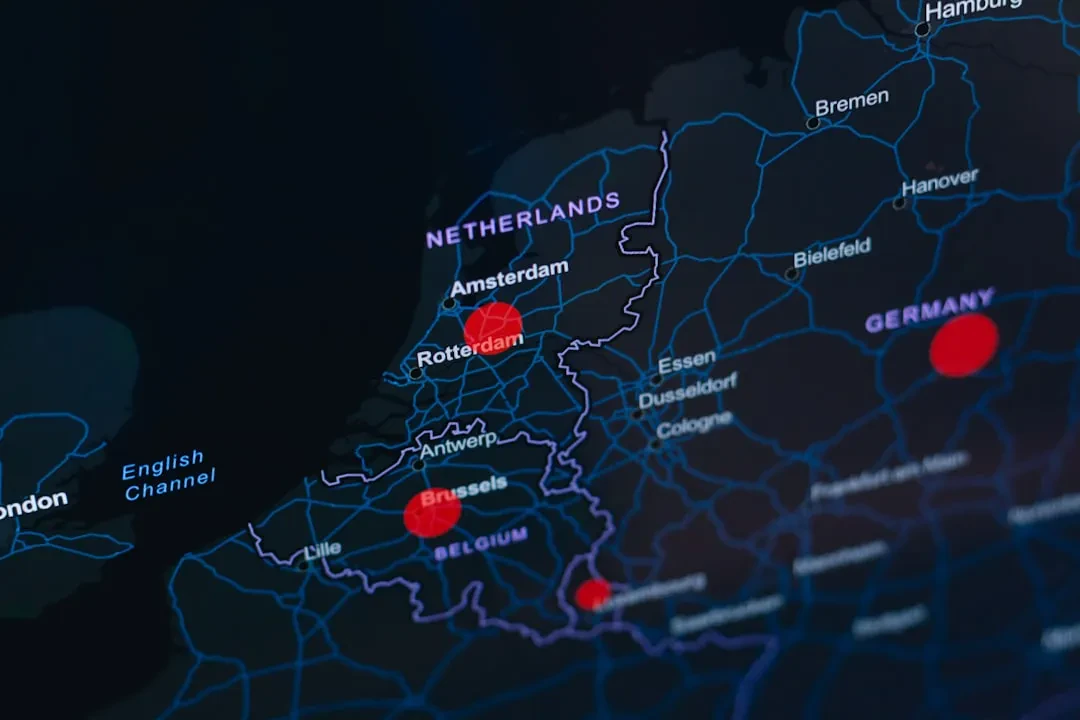
Regions are data centers spread across the world. Choosing the wrong one means higher latency, higher costs, or unavailable services. A client selling in Italy with a server in Singapore? Unacceptable latency. We always recommend eu-west-1 (Ireland) or eu-south-1 (Milan) for those operating in Italy.
What to Do Right After Registration
Before writing a line of code, follow these steps:
- Enable MFA on the root account. No escape. It's the first line of defense.
- Create an IAM admin user (but don't name it "admin" — it's the first thing attackers try).
- Never use root credentials for daily operations. Ever.
- Choose your primary region for your workloads. For Italy: eu-south-1 or eu-west-1.
This protects you from trivial but devastating incidents. We've seen it: an intern deleting an S3 bucket because they had root keys. Not with IAM.
Create a Secure AWS Account in 5 Minutes
The process is straightforward, but pay attention to details. Go to aws.amazon.com and click Create an AWS Account. You'll need a credit card (for verification) and a phone number. AWS won't charge you for signing up, but beware: some services have a limited free tier. We recommend enabling billing alerts immediately to avoid surprises at month-end.
After registration, the first thing is to lock down the root user:
# Symbolic: there's no CLI command to enable MFA on root
# Go to AWS Console > IAM > Users > root > Security credentials > Assign MFA device
aws iam create-user --user-name devops-lead
aws iam attach-user-policy --user-name devops-lead --policy-arn arn:aws:iam::aws:policy/AdministratorAccess
aws iam create-access-key --user-name devops-lead
create-access-key command will return AccessKeyId and SecretAccessKey. Save them securely — not in your code! Use environment variables or AWS Secrets Manager. We still see code with keys hardcoded on GitHub. A disaster.After creating the user, configure AWS CLI on your machine:
aws configure
AWS Access Key ID [None]: AKIA...
AWS Secret Access Key [None]: ...
Default region name [None]: eu-west-1
Default output format [None]: json
Now you're ready to work with a secure identity. Don't forget to enable MFA on the IAM user too — it's a good practice.
Regions and Availability Zones: Not Just Words
A region is a geographic area (e.g., eu-west-1 = Ireland). Each region has at least three Availability Zones (AZs) — isolated data centers. If you build an application distributed across multiple AZs, you get high availability. If you choose the wrong region, you pay more in data transfer and latency.
For example: a website for Italian users. If you put the server in us-east-1 (Virginia), data crosses the Atlantic. Latency ~100ms extra. For e-commerce, every millisecond counts. We at Meteora Web for Italian clients always use eu-south-1 (Milan) since it became available. The difference is tangible.
Some services are not available in all regions. Always check AWS Regional Services.
How to Choose the Right Region
- Geographic proximity to your end users.
- Costs: some regions are more expensive (e.g., São Paulo).
- Available services: not all regions have all services (e.g., AWS Lambda with Graviton).
- Regulatory compliance: GDPR requires data in EU? Choose an EU region.
To start, choose eu-west-1 (Ireland) or eu-south-1 (Milan). They are the closest and most complete.
Your First Service: EC2 or S3? It Depends
The first service you launch symbolizes your approach to the cloud. Two common paths:
- Amazon EC2: a virtual machine. You're responsible for the OS, updates, security. It's like having a physical server, but virtualized.
- Amazon S3: object storage. No server to manage. Upload files, set permissions, and go.
We recommend S3 as your first service because it's easier to grasp and doesn't require system administration. But if you need a server for an application, start with EC2.
Launch a Secure S3 Bucket
Create an S3 bucket using the CLI:
aws s3 mb s3://your-unique-bucket-name --region eu-west-1
Warning: the bucket name must be globally unique. Add a policy to block public access (default is blocked, but verify):
aws s3api put-public-access-block --bucket your-unique-bucket-name --public-access-block-configuration "BlockPublicAcls=true,IgnorePublicAcls=true,BlockPublicPolicy=true,RestrictPublicBuckets=true"
Now upload a test file:
echo "Hello, AWS!" > test.txt
aws s3 cp test.txt s3://your-unique-bucket-name/
You've just used your first AWS service. S3 is not just storage: it's the foundation for static hosting, backups, data lakes, and more. We use it for client assets: images, videos, static files. It reduces load on the WordPress server.
Launch an EC2 Instance (if you prefer a server)
If you want a server for development, use the console or CLI. Here's a minimal example:
aws ec2 run-instances --image-id ami-0abcdef1234567890 --instance-type t2.micro --key-name MyKeyPair --security-group-ids sg-12345678 --subnet-id subnet-12345678
You'll first need to create a key pair (for SSH) and a security group (firewall). But beware: t2.micro is not always free tier. Check that it's still included in your region. For testing, we use t3.nano, cheaper.
One tip: after launching, terminate the instance if you're not using it. Every hour costs. We've seen clients with 20 forgotten instances running for months. A hefty bill.
Common Mistakes When Starting with AWS
- Using the root account for development. Never.
- Exposing IAM keys in public repositories. Use
.gitignoreand environment variables. - Leaving S3 buckets open. Always verify with
aws s3api get-public-access-block. - Not enabling billing alerts. Set them up in AWS Budgets.
- Launching services in distant regions and paying extra for latency and data transfer.
We at Meteora Web have automated the initial setup for our clients: a CloudFormation template that creates account structure, users, budget, and the first bucket. But doing it manually gives you awareness.
What to Do Now
- Sign up for AWS with a personal account (not corporate, for testing).
- Enable MFA on the root user.
- Create an IAM user with administrative permissions and configure AWS CLI.
- Choose your region — eu-south-1 or eu-west-1.
- Launch your first service: an S3 bucket with a test file.
- Set a budget alert of $10 to avoid overspending.
Then explore EC2, Lambda, or RDS. But remember: security is built from the first step. We always repeat: a secure AWS account is like a solid foundation for your application. If the foundation is fragile, everything else collapses.
For a deeper dive, check our guide DevOps Principles, Culture, and Where to Start Practically — the cloud approach fits into a solid DevOps flow. And if you want to go further with orchestration, read Kubernetes from Scratch.
Sponsored Protocol