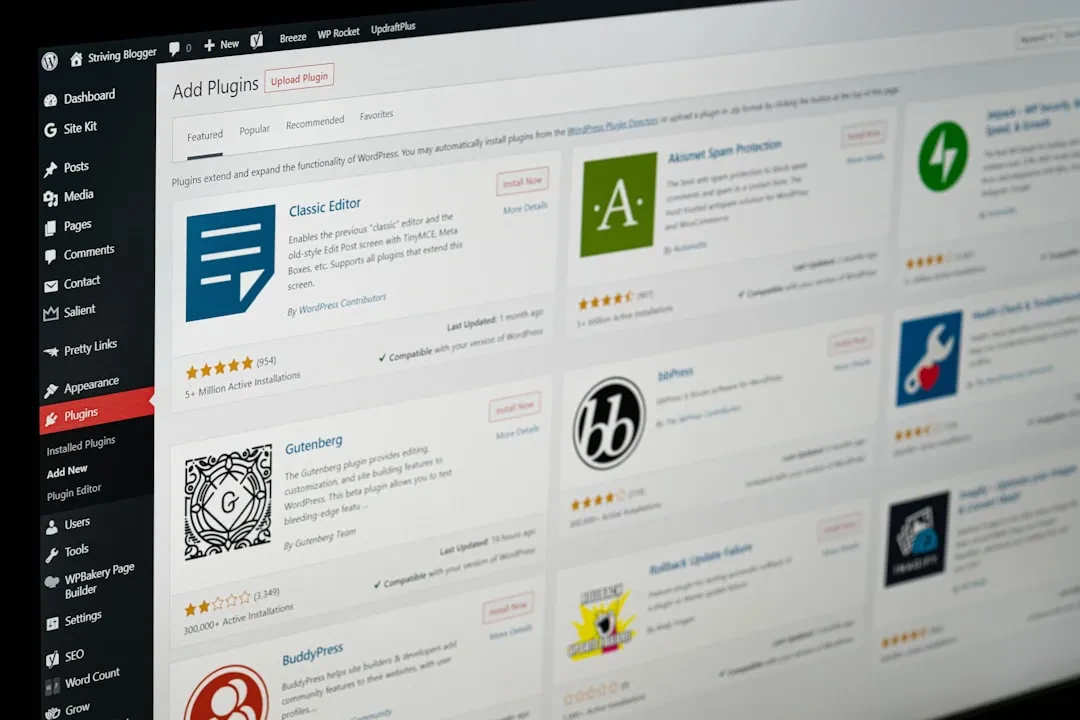
Have you ever logged into a WordPress admin panel and thought: “I need a content type that is not ‘Posts’ or ‘Pages’”? Exactly. Whether you’re managing a real estate portal, a course platform, a custom product catalog — or even a simple “Testimonials” section — the solution is not a 10-euro plugin that slows down your site. The solution is clean code that you control.
Here at Meteora Web, we’ve been doing this for years. We’ve built platforms with properties, project portfolios, technical specs, events. Always starting from functions.php or a mu-plugin. Why? A ready-made plugin gives you 90% of what you don’t need and 50% of what you do need, with 500 extra lines of PHP, slow queries, and interfaces that don’t match your project.
In this guide we’ll walk through registering Custom Post Types (CPT) and custom Taxonomies in WordPress without plugins. We’ll do it right: clean rewrites, proper permissions, custom metaboxes, and — most importantly — testing with real data.
Why register a CPT manually?
Imagine a client selling online courses. They need a “Course” content type with fields like duration, level, price. Using regular Posts would force categories and tags, and extra fields would be crammed into ACF (another plugin). But a native CPT gives you a custom taxonomy for course topic, a clean URL rewrite /courses/course-name/, and the ability to separate business logic cleanly. We did exactly this for a client selling professional training courses — the difference in maintenance and performance was striking.
Concrete benefits:
- Full control: modify every parameter without relying on external updates.
- Clean database: no extra plugin tables, only
wp_postswithpost_type = 'course'. - Speed: more focused
WP_Querycalls, no plugin filters running in the background. - SEO: rewrite slugs and permalinks exactly as you want.
Basic structure: registering a Custom Post Type
WordPress provides the register_post_type() function, hooked into init. Place the code in a separate file, e.g., /wp-content/mu-plugins/cpt-courses.php (so it’s theme-independent).
Minimum working code
add_action('init', function() {
    $labels = [
        'name'               => 'Courses',
        'singular_name'      => 'Course',
        'add_new'            => 'Add Course',
        'add_new_item'       => 'Add New Course',
        'edit_item'          => 'Edit Course',
        'view_item'          => 'View Course',
        'search_items'       => 'Search Courses',
        'not_found'          => 'No courses found',
        'not_found_in_trash' => 'No courses in trash',
    ];

    $args = [
        'labels'             => $labels,
        'public'             => true,
        'has_archive'        => true,
        'rewrite'            => ['slug' => 'courses'],
        'supports'           => ['title', 'editor', 'thumbnail', 'excerpt'],
        'menu_icon'          => 'dashicons-welcome-learn-more',
        'show_in_rest'       => true, // required for Gutenberg and REST API
    ];

    register_post_type('course', $args);
});
Note: show_in_rest = true enables Gutenberg and the REST API. If you’re building a headless frontend with Vue/React, this is essential. We always enable it, even for classic sites — the REST API has no overhead if not called.
Custom Taxonomies: connecting content
A CPT without taxonomy is like a book without an index. Taxonomy allows grouping, filtering, navigation. For courses, you might have “Topic” (hierarchical, like categories) and “Level” (non-hierarchical, like tags).
Register a hierarchical taxonomy (e.g., Topic)
add_action('init', function() {
    $labels = [
        'name'              => 'Topics',
        'singular_name'     => 'Topic',
        'search_items'      => 'Search Topics',
        'all_items'         => 'All Topics',
        'parent_item'       => 'Parent Topic',
        'parent_item_colon' => 'Parent Topic:',
        'edit_item'         => 'Edit Topic',
        'update_item'       => 'Update Topic',
        'add_new_item'      => 'Add New Topic',
        'new_item_name'     => 'New Topic',
        'menu_name'         => 'Topics',
    ];

    $args = [
        'labels'            => $labels,
        'hierarchical'      => true,
        'public'            => true,
        'rewrite'           => ['slug' => 'topic'],
        'show_in_rest'      => true,
        'show_admin_column' => true,
    ];

    register_taxonomy('course_topic', 'course', $args);
});
Note the show_admin_column parameter: it displays the taxonomy in the CPT list in admin — a small detail that saves time every day.
Register a non-hierarchical taxonomy (e.g., Level)
Same function, with hierarchical => false and a different slug:
register_taxonomy('course_level', 'course', [
    'hierarchical' => false,
    'labels'       => [
        'name'          => 'Levels',
        'singular_name' => 'Level',
    ],
    'rewrite'      => ['slug' => 'level'],
    'show_in_rest' => true,
]);
Common mistakes (and how to avoid them)
We’ve seen these dozens of times, especially on “well-built” sites with shortcuts.
1. Forgetting to flush rewrite rules
After registering a CPT or taxonomy, you must refresh the rewrite rules. Go to Settings → Permalinks and click “Save Changes” (even if you don’t change anything). In production, never flush on every request: call flush_rewrite_rules() only once, on activation of your mu-plugin.
register_activation_hook(__FILE__, function() {
    // Simulate registration then flush
    // (better to call the registration function here)
    flush_rewrite_rules();
});
2. Slug conflicts
If you already have a page called “courses” and register a CPT with slug ‘courses’, you’ll get a 404. Always check that the slug is not already used by pages, archive pages, or other CPTs. We use a simple check: var_dump(get_posts(['post_type' => 'any', 'name' => 'candidate_slug']));.
3. Forgetting show_in_rest
Without show_in_rest => true, your CPT won’t appear in the Gutenberg editor and won’t be accessible via REST API. If your client uses the block editor, everything breaks.
Custom metaboxes: extra data without ACF
CPTs are useless without additional fields. For a course: duration (number), level (select), price (number). Instead of ACF (which adds ~600 KB of load), you can create simple metaboxes with add_meta_box.
Example: price and duration metabox
add_action('add_meta_boxes', function() {
add_meta_box(
'course_meta',
'Course Details',
function($post) {
$price = get_post_meta($post->ID, '_course_price', true);
$duration = get_post_meta($post->ID, '_course_duration', true);
wp_nonce_field('course_meta_nonce', 'course_meta_nonce');
?>
Note: meta keys prefixed with underscore (_course_price) are hidden from the custom fields list in admin — cleaner.
Frontend queries: displaying CPTs
Once registered, you can retrieve courses with WP_Query or get_posts. Example for the automatic archive page:
// archive-course.php
while (have_posts()) {
    the_post();
    $price = get_post_meta(get_the_ID(), '_course_price', true);
    ?>


        Price: €
To filter by taxonomy, use WP_Query with tax_query:
$advanced_courses = new WP_Query([
    'post_type' => 'course',
    'tax_query' => [[
        'taxonomy' => 'course_level',
        'field'    => 'slug',
        'terms'    => 'advanced',
    ]],
]);
Operational checklist
- Define necessary CPTs: not one more than needed. Each CPT is another entity to maintain.
- Use a mu-plugin: better than
functions.phpbecause it survives theme changes. - Enable
show_in_rest: even if you don’t use REST now, prepare for the future. - Flush rewrite rules: do it on activation, not on every page load.
- Test with real data: create 10–15 posts, add custom fields, verify search.
- Check performance: with many CPTs, you may need to index meta keys. WordPress indexes
meta_keyby default — fine for most cases.
Summary — what to do next
- Go to
/wp-content/mu-plugins/and create a filecustom-cpts.php. - Copy the CPT and taxonomy registration code above.
- Adapt labels, slugs, and supports to your needs.
- Save, go to Settings → Permalinks and click “Save Changes”.
- Create a few test posts, assign taxonomies, add custom fields.
- If everything works, congratulations: you just stopped depending on a plugin for content management.
If you want to dive deeper into consuming data via REST API, check out our guide on Express.js for a modern frontend. And if you’re deciding between Vue or React for a headless app, read our comparison of Composition API vs Options API.
Sponsored Protocol