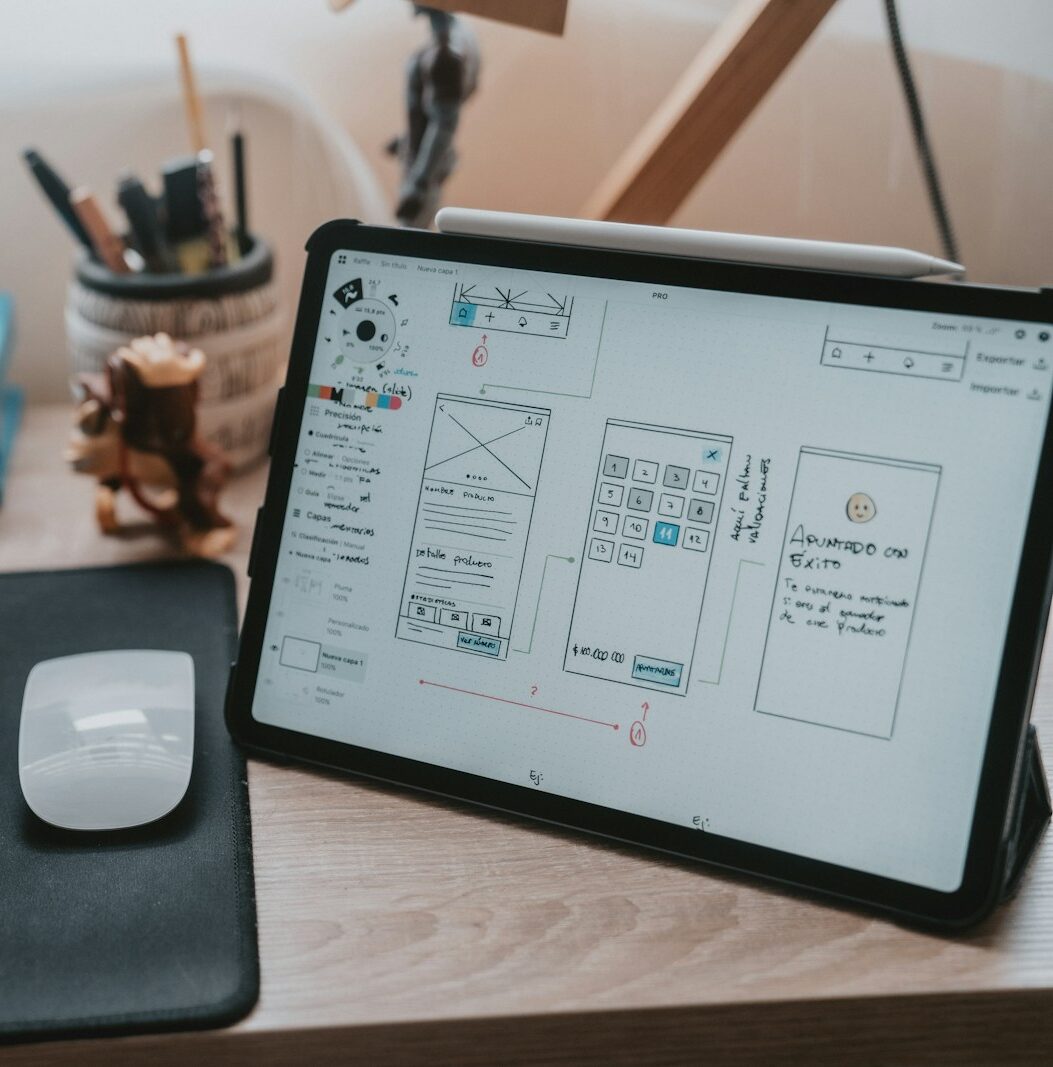
When we open an app on our smartphone, we immediately notice if something isn't working. Buttons that are too small, confusing paths, cryptic text—it only takes a few seconds for the user to decide to close everything. Behind those sensations are two disciplines working together:
UI, user interface, and
UX, user experience. Understanding how to design effective mobile experiences means bringing together form, content, ergonomics, and context of use.
UI and UX in apps: a difference less theoretical than it seems
The distinction between UI and UX is often reduced to a formula: graphic versus functional. In mobile practice, the two dimensions intertwine much more closely.
UI concerns how the app presents itself—colors, typography, buttons, icons, spacing.
UX concerns what a person experiences while using that interface—goals, time, frustration, or satisfaction.
A well-designed button placed where the thumb can't reach is a beautiful UI that betrays the UX. A brilliantly thought-out flow rendered with hard-to-read text or poor contrast is the opposite. In effective apps, these levels are in constant conversation, and designers learn to think in terms of usage scenarios before isolated screens.
Official guidelines as a starting point, not an endpoint
Operating systems like iOS and Android have offered very detailed guidelines for years. Apple's
Human Interface Guidelines explain how to set up navigation, visual hierarchies, and interactions across various devices
Human Interface Guidelines. The Android world, on the other hand, relies on
Material Design, a complete design system, including components and principles
Material Design 3.
These are not decorative rules but a way to ensure that buttons, gestures, and feedback are consistent with the rest of the system. Following them means reducing users' cognitive load, as they encounter familiar patterns. Transgressing them only makes sense when you truly know what you're doing and have a clear reason why a certain flow should work better than the one suggested by the platforms.
From screen to hand: designing for the thumb and not just for the eyes
Mobile design centers on a dimension often underestimated in desktop mockups: the hand. People use their smartphone standing up, on the subway, on the couch, with one hand and often with divided attention. The
reachable zone for the thumb varies between devices and affects the placement of primary buttons, menus, and navigation tabs.
The most updated guidelines emphasize well-spaced buttons, generous tap areas, and clear transitions between screens. Material Design, for example, dedicates entire sections to adaptive layouts and ergonomics for large screens
Material Design for Android. Thinking about the app with the phone in hand, not just on the design tool screen, helps catch simple problems early that become real obstacles in production.
Flows, content, and microcopy that guide choices
A mobile app is not a collection of screens but a sequence of
flows. Registration, onboarding, search, purchase, support—each process goes through multiple steps. Designing good UX means clarifying the goals of each flow, reducing unnecessary steps, and giving precise feedback on what is happening.
In this interplay,
microcopy becomes fundamental. Clear labels on buttons, error messages that explain what to do, confirmation texts that reduce anxiety for irreversible actions have a huge impact on the perception of the app. Content guidelines for systems like Material Design insist precisely on these aspects, with recommendations on tone, length, and text structure
content design guide.
Familiar patterns, visual consistency, and brand identity
People recognize patterns before even reading the details. Bottom tabs, hamburger menus, swipeable cards, feedback snackbars—in mobile, these have become a shared grammar. Good
mobile UI leverages this familiarity, choosing established patterns for common actions and reserving any innovations for points where they truly add value.
On top of this layer of technical consistency sits the brand identity. Palette, typography, illustrations, and animations tell a story of character and positioning, but they should never compromise readability and usability. Even the Nielsen Norman Group, in its studies on mobile UX, emphasizes how form cannot sacrifice clarity, especially on smaller screens
Mobile UX Study Guide.
User research and continuous testing as part of the project
No designer, however experienced, truly knows the habits of all the people who will use an app. This is why
UX research practices and testing with real users have become the norm in more mature mobile projects. Interviews, observation sessions, trials with navigable prototypes allow verification of whether the flows conceived on paper hold up when they meet everyday life.
The same reference studies on mobile UX show how small, repeated obstacles create abandonment, while constant micro-improvements increase conversions and loyalty
State of Mobile UX. Introducing even light testing cycles, perhaps focused on key functions, is often the difference between an app that is truly liked and one that remains installed only out of habit.
Accessibility, performance, and context as part of the experience
In mobile, talking about UX without talking about
accessibility means ignoring a significant part of the audience. Minimum font sizes, adequate color contrasts, text alternatives for ambiguous icons, support for assistive technologies are elements that impact both people with disabilities and those using smartphones in difficult conditions—strong light, small screens, fatigue.
To this add
performance. A slow app that blocks scrolling or delays feedback is perceived as complex even if the interface is clean. The official guidelines from Apple and Google emphasize fast response times, smooth animations, and careful management of loading, with dedicated patterns to accompany waiting
animations and feedback on iOS. UX is also this—giving the feeling that the app is always present and responsive, even when behind the scenes it's performing demanding operations.
Mobile UI and UX as a strategic investment
Designing UI and UX in apps is not an aesthetic exercise but a strategic investment. An effective mobile experience improves registration rates, frequency of use, reviews on stores, and overall brand perception. It requires time, comparison with official guidelines, user research, and constant dialogue between design, development, and business. But it is precisely in this balance that apps are born which stay on the home screen and not in the graveyard of forgotten applications.