In a world of Bluetooth headphones and smart speakers, the
sound card seems to have almost disappeared from the radar. Yet every time a PC emits a sound, from a simple notification "ding" to a multi-track recording session, there is a piece of electronics working to transform numbers into sound waves and vice versa. Understanding what it is, how it works, and when it still makes sense to choose a dedicated one helps avoid unnecessary compromises.
What a sound card really does
The sound card is the component responsible for
converting sound from analog to digital and from digital to analog. When we record a voice, the microphone generates a continuous electrical signal that is sampled and transformed into numbers. When we play a song, the reverse process happens: the numbers from the audio file become voltages that move the diaphragm of speakers and headphones.
At the heart of it all are the
ADC and
DAC chips, analog-to-digital and digital-to-analog converters. Surrounding them are headphone amplifiers, filtering circuits, inputs and outputs, along with the logic that communicates with the operating system via drivers. Basic documentation on audio architectures, like that offered by
Wikipedia or guides from manufacturers like
Focusrite, tells precisely these fundamental functions.
Integrated, dedicated internal, and external
Today almost all motherboards include an
integrated sound card, often sufficient for general use. Chips like the Realtek series handle headphone outputs, line out, basic microphone inputs. For browsing, watching videos, and participating in daily calls, for many users it ends here.
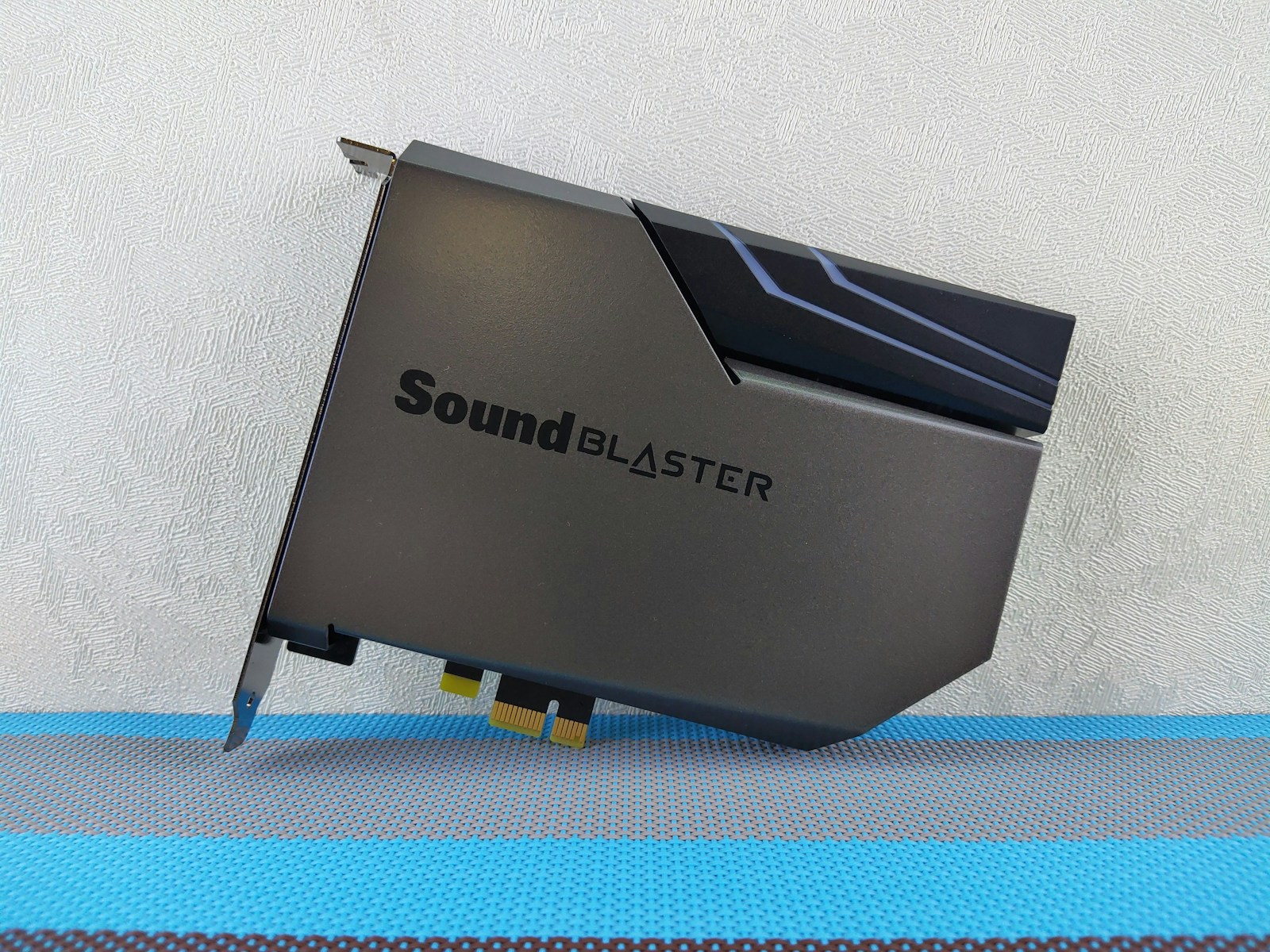
Dedicated sound cards come into play when more is needed. In desktop PCs they can be internal PCIe cards, designed for advanced gaming, home theater, or semi-professional use. However, more and more often the role of a dedicated sound card is played by
external audio interfaces via USB, Thunderbolt, or other connections. In the music field, these interfaces are the de facto standard for connecting microphones, instruments, and studio monitors.
Sound quality between converters and analog circuitry
When talking about audio quality, several factors come into play. The ADC and DAC converters partly determine background noise, dynamic range, and reproduction fidelity. Values like bit depth and sampling rate tell how fine the digital representation is, but they don't tell the whole story. Printed circuit board layout, shielding, power supply, and analog section design are equally crucial.
Professional audio interface manufacturers highlight specifications like
dynamic range and signal-to-noise ratio for each input and output. Cheap integrated sound cards can introduce hum or interference, especially if the case houses very power-hungry components. A well-designed dedicated sound card reduces these problems and offers a cleaner signal to monitors and headphones.
Drivers, audio APIs, and latency
The sound card is not just hardware. The
drivers and operating system APIs determine responsiveness and stability in daily practice. On Windows, technologies like
ASIO for the professional world and WASAPI for system audio manage the signal path, while on macOS the core is
Core Audio and on Linux the ecosystem revolves around ALSA and Jack
Core Audio Windows,
Core Audio Apple,
ALSA.
One of the most delicate aspects is
latency. For listening to a playlist, it's not a problem if tens of milliseconds pass between input and output. But if you play a virtual instrument in real-time or monitor a voice during recording, latency must remain very low. Dedicated sound cards with optimized drivers and adjustable buffers make a big difference right here.
Why a dedicated sound card still makes sense
Many wonder if it still makes sense to buy a separate sound card. The answer depends on what you do with your PC. For those who record music, podcasts, voice-overs, the answer is almost always yes. Good quality microphone preamplifiers, inputs with adequate levels for instruments, balanced outputs for studio monitors, and robust drivers are needed. External audio interfaces were born for this.
For video games and entertainment, a dedicated card can offer a better signal-to-noise ratio on headphone outputs, support for advanced surround formats, hardware DSP effects, and spatial positioning management software. Some lines designed for gamers and home theater emphasize precisely these functions, although the perceived difference depends greatly on the quality of the downstream headphones and speakers.
Sound card, speakers, and headphones: a single system
An excellent sound card connected to mediocre speakers won't work miracles. The same goes for low-quality headphones. From a listening perspective, the chain is always a
sound card plus speakers system. A good upgrade path often starts by first improving the physical output and then, if necessary, the electronics that power it.
For recording, the discussion expands to microphones. An interface with well-designed preamplifiers and stable phantom power allows for better use of condenser microphones, reducing noise and gain problems. The websites of professional interface manufacturers, from Focusrite to MOTU, insist precisely on this overall integration.
Sound card and operating systems: daily integration
From the operating system's point of view, the sound card is a peripheral that exposes input and output channels. On desktops, panels like Windows audio settings or macOS's Audio MIDI Setup allow you to choose default devices, configure formats, and manage multiple interfaces simultaneously. On Linux, modern desktop distributions provide graphical overlays on top of ALSA and PulseAudio or PipeWire.
For those working with multiple audio software simultaneously, driver stability and managing multiple streams become non-negotiable aspects. Here, interfaces designed for the professional world often offer internal mixers, flexible routing, and direct zero-latency monitoring that offload some of the work from the operating system.
How to choose a sound card based on use
A sensible choice always starts from real needs. For creating audio and video content regularly, a USB audio interface with two good combo inputs, balanced outputs, and solid drivers is often the ideal balance point. For those recording entire bands, more channels, additional preamplifiers, and perhaps digital expansions are needed.
For everyday use, if the integrated card doesn't introduce annoying noise and supports modern formats, it may be sufficient. Only when you start to notice obvious limitations—disturbances, latency, lack of specific inputs or outputs—does it become natural to look at dedicated sound cards. In a well-balanced PC, the sound card remains one of the components that most influences perceived quality, even if it sometimes works silently behind the frame of the screen.