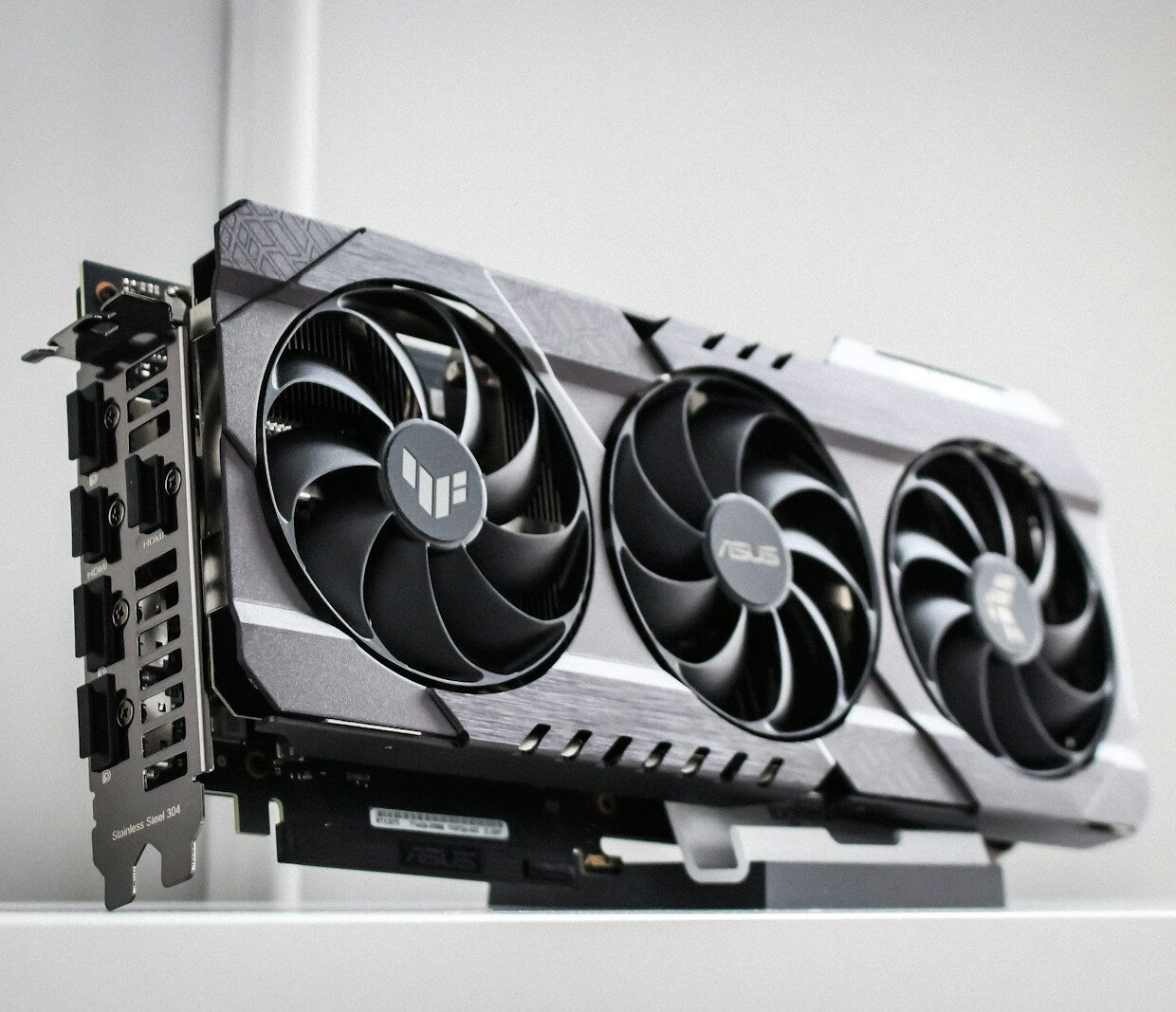
In every modern PC, there is a component that determines how smooth games, videos, 3D applications will be and often also how long the machine will last over the years. It's the
graphics card, or dedicated GPU, one of the most discussed parts when building or buying a computer. Understanding what it is, how it works, and how to choose the most suitable one prevents wasting budget or creating bottlenecks that are hard to correct later.
Why the graphics card matters more than it seems
Even those who haven't gamed in years increasingly find themselves using software that leverages the GPU. Video editing, 3D modeling, artificial intelligence, graphical interface acceleration, even 4K content playback utilize the graphics card's computing power. In desktop PCs, it remains one of the most power-hungry and expensive components, but also the one that most changes the user experience when moving up in tier.
Manufacturers like
NVIDIA and
AMD have built entire families of GPUs designed for different niches, from competitive gamers to graphics professionals. For the rest of the hardware ecosystem, the graphics card is a demanding counterpart, requiring PCIe lanes, stable power, and a case capable of managing its heat and size.
What a graphics card is and what it really does
The graphics card is an
expansion card that houses a GPU, dedicated memory, and all the electronics needed to connect these components to the rest of the system and to monitors. The GPU, Graphics Processing Unit, is a processor with hundreds or thousands of cores optimized for parallel calculations, very different from the few high-power cores of the CPU.
Its main task remains transforming data into images. It receives instructions from the operating system and graphics APIs, processes geometries, textures, lights, effects, and produces frames that are sent to the display. Documentation such as that on the
Direct3D APIs or on
Vulkan shows how intricate this chain is, between drivers, libraries, and graphics engines.
GPU, VRAM and memory bus
When comparing graphics cards, three elements always come up: GPU,
VRAM, and memory bus. VRAM is the memory dedicated to the GPU, where textures, buffers, and data needed for the current scene end up. Having more VRAM allows managing higher resolutions, more detailed textures, complex editing projects without immediately saturating resources.
The memory bus, i.e., the width of the connection between the GPU and VRAM, affects the available bandwidth. A card with a lot of VRAM but a narrow bus can struggle to move data back and forth fast enough. The official specifications from manufacturers, both for GeForce and Radeon, always list capacity, bandwidth, and memory type precisely because the balance between these factors is crucial.
Power consumption, heat, and power supply
Modern graphics cards have
TDP values that can easily exceed 200 watts and, in higher-end tiers, go much higher. This translates into heat to dissipate and precise demands on the power supply. The 6, 8, or 16-pin PCIe connectors, or the newer high-density connectors, provide the GPU with the necessary current in addition to the base power from the slot.
Underestimating this part means ending up with instability, sudden shutdowns, or power supplies constantly working at their limit. Manufacturer guidelines always indicate a minimum recommended power for the system's power supply. Considering some extra margin is a form of silent insurance for the overall stability of the PC.
Form factor, video connections, and compatibility
Not all graphics cards are equal in size and connectivity. High-end versions often occupy two or three slots in the case, have bulky cooling systems, and lengths that can cause problems in compact cases. Checking the available space and the layout of other components is a mandatory step before purchase.
On the connection side, most modern cards offer
DisplayPort and
HDMI outputs in various versions. Those using high refresh rate monitors or 4K resolutions must verify that the supported versions truly allow the desired combinations of hertz and color depth. The VESA specifications for DisplayPort and the HDMI specifications help decipher abbreviations that would otherwise remain just acronyms on the box.
Gaming, creator, and AI cards: how they differ
For years, graphics card primarily meant
gaming. Today the landscape is more nuanced. There are lines designed for professional use with drivers certified for modeling and CAD software, cards oriented towards general computing and AI, specific models for workstations that prioritize stability and support over frame rates in the latest game.
At the same time, many gaming GPUs are used daily for rendering, simulations, and machine learning experiments. Tools like
Blender or libraries like CUDA and ROCm leverage the power of consumer cards for tasks that go far beyond entertainment. The distinction between segments remains important, however, when certification requirements, dedicated support, and longevity in corporate contexts come into play.
How to choose the right graphics card for your needs
The key question is always the same: what do I really want to do with it? For those playing competitive titles at 1080p on high refresh rate monitors, it may be more sensible to look for a card with excellent performance in that context, rather than aiming for models designed for 4K. Those working with 4K timelines in video editing need ample VRAM and good performance in the codecs used by their software.
A useful criterion is to think in terms of
balance. A high-end GPU paired with a modest CPU or a monitor limited to 60 Hz wastes part of its potential. Similarly, a card that is too weak in an otherwise powerful system becomes the obvious bottleneck. Reading technical reviews, credible benchmarks, and software manufacturer guidelines helps avoid choices driven only by the biggest numbers on the brochure.
Drivers, software, and longevity over time
A graphics card is not just hardware. The
drivers and management software determine stability, compatibility with recent games, and support for new APIs. NVIDIA and AMD regularly release new drivers with optimizations, bug fixes, and support for newly released titles. Keeping this layer updated is part of the normal maintenance of a PC oriented towards graphics and gaming.
How long a GPU really lasts depends on two factors: the speed at which the demands of the software used grow and the user's expectations. A mid-to-high-end card can remain adequate for years if one is willing to reduce some graphical details over time. Those who always want everything maxed out in the latest releases will have to plan for more frequent upgrades. Knowing your own tolerance threshold for compromises is perhaps the most practical advice for choosing a graphics card without regretting it after a few months.