Every time we turn on a PC, a server, or a smartphone, something very simple and yet delicate happens. The electrical energy flowing through the chips is partially transformed into heat. If this heat is not managed, the hardware slows down, degrades, or simply stops working.
Thermal dissipation is not an aesthetic detail for modding enthusiasts; it is the hidden foundation of any serious project in the world of
Hardware, Architectures & Components.
Just take a look at the technical sheets from manufacturers, from
Intel to
AMD, to notice how much space is dedicated to TDP, maximum temperatures, and recommended cooling solutions. It's the formal way of saying that a processor is not only valued for its frequency or core count, but for how it can maintain that performance without cooking itself alive.
What Thermal Dissipation Really Is
Thermal dissipation refers to the set of
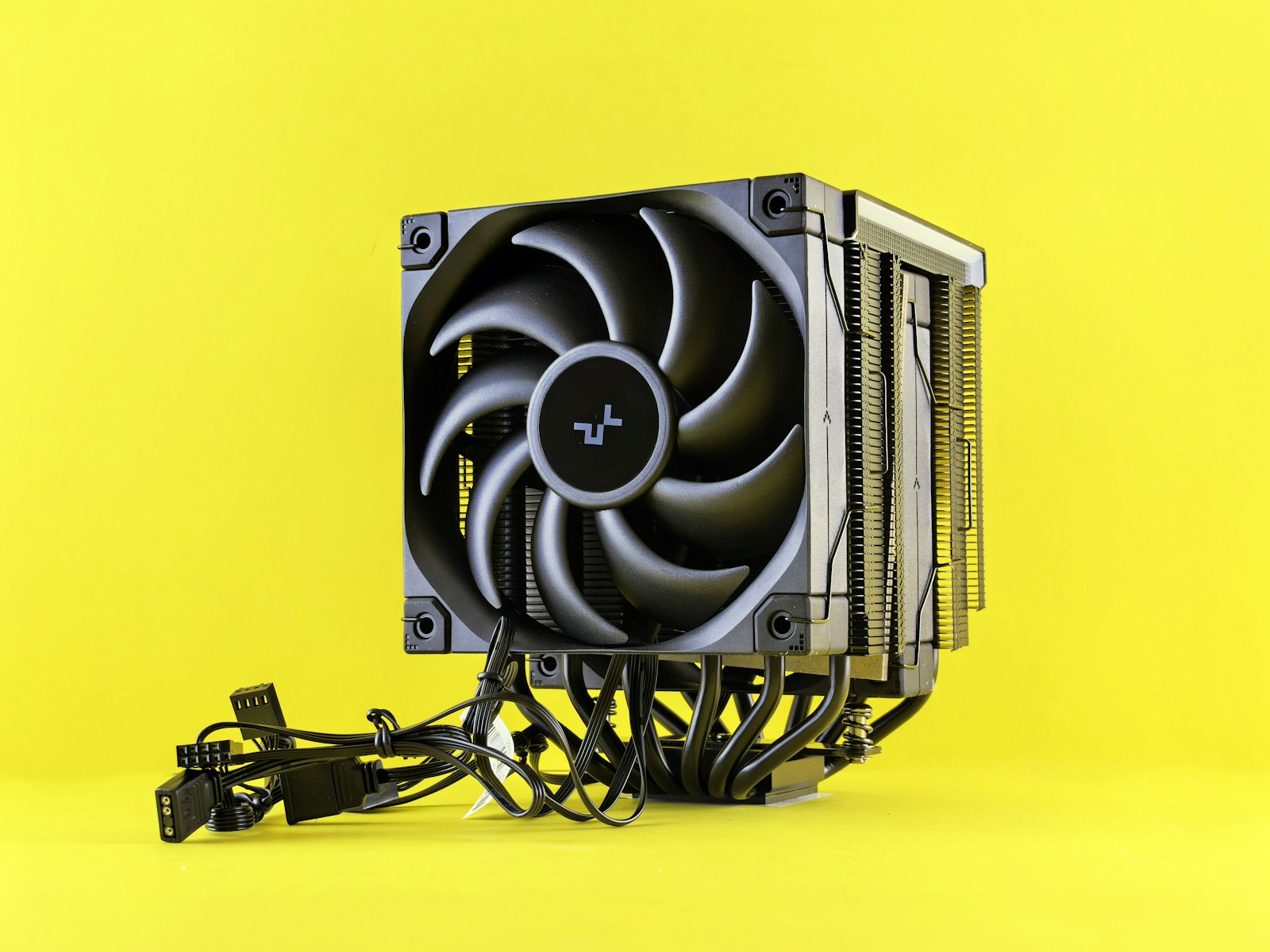
techniques and components used to move heat from the hottest points of the system to the external environment. In the case of a typical PC, this means moving thermal energy from the CPU, GPU, VRMs, and power chips towards heatsinks, heatpipes, radiators, and finally, the air outside the case.
In between, there are materials and interfaces with a precise task. The thermal paste that fills the micro-irregularities between the chip and the heatsink. The metal plates that distribute heat over wider surfaces. The fans that create an internal airflow capable of continuously renewing itself. In more advanced configurations, liquid cooling loops come into play, where heat is transferred from a block to a circulating liquid and then released to the air through a radiator.
From a physical standpoint, the logic is always the same. Move heat from where it cannot stay to where its presence is not a problem. The shorter and more efficient this path is, the easier it will be for a component to operate near its limits without triggering protections or reducing frequencies.
How It Works with Materials, Airflow, and Control
The first part of the job is done by
materials. Copper and aluminum dominate the scene because they combine good thermal conductivity with manageable costs and weights. Copper is more efficient as a conductor, aluminum is lighter and easier to work with. Many heatsinks combine them, using copper heatpipes and aluminum fins to find a balance between performance and practicality.
Then there's the air. A well-designed case is not just a box; it's a small ecosystem of
airflow. Intake fans that bring in fresh air, exhaust fans that expel hot air, pathways that try to avoid stagnation right over the most critical parts. A confusing layout, cables blocking the path, or dust-clogged filters can negate the advantages of the best heatsink on paper.
In liquid cooling systems, the principle doesn't change, but the heat transport vector becomes a fluid. The pump moves the liquid between the water block, radiator, and reservoir. The fans mounted on the radiator are responsible for discharging the heat into the air. The main advantage is not so much the magic of the liquid, but the ability to move the point where heat is exchanged with the environment to more favorable areas of the case.
In parallel, the control electronics work. Temperature sensors, fan speed curves, limits set in the BIOS or graphics card firmware. All of this determines how the system reacts to loads. A curve that is too timid risks keeping the fans low at the expense of temperatures. A curve that is too aggressive makes the PC noisy without real gains if the airflow is poorly designed.
Why It's Crucial for Performance, Stability, and Longevity
The reason why thermal dissipation is so important becomes immediately apparent when something doesn't work. Excessively high temperatures lead to
thermal throttling. CPUs and GPUs automatically reduce frequencies and voltages to stay within safe limits. The result is that a processor, as per its manual, loses power just when it should perform at its best. In benchmarks and games, this is seen as frame drops; in professional workloads, as lost time in every render or compilation.
But the more insidious problem is
long-term degradation. Components exposed for years to continuous overheating cycles age more rapidly. Solder joints suffer thermal stress, materials expand and contract repeatedly, capacitors operate outside their comfort zone. All of this increases the risk of failure when least expected.
There's also an issue of power design. Hardware with adequate dissipation can afford to utilize higher TDPs, more aggressive boost profiles, and reasonable overclocking settings. The same chip, mounted in a poor thermal context, will instead be forced to behave like an inferior model. In practice, you pay for specifications you can never truly use.
From the perspective of those who design and assemble systems, thinking about thermal dissipation from the start means avoiding compromises down the line. Choosing cases with sensible airflow, correctly sizing heatsinks and radiators, positioning heat-generating components away from each other, setting fan profiles that balance noise and temperature. These are less flashy choices than a high-end GPU, but they make the difference between a machine that lasts for years and one that begs for mercy every summer.
In a world where CPUs and GPUs are becoming increasingly dense and powerful, while form factors shrink, thermal dissipation remains the silent bottleneck. It doesn't deliver FPS on its own, it doesn't appear in social media photos, but it's the reason why those numbers remain stable over time. Ignoring it means building castles on foundations of ice. Taking care of it carefully means giving every component the chance to truly operate at the level for which it was designed.

 Ing. Calogero Bono
4 min read
Ing. Calogero Bono
4 min read