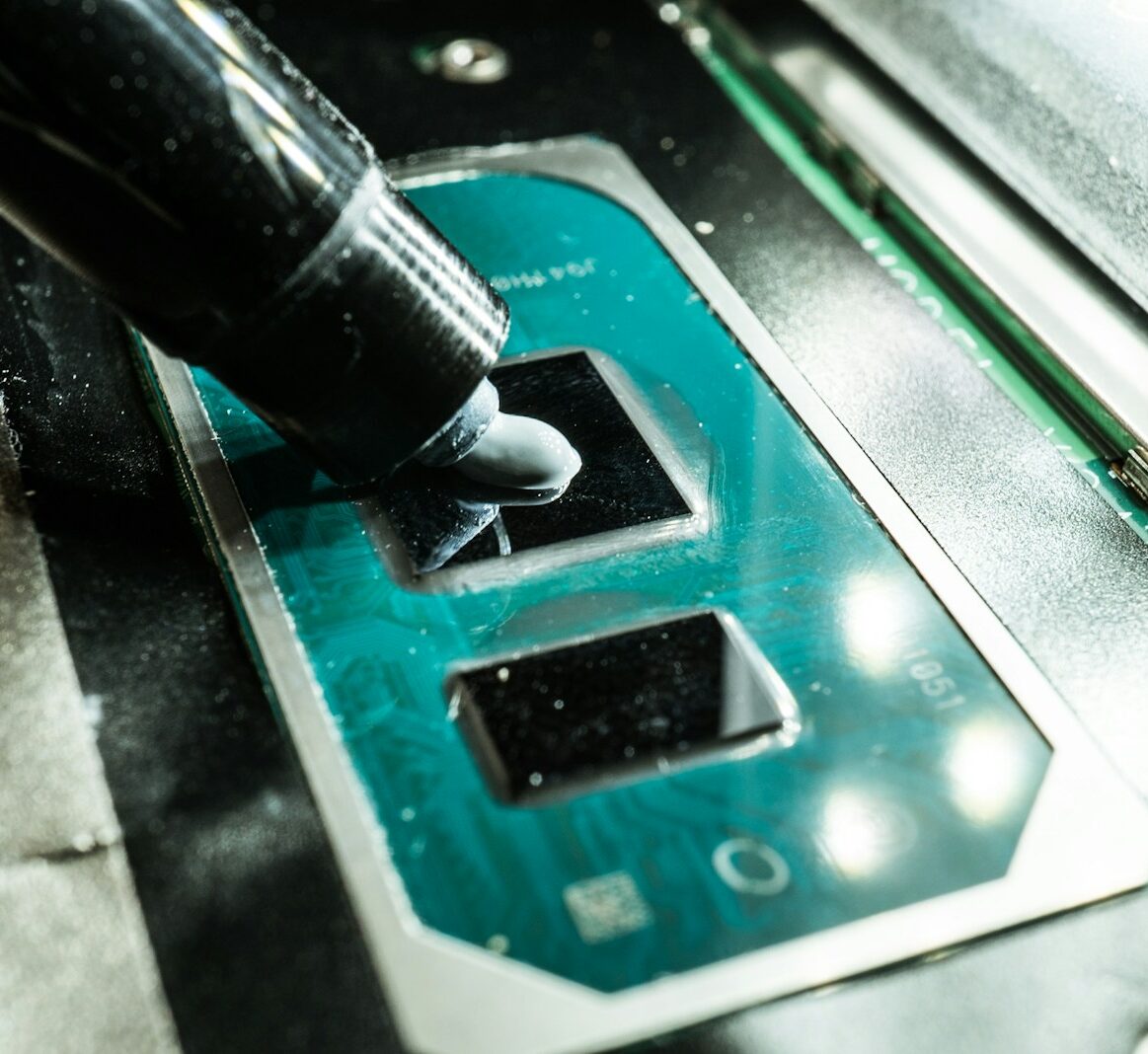
Of all the components that populate the Hardware, Architectures & Components world, few are as underestimated as thermal paste. It's cheap, often invisible, yet it has a direct impact on the temperatures, stability, and lifespan of CPUs and GPUs. Just applying it poorly, using a low-quality one, or forgetting to replace it can turn a well-designed system into a machine that runs hot, throttles, and ages prematurely.
Manufacturers of thermal solutions like Arctic, Noctua, or Thermal Grizzly, in their respective guides available on their official websites, all insist on the same concept. Thermal paste is not meant to add thickness, but to improve the contact between two surfaces that only appear perfectly smooth to the naked eye. And on this subtle difference depends the heatsink's ability to do its job.
What thermal paste really is
Thermal paste is a thermal interface material, often referred to by the acronym TIM, designed to fill the micro-imperfections between the CPU die or IHS and the heatsink base. At a microscopic level, metal surfaces are never perfectly flat. Small air-filled gaps would remain between the two elements, and air is a poor conductor of heat.
Thermal paste goes right there. It is composed of a base, often silicone or synthetic oil-based, enriched with particles of high thermal conductivity. Metal oxide, ceramics, carbon powders, depending on the formulation. The result is a substance that spreads easily and improves the heat's ability to transfer from the chip to the heatsink.
There are various types of thermal paste. Classic ceramic-based ones, metal-based ones, more advanced variants with very high declared conductivity, and even liquid metal solutions, designed for extreme scenarios and to be used with great caution. For daily use on work or gaming PCs, most good brand pastes offer a more than sufficient balance between performance, ease of application, and safety.
How it works between contact, pressure, and temperature
The functioning of thermal paste is less mysterious than it seems. Once spread, the paste is compressed between the CPU and heatsink when the mounting system is tightened. The pressure pushes the material into the micro-depressions, reducing air gaps. The more uniform the layer, the more predictable the thermal behavior will be.
The ideal thickness is not excessive. A layer that is too thick creates an unnecessary barrier, because even the best paste still has lower conductivity than metal. The purpose is only to eliminate gaps, not to replace metal-to-metal contact. This is why many manufacturers recommend a small amount in the center of the IHS or simple distribution patterns, letting the pressure from the heatsink do the rest.
Over time, the paste is exposed to continuous thermal cycles. Power-ons, shutdowns, load variations. Each cycle causes the material to expand and contract slightly. Low-quality pastes tend to dry out, lose elasticity, and retract from the edges. This creates gaps, micro-cracks, and areas where heat struggles to pass through again.
The best formulations try to maintain their characteristics over time, but no material is eternal. Even when the paste looks visually acceptable, it may have lost some of its performance compared to its first months of life. This is where temperature monitoring becomes an important ally.
When thermal paste should be replaced
Understanding when to change thermal paste is not an exact science, but there are signals that should not be ignored. The first is an unexplained increase in temperatures. If a CPU that has worked within certain values for years starts rising by ten or fifteen degrees under the same load conditions, without hardware or environmental changes, the paste is one of the first suspects.
Another natural time for replacement is whenever the heatsink is removed. Once the contact is broken, the original distribution of the paste is disrupted. Reassembling everything without cleaning and reapplying almost always results in gaps, bubbles, and irregular contact. It's the classic time-saving move that is later paid for with a hotter and noisier system.
Generally, for a desktop PC used regularly, many technicians recommend replacement every few years, depending on the initial product quality and usage conditions. In very hot environments, with intensive loads, or with a lot of dust, it may make sense to be more frequent. For laptops, the matter is more delicate, because access to components is often complex and entrusted to specialized centers. However, when performing a serious internal cleaning, a paste change is almost always part of the package.
The correct procedure starts with a complete cleaning of the surfaces. Isopropyl alcohol, soft non-abrasive cloths, patience. The goal is to remove all the old paste without scratching the IHS or heatsink base. Only after this phase is the new paste applied in an adequate amount and everything is reassembled, tightening evenly.
For those pushing overclocks or working with high-performance systems, the choice of paste and the replacement frequency become almost a ritual. Differences of a few degrees can make the difference between stability and crashes. But even outside these extreme scenarios, good thermal paste management is simply an act of care for the hardware. Keeping temperatures under control means extending component life, reducing fan noise, and truly utilizing the specifications declared by manufacturers.
In a landscape where discussion often revolves only around cores, frequencies, and benchmarks, remembering a layer of material the size of a coin may seem trivial. Yet it is precisely there, in that thin interface between silicon and metal, that it is decided whether a system will perform at its best or spend its existence fighting against heat.
> AUTHOR_EXTRACTED
Ing. Calogero Bono
Ingegnere informatico, fondatore di Meteora Web e Zenith OS. System administrator e progettista di piattaforme, app e CMS proprietari, con esperienza in sviluppo full-stack, marketing digitale ed ecosistema Google.
[ Read Full Dossier ]
> METEORA_WEB // DIGITAL AGENCY
We build the digital presence your business deserves.
Websites, social media, online advertising, e-commerce and high-performance hosting, engineered with method by computer engineers in Sciacca, for all of Italy.