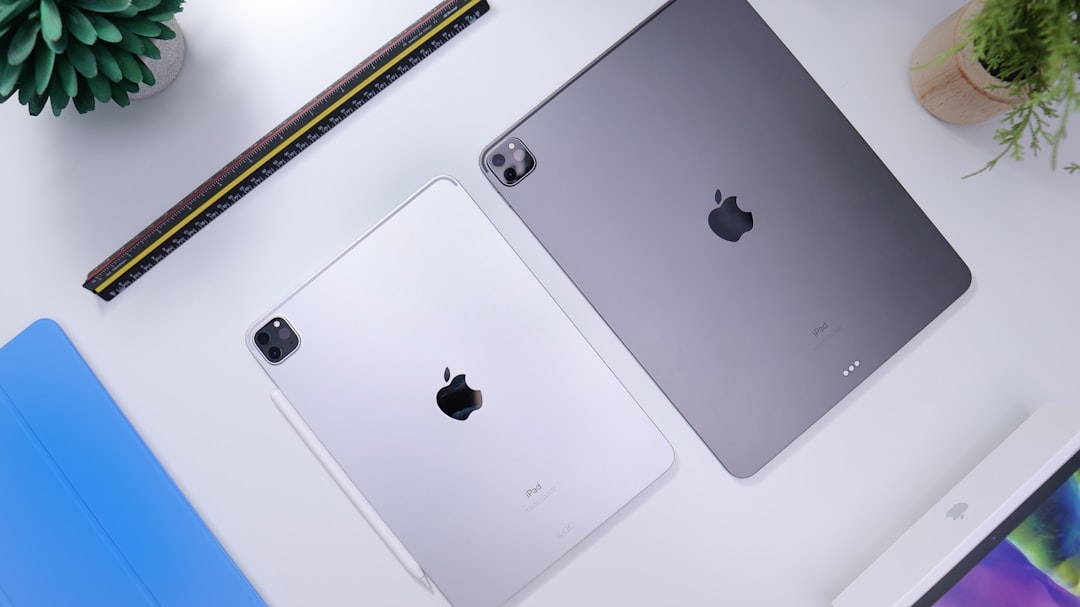
Buying an iPad has become a puzzle. With four main models and overlapping features, choosing the right one is trickier than ever. Apple, however, has a clear vision of who should buy each device. According to official messaging, the company splits the lineup into four categories: the base iPad for everyday tasks, the iPad Mini for extreme portability, the iPad Air for Mac-class power without the weight, and the iPad Pro for pros with unlimited budgets. Here is how Apple presents each model and what those promises really mean.
iPad 11: The base model for daily use
Apple promotes the 11th-generation iPad as a colorful, fun device for everyday things. In practice, that means streaming on the couch, FaceTime calls, homework in Pages, and the occasional Apple Pencil doodle. It lacks Apple Intelligence support, a choice some appreciate for simplicity. The design is all screen with no Home button, and it works with the Apple Pencil (1st gen and USB-C) and the Magic Keyboard Folio. At $449 for 128 GB, it offers the best value, but storage can fill up quickly. Opt for 256 GB or rely on cloud storage. The 11-inch Liquid Retina display with sRGB and True Tone, A16 chip, 12MP 4K rear camera, and 12MP Ultra Wide front camera make it ideal for light use.
Sponsored Protocol
iPad Mini: Pocket-sized power for professionals on the go
The iPad Mini, with its 8.3-inch screen, is described by Apple as small but mighty. Doctors use it on rounds, pilots mount it on yokes, and commuters read one-handed. It supports Apple Intelligence thanks to the A17 Pro chip, but lacks a built-in keyboard and high refresh rate. You can scribble on PDFs and take handwritten notes, but do not expect to see it advertised with a spreadsheet open. It is more a consumption device than a productivity tool. With a 12MP 4K rear camera and 12MP Center Stage front camera, it is perfect for those who prioritize portability without sacrificing power. Still, for many it remains a niche purchase.
Sponsored Protocol
iPad Air: The sweet spot between performance and price
Moving up, the iPad Air is presented as a serious device for more demanding users. It offers two screen sizes (11 and 13 inches) and Apple Intelligence support. Apple calls it a powerhouse. With the M4 chip (8-core CPU, 9-core GPU) it can handle video editing in Final Cut and photo editing in Lightroom. The 13-inch model weighs 1.36 pounds, heavier than the 13-inch iPad Pro (1.28 pounds). Compared to the Pro, you save $450, but the Magic Keyboard and Apple Pencil Pro are extra. The Liquid Retina display with P3 and antireflective coating offers a good visual experience, but many lament the lack of a 90Hz or 120Hz refresh rate, making scrolling less smooth. If you need Mac-level performance without the premium cost, the iPad Air is the sweet spot.
Sponsored Protocol
iPad Pro: The uncompromising choice for professionals
The iPad Pro is Apple's thinnest tablet ever (5.1mm) and packs the M5 chip with Apple Intelligence. It can drive external displays up to 6K and reach data transfer speeds up to 40 Gb/s. The Ultra Retina XDR display with ProMotion (120Hz) and optional nano-texture glass on 1TB and 2TB models make it ideal for 8K ProRes video and professional graphics. However, if you have to ask whether you need an iPad Pro, you probably do not. For most users, the iPad Air is more than enough. The Pro is a machine for those with no budget limits who demand the absolute best.
Ultimately, the choice depends on your intended use. For more on current deals, check the all-time low prices on AirTag 2 and M3 iPad Air. For a broader overview, visit the Wikipedia page on iPad.
Source: https://9to5mac.com/2026/07/03/which-ipad-is-right-for-you