
Your printed menu is already outdated. Ingredient costs have changed, a dish is no longer available, and you've had to adjust prices. But the print is stuck at the printer for three weeks. Meanwhile, every table ordering a sold-out dish costs you time and credibility. Every wrong price erodes your margin. This is the problem we solve: updating prices and dishes without reprinting the menu, in real time, with immediate economic return.
How does digital menu updating without reprints work?
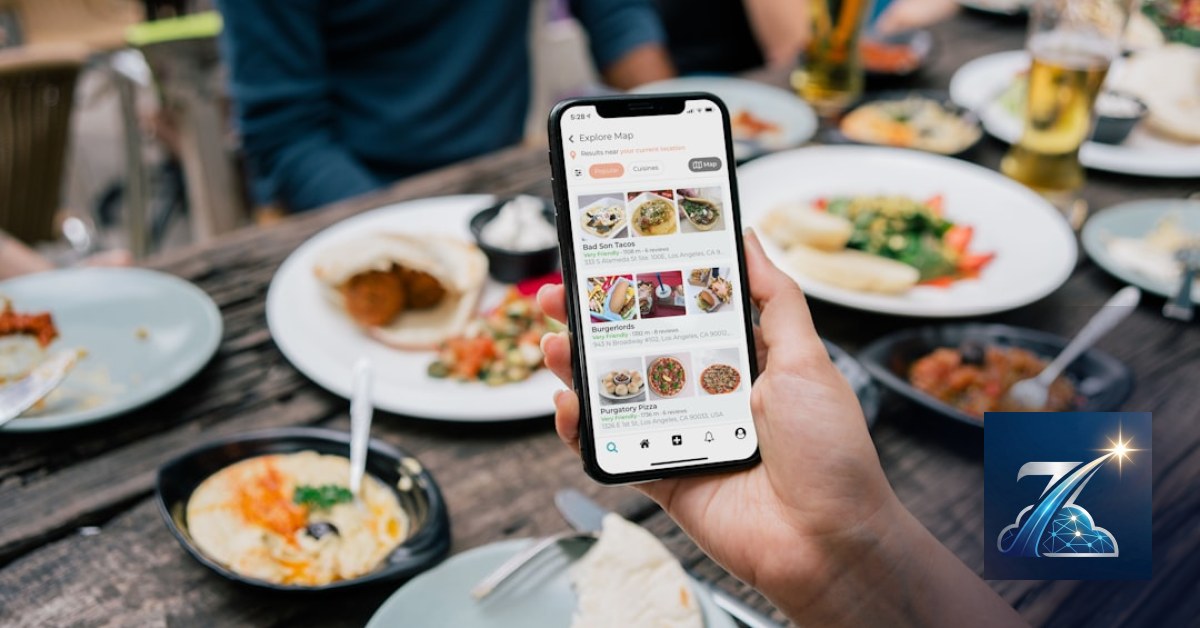
A digital QR menu is not a simple PDF uploaded to a website. It's a system that separates data (dishes, prices, descriptions) from presentation (the layout the customer sees). When you update the data, the change is immediate on every device that scans the QR code. We at Meteora Web build these systems with WordPress and Laravel, but the principle is universal: the menu lives in a database, not in a static file.
The database as the single source of truth
Think of your menu as a warehouse: each dish is a product with name, description, price, availability. When the tomato price rises, you update the dish cost in a single screen. The QR code printed on the table doesn't change: it points to the same URL, but that URL serves updated content. It's the same principle we use for e-commerce clients: a product is modified once, and the change reflects everywhere.
// Example: updating a price in a MySQL database
UPDATE dishes SET price = 12.50 WHERE id = 42 AND restaurant_id = 7;
Common mistake to avoid: uploading a photo of the printed menu as an image. That's not a digital menu; it's a photo of a paper menu. To update it, you need to retake the photo, and the QR code points to a static image. Zero flexibility.
Which tool should you choose for real-time menu updates?
You have three paths, and the choice depends on your budget and technical expertise. We always think in terms of costs and returns: a system costing 50 euros a month that saves you 200 euros in reprints and lets you raise prices in a day is worth it. A system costing 200 euros a month that you don't use is a waste.
SaaS platforms for digital menus
Services like QR Code Menu or similar offer an admin panel where you modify dishes and prices. The advantage is quick setup: you're operational in an hour. The downside is the monthly fee and provider dependency. If the service closes or raises prices, you're hostage. It's the same reason we prefer solutions with full code control.
Digital menu in WordPress with plugins
If you already have a WordPress site, you can use plugins like WP Menu or create a custom post type for dishes. The advantage is that the menu is part of your site, with SEO and consistent design. The downside is managing updates and security. But with a well-configured plugin, updating a price takes less than a minute.
Custom proprietary platform
We at Meteora Web have built custom platforms for clients with specific needs: managing multiple restaurants, integrating with the POS system, reporting on sales per dish. It's the most expensive solution upfront, but the one that gives you total control. If you have multiple locations or a group, it's the only path we seriously recommend.
Our operational advice: start with a SaaS solution if you have a single restaurant and want to test. Move to WordPress or a custom platform when the volume of changes grows or when you want to integrate the menu with your POS.
How to manage availability and ingredients without service errors?
The problem isn't just price: it's knowing whether a dish is still available. The waiter saying "we're out of sea bass" after the customer has ordered it is an error that costs time and reputation. With a digital menu, you can mark a dish as "sold out" in real time, and the customer sees it immediately in the menu.
The availability flag in the database
Each dish has an "available" field (boolean) and an optional quantity. When you run out of an ingredient, you update the flag. The menu shows the dish as "not available" or hides it entirely. This avoids impossible orders and reduces kitchen stress.
-- Example: marking a dish as sold out
UPDATE dishes SET available = FALSE WHERE id = 42;
Integration with the POS system
If your POS system (like the one we managed for Hibrido Abbigliamento, but applied to restaurants) tracks inventory, you can automate the flag: when stock hits zero, the dish becomes unavailable. This is the next level: you don't update manually anymore; the system does it for you. It's an investment that pays off in time and avoided errors.
How to update prices without losing customers?
Raising prices is always delicate. But with a digital menu, you have an advantage: you can test price variations in real time and see the impact on orders. You don't have to wait for reprints to see if the market accepts an increase. We always recommend monitoring data: if a dish with an increased price drops in sales, you can restore the price in a minute.
Dynamic pricing strategy
With a digital menu, you can apply different prices for time slots (lunch vs. dinner) or days of the week. A dish can cost 12 euros at lunch and 14 at dinner. This is impossible with a printed menu. It's a margin lever few use, but it works.
// Example: price based on hour
$price = (date('H') >= 19) ? 14.00 : 12.00;
Common mistake: updating prices without communicating to staff. The waiter must know the price has changed, otherwise it creates confusion at the bill. Train the team when you make a significant change.
How to avoid communication errors between kitchen and service?
The digital menu isn't just for the customer: it's also for the kitchen. If the waiter orders via a tablet or app, the dish arrives in the kitchen with the updated description. This eliminates communication errors and reduces wait times. We see it every day: restaurants using digital ordering systems have fewer wrong dishes and more table turns.
The workflow: from menu to order
The customer scans the QR, sees the menu, orders. The order arrives in the kitchen on a display. The kitchen confirms. The customer pays from the table. Every step is tracked. If a dish is sold out, the system blocks it before the order goes through. This is the level of efficiency a printed menu can't provide.
To implement this, you need a system that manages not just the menu, but also orders. It's a step beyond the simple digital menu, but it's the natural evolution. We've built platforms that integrate menus, orders, and payments, and the return in terms of margin is evident.
What are the costs and benefits of an updatable digital menu?
Let's do some math, because that's how we work. Reprinting 100 printed menus costs between 150 and 300 euros, depending on quality. If you update the menu 4 times a year, that's 600-1200 euros a year just in printing. A SaaS digital menu costs between 20 and 50 euros a month, so 240-600 euros a year. The savings are immediate. But the biggest benefit is hidden: the ability to raise prices in a day when costs rise, without waiting for reprints.
The return on investment calculation
Take a restaurant with 50 covers a day and an average price of 25 euros. An average 5% price increase (which you can apply immediately with the digital menu) generates 62.5 euros more per day, 22,800 euros a year. With a software cost of 600 euros a year, the return is huge. This is our approach: numbers first, then technology.
Our stance: a digital menu isn't a fad; it's a margin tool. If you don't use it to update prices in real time, you're leaving money on the table.
What to do now
Here are concrete actions you can take today, without waiting for the perfect provider:
- Audit your current menu: list all dishes, prices, and ingredients. Mark those that change most often. This is your starting point.
- Try a SaaS solution: sign up for a digital menu service with a free trial. Upload your menu and update a price. Measure how long it takes. If it's less than 5 minutes, you're on the right track.
- Train your staff: explain to the team how updating works. Who is responsible for changes? Define a clear process: who reports a sold-out dish, who updates the price.
- Monitor data: after 30 days, look at menu view statistics. Which dishes are viewed most? Which have more orders? Use this data to optimize the menu and prices.
If you want a custom solution, check our guide on digital QR menus and then let's talk about your case. We at Meteora Web are here for this: turning technology into margin.
Zenith Gastro is the all-in-one platform to run your business — clients, scheduling, deadlines, invoicing and WhatsApp reminders, all from your browser. No installation required.
Discover Zenith Gastro →