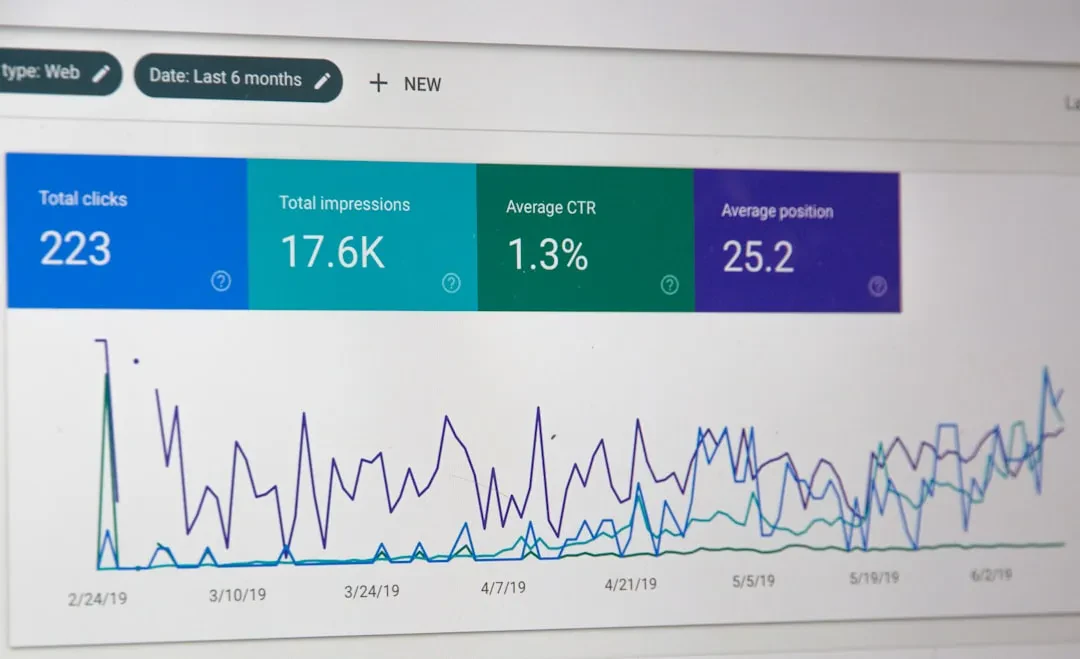
For any developer or digital marketer, mastering Google services means having full control over analytics, indexing, performance, and automation. This pillar guide covers the five essential tools: Google Analytics 4, Google Search Console, Google Tag Manager, Core Web Vitals, and the Gemini API. Each section provides the technical foundations and key configurations, while pointing to future deep dives for more specific topics. The goal is to offer a permanent reference, independent of versions or dates, enabling integration into any web development stack.
Google Analytics 4 from Scratch
GA4 represents the evolution of web analytics based on events, abandoning the session and pageview model of Universal Analytics. Initial setup requires creating a GA4 property and integrating the tag via Google Tag Manager or directly using gtag.js. For developers, understanding the event system is critical: every interaction (scroll, click, purchase) is an event with custom parameters. Data collection occurs through the web or app data stream.
Event and Conversion Configuration
Google's recommended events (such as page_view, click, scroll) are automatic when using the standard configuration. For custom events, use gtag('event', 'event_name', {parameters}). Conversions must be marked as such in the GA4 interface, or automatically set for events like purchase or sign_up. An advanced aspect is conversion deduplication using the transaction ID.
Sponsored Protocol
Data Exploration and Custom Reports
GA4 offers the Explorations module to create complex visualizations (funnels, paths, segments). Standard reports can be customized via the admin panel. To export raw data, use the Google Analytics Data v1 API, which allows programmatic queries. For example, to retrieve the number of active users per day, send a POST request with the desired parameters.
Google Search Console for Developers
Search Console (GSC) is the tool that allows site owners to monitor their presence in Google search results. For developers, the key features are property verification (via DNS record, HTML file, or meta tag), index coverage analysis, and Core Web Vitals monitoring. The Search Console v1 API enables automation of checks, such as identifying URLs with crawl errors.
Index Coverage and Indexing Issues
The Coverage section shows the status of each known URL: error, valid with warnings, valid, or excluded. Common issues include pages blocked by robots.txt, incorrect redirects, or duplicate content. To resolve them, the developer must check the HTTP response, robots.txt file, and XML sitemap. Submitting an updated sitemap through GSC accelerates the discovery of new content.
Sponsored Protocol
Core Web Vitals and Sitemaps
Core Web Vitals are three performance metrics: LCP (Largest Contentful Paint), FID (First Input Delay), and CLS (Cumulative Layout Shift). GSC displays them grouped by URL type (good, needs improvement, poor). For sitemaps, GSC accepts XML files or sitemap indexes and provides statistics on indexed pages compared to submitted ones.
Google Tag Manager: Complete Implementation
GTM is a tag container that allows managing marketing tracking (GA4, Google Ads, Facebook Pixel) without modifying the source code. The foundation is creating a container and installing the two snippets (head and body). The essential components are tags, triggers, and variables. The recommended approach is to define a structured data layer in JavaScript, on which GTM relies to capture contextual information.
Custom Variables and Triggers
Variables can be built-in (URL, Cookie, Constant) or custom using JavaScript. A typical case is creating a variable to extract a product price from the data layer. Triggers define when a tag should fire: page views, clicks, form submissions, custom events. Combining multiple conditions (e.g., 'page = cart' AND 'event = checkout click') allows granular control.
Sponsored Protocol
Managing Tags Without Touching Code
Once GTM is installed, marketers and developers can add third-party tags directly from the interface. GTM supports official tag templates (Google Ads, Floodlight, Hotjar) and custom tags. The debug mode and container preview allow testing every change before publishing. For advanced management, use the GTM v2 API to create and update workspaces.
Core Web Vitals and Web Performance
Core Web Vitals metrics are part of Google's ranking signal. Beyond what is shown in Search Console, developers can use tools like Lighthouse, PageSpeed Insights, or the web-vitals library. Typical optimizations include image compression, lazy loading, reducing render-blocking JavaScript, and using local fonts. For CLS, it is essential to reserve space for images and ads using width and height attributes.
LCP, FID, CLS Metrics
LCP measures the loading speed of the main content (target below 2.5 seconds). FID measures interactivity (below 100 ms), while CLS measures visual stability (score below 0.1). To monitor in production, use the PerformanceObserver API in the browser, or services like CrUX (Chrome User Experience Report).
Sponsored Protocol
Monitoring Tools
Beyond GSC and PageSpeed Insights, there are aggregated dashboards like CrUX Dashboard in Looker Studio and the Core Web Vitals report in GA4 (Performance section). For continuous monitoring, set up alerts on degraded metrics using the CrUX API.
Gemini API for Developers
Google's Gemini API allows integrating generative AI models into workflows. With a Google Cloud project and an API key, you can send requests to generate text, answer questions, or analyze data. For web application developers, Gemini API can automate SEO report creation, analysis of GSC logs, or generation of page descriptions.
Introduction to the Gemini API
The API is based on HTTP POST requests to https://generativelanguage.googleapis.com/v1beta/models/gemini-pro:generateContent. The JSON body includes system and user messages. For instance, to obtain a summary of GA4 data, send a prompt describing the scenario. The response contains the generated text, which can be parsed and inserted into a custom report. It is essential to handle rate limiting and API key security.
Sponsored Protocol
Use Case: Automating Reports
An advanced user can combine the Google Analytics Data API and Gemini API to produce natural language narrative reports. Extract user count, sessions, and conversion rate, then send these data to Gemini with the prompt 'Write a summary paragraph for a weekly report.' The result can be integrated into a corporate dashboard.
Conclusions and Best Practices
The set of Google services for developers is not just isolated tools: GA4, Search Console, GTM, Core Web Vitals, and Gemini API integrate with each other. An efficient workflow includes using GTM to centralize tracking, GA4 for data collection, Search Console for organic visibility monitoring, Vitals metrics for user experience quality, and Gemini API for automating analyses. Official documentation remains the primary source for up-to-date details. For quick reference, keep a configuration checklist and test every change in a staging environment before deployment. This guide serves as the foundation for the entire thematic cluster: each sub-topic will be further detailed in dedicated spoke articles.