
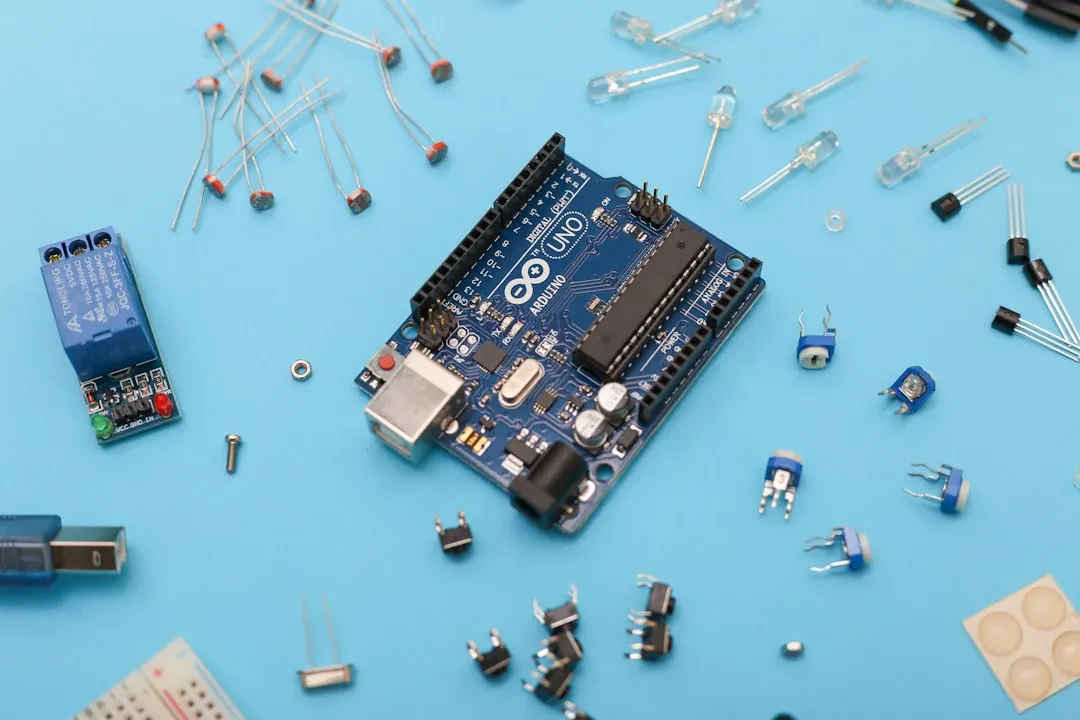

Do you run a business and need to monitor energy consumption in your facility? Or perhaps automate a greenhouse? IoT and programmable hardware are the answer, but theory alone won't cut it. At Meteora Web, we've seen too many IoT projects fail because they got lost in the abstract. Let's start with the facts.
What does IoT and programmable hardware mean for an SME?
Internet of Things is the network of connected physical objects that collect and exchange data. Programmable hardware (Arduino, Raspberry Pi, ESP32) is the brain of these objects. For an SME, IoT means energy savings, predictive maintenance, asset tracking, and new business models. We see it as an extension of your information system: from warehouse to field, from oven to point of sale.
Concrete example: an olive oil producer needed to monitor storage tank temperatures. We built a logger with an ESP32 and a DS18B20 sensor, sending data via MQTT to a database. Total cost: less than €30. Result: 15% reduction in waste due to thermal swings. That's IoT that drives revenue.
Which microcontrollers and single-board computers are best for your IoT project?
The choice depends on three variables: cost, connectivity, and processing power. The three main players are Arduino, Raspberry Pi, and ESP32. Each has a specific role.
Arduino: the workhorse for sensors and actuators
Arduino is an 8- or 32-bit microcontroller, ideal for simple, real-time tasks. Costs range from $5 to $30. Perfect for reading analog sensors and controlling motors or relays. We use it when low power and instant response are needed. Example: a timer for irrigation with a soil moisture sensor.
Raspberry Pi 5: a full computer for complex IoT
Raspberry Pi 5 is a true Linux computer with GPIO, HDMI, USB, and Ethernet. Costs around $80. We use it for projects that require local processing, like an MQTT server or a web interface. Example: an interactive kiosk with a touchscreen showing real-time production data.
ESP32: the king of low-cost IoT with WiFi and Bluetooth
ESP32 is a dual-core microcontroller with built-in WiFi and Bluetooth, starting at $5. It's the top choice for connected IoT devices. We built an environmental monitoring system for a farm: 20 ESP32 nodes sending temperature, humidity, and CO2 to an MQTT broker. Cost per node: €12.
How does Arduino work and which sensors and actuators can you use immediately?
Arduino is programmed via the official IDE in simplified C++. The classic LED blink is the first step. Here's a working example to read a DS18B20 temperature sensor and send data over serial.
#include
#include

#define ONE_WIRE_BUS 2
OneWire oneWire(ONE_WIRE_BUS);
DallasTemperature sensors(&oneWire);

void setup() {
  Serial.begin(9600);
  sensors.begin();
}

void loop() {
  sensors.requestTemperatures();
  float tempC = sensors.getTempCByIndex(0);
  Serial.print("Temperature: ");
  Serial.println(tempC);
  delay(1000);
}
Many projects fail due to wiring errors or insufficient power. We always recommend a breadboard with a regulated power supply. Useful sensors: DHT22 (temp/humidity), HC-SR04 (distance), PIR (motion), relays (actuators). A typical actuator is an SG90 servo motor to open a valve.
Raspberry Pi 5: what concrete projects can you build with an $80 computer?
Raspberry Pi 5 has a quad-core ARM processor at 2.4 GHz, up to 8 GB RAM. It can run Node-RED, a local database, a web server, or act as a domotics hub with Home Assistant. We use it for projects requiring a graphical UI or video processing.
Typical project: a control panel for a manufacturing company. Raspberry Pi 5 with a touchscreen displays production data from an OPC-UA server, with email alerts if a machine exceeds a threshold. Hardware cost: under $150. All software is open source.
Basic setup: install Raspberry Pi OS, enable SSH and I2C, connect a DS18B20 sensor on GPIO. Command to read temperature via console: cat /sys/bus/w1/devices/28-*/w1_slave. Powerful and immediate.
ESP32 and MicroPython: how to build a low-cost IoT device with WiFi and Bluetooth?
MicroPython is an optimized Python interpreter for microcontrollers. On ESP32 it allows rapid coding. Here's how to publish a value to an MQTT broker.
import network
import time
from umqtt.simple import MQTTClient

wlan = network.WLAN(network.STA_IF)
wlan.active(True)
wlan.connect('SSID', 'password')
while not wlan.isconnected():
    time.sleep(1)

client = MQTTClient('esp32_sensor', 'broker.meteoraweb.com')
client.connect()

while True:
    # Read a sensor
    value = 25.3
    client.publish(b'sensor/temperature', str(value).encode())
    time.sleep(10)
Don't forget to handle WiFi and MQTT reconnection, and use deep sleep to save battery. An ESP32 node with a PIR sensor and deep sleep can last months on a single 18650 cell.
MQTT: why is it the standard protocol for IoT messaging?
MQTT is a publish/subscribe protocol over TCP/IP, designed for low-bandwidth, high-latency devices. Lightweight, efficient, with three QoS levels. We use it on every IoT project because:
- Minimal overhead: 2-byte header
- Support for persistent connections
- Central broker (Mosquitto, EMQX) that routes messages
- Wildcards for topics:
+/temperaturesubscribes to all temperature sensors
Example: a sensor publishes to factory/machine1/temperature. A dashboard subscribes to factory/+/temperature and displays everything. Simple and scalable.
To install Mosquitto on Raspberry Pi: sudo apt install mosquitto mosquitto-clients. Then test: mosquitto_sub -h localhost -t test in one terminal, and mosquitto_pub -h localhost -t test -m "hello" in another.
Home Assistant: how to make open-source home automation that integrates with any device?
Home Assistant is an open-source home automation platform that runs on Raspberry Pi, Docker, or a server. It supports thousands of integrations: Philips Hue, Sonoff, Zigbee sensors, MQTT, and more.
We installed it for a client who wanted to manage lights, thermostats, and blinds from a single app. With a YAML configuration and a few automations, the system became more flexible than any closed solution. Example automation:
automation:
  - id: 'turn_off_lights'
    trigger:
      platform: state
      entity_id: binary_sensor.motion_living
      to: 'off'
      for:
        minutes: 10
    action:
      service: light.turn_off
      entity_id: light.living
Home Assistant also integrates with Alexa and Google Home, but the real value is total control: no mandatory cloud, no subscription fees.
How to integrate IoT with AWS, Google, or Azure cloud to collect and analyze data?
When data needs large-scale processing, the cloud is the choice. AWS IoT Core, Google Cloud IoT Core, and Azure IoT Hub offer managed services for connection, authentication, and storage.
We used AWS IoT Core for a fleet monitoring project. Each ESP32 publishes GPS and accelerometer data to the device shadow topic. AWS forwards it to DynamoDB and Lambda for real-time analytics. Costs: a few cents per device per month.
Basic schema: create a "Thing" on AWS IoT, generate X.509 certificates, configure the ESP32 firmware to connect over TLS. Then no servers to manage. Security caution: never hardcode credentials in the firmware; store them in NVS or an encrypted SD card.
Edge computing and AI on device: how to run TensorFlow Lite on ESP32 or Raspberry Pi?
Edge computing processes data near the source, reducing latency and cloud dependency. With TensorFlow Lite Micro, you can run machine learning models on microcontrollers. We developed a sound classifier for predictive maintenance in a factory: an ESP32 with a microphone captures motor noise, processes it with a TFLite model, and flags anomalies.
On Raspberry Pi, TensorFlow Lite is even more powerful: image recognition, object detection, NLP. Example: a camera counting parts on a conveyor belt. Hardware cost: $100. An alternative to expensive industrial sensors.
To start: convert a Keras model to TFLite format, load it onto ESP32 with the tensorflow/lite/micro library. Raspberry Pi uses tflite_runtime. Official documentation at TensorFlow.org.
How to protect your IoT devices from common attacks and vulnerabilities?
IoT security in SMEs is often neglected. Exposed nodes on the internet, unupdated firmware, default passwords. We see open MQTT servers on Shodan every day. Basic rules:
- Use TLS for MQTT (port 8883) and client certificates.
- Disable root access on the device.
- Update firmware regularly.
- Never expose the broker to the internet if unnecessary; use a VPN or a reverse proxy with authentication.
- Implement a factory reset to restore credentials.
A concrete case: we found a client with ESP32s that had telnet enabled on port 23. In 5 minutes we had control. We fixed it with a custom firmware that removes all unnecessary services and uses MQTT over TLS only.
Complete IoT project: from a temperature sensor to a real-time cloud dashboard
Let's put it all together: you'll build a system that reads temperature from a DS18B20 with ESP32, publishes via MQTT, stores it in InfluxDB (Raspberry Pi), and displays on a Grafana dashboard. All open source, no subscription fees.
- Hardware: ESP32, DS18B20, breadboard, wires, 5V power supply.
- ESP32 firmware: write the MicroPython MQTT example above.
- MQTT broker: install Mosquitto on Raspberry Pi.
- Database: install InfluxDB 2.x on Raspberry Pi (
sudo apt install influxdb2). - Scraper: use Telegraf to listen to the MQTT topic and write to InfluxDB. Config in
/etc/telegraf/telegraf.conf:
[[inputs.mqtt_consumer]]
  servers = ["tcp://localhost:1883"]
  topics = ["sensor/temperature"]
  data_format = "influx"

[[outputs.influxdb_v2]]
  urls = ["http://localhost:8086"]
  token = "$INFLUX_TOKEN"
  organization = "myorg"
bucket = "iot"- Dashboard: install Grafana, connect to InfluxDB, create a time series panel. Result: temperature updated in real time on your phone.
This is where ROI shows: a farmer who sees soil moisture on Grafana avoids unnecessary watering. A manufacturer who monitors oven temperature prevents waste. It's not just tech: it's savings and revenue.
What to do now
1. Choose your first project: temperature monitoring or door/gate control.
2. Buy an ESP32 and a DS18B20 sensor (under $15).
3. Follow the complete project above: from sensor to dashboard.
4. Contact us if you need a consultation to industrialize your prototype.
5. Remember: owning your stack beats renting it. Open source hardware and non-locking cloud avoid lifetime subscription fees.
At Meteora Web, we work with SMEs across Italy. If IoT still feels like a maze, let's start from a concrete problem and solve it together. The digital divide is closed one sensor, one data point, one satisfied client at a time.



