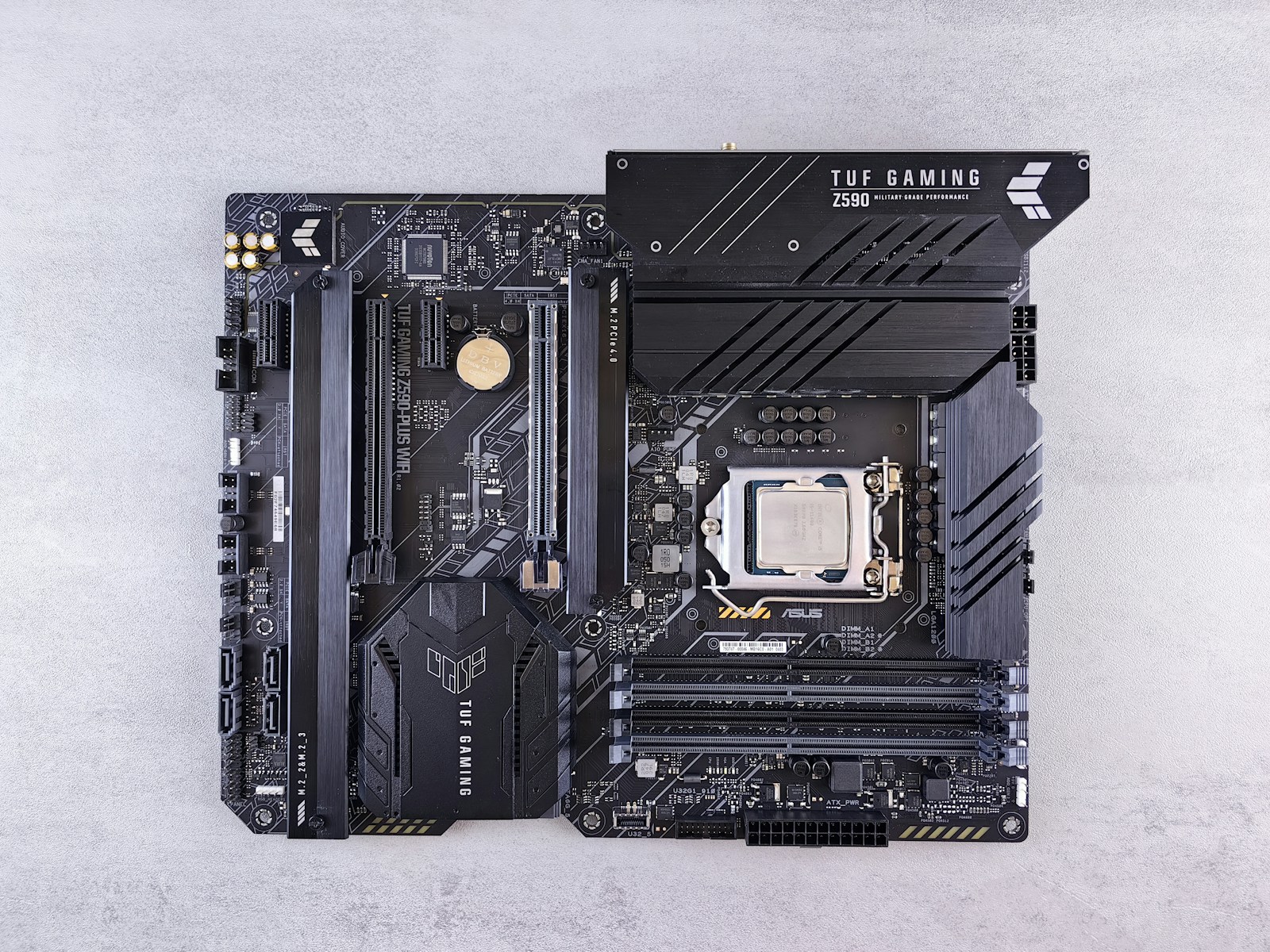
From the outside, it looks like just a green board full of lines and connectors. Yet without it, no PC would truly turn on. The
motherboard is the component that holds everything else together, the place where the processor, RAM, storage, expansion cards, and peripherals meet and learn to communicate. It is the backbone of the computer, even though it's often the part you notice the least until something goes wrong.
When designing a machine, from a gaming PC to a workstation for work, including the servers that support professional hosting, the motherboard is one of the most strategic choices. It determines which CPU can be installed, how much memory can be used, how many SSDs and drives can be connected, and which ports will be available for networking and peripherals. In other words, it decides how much the system can grow over time.
What a motherboard really is
From a technical standpoint, the motherboard is a
complex printed circuit board that hosts and connects all the main components of the computer. At its center is the processor socket, around which are arranged the RAM slots, PCI Express connectors for graphics and expansion cards, connections for SSDs and drives, power connectors, and all the ports we see on the rear panel.
In addition to being the physical support for the components, the motherboard integrates a series of dedicated chips. There is the
chipset, which manages many of the communication functions between the CPU, memory, and peripherals. There are the voltage regulators, the so-called VRM, which are responsible for providing the CPU and other elements with a stable, well-filtered current. Then there are the network, audio, USB, and other service controllers that make the machine usable in everyday life.
Every motherboard follows a form factor standard, the most common being ATX, microATX, and mini ITX. These acronyms define physical dimensions and mounting hole layouts, but they often also hint at the type of possible configurations. A larger form factor tends to offer more expansion slots, more connectors, more space for robust VRMs, while a compact form factor prioritizes a small footprint and minimal systems.
How it works and how it connects everything
To understand how the motherboard connects everything, you have to imagine it as a
network of high-speed roads etched in copper. The traces we see on the PCB are the paths along which signals travel between the processor, memory, expansion ports, and various auxiliary chips. Each path is designed for length, thickness, and layout to keep the signal stable at the increasingly high frequencies of modern components.
The CPU communicates with RAM via dedicated lines that must be perfectly synchronized. It communicates with the graphics card and NVMe drives through PCI Express lanes, which transport enormous amounts of data every second. The chipset, for its part, manages connections with USB ports, SATA, networking, and other peripherals, routing requests and responses so that nothing conflicts.
Underlying all of this is the motherboard's firmware, nowadays almost always a
UEFI instead of the old BIOS. It is the software that starts first when we turn on the PC, initializes the hardware, verifies that critical components are present and functioning, and prepares the environment for the operating system to start. Through the UEFI interface, parameters such as boot order, memory profiles, any CPU power limits, and security settings are configured.
An often underestimated role concerns power delivery. The motherboard receives power from the power supply and distributes it to the various components, adapting its voltage and stability according to needs. More robust VRMs and quality components are essential for systems that must stay on for long periods, for overclocking configurations, or for servers and hosting environments where error margins are small.
Why the motherboard is so important in hardware choices
When planning a new computer, many look first at the processor or graphics card. In reality, the
motherboard defines the project's boundaries. If the socket doesn't support a certain CPU family, there will be no possible upgrades in that direction. If the RAM slots are few or the maximum capacity is limited, you risk running out of space over time. If there aren't enough M.2 or SATA connectors, adding storage will become a puzzle.
Then there is the issue of connectivity. Latest-generation USB ports, fast wired networking, the presence or absence of integrated Wi-Fi, support for functions like 2.5 GbE make a difference in daily use. In a professional context, choosing a motherboard with the right mix of connections means reducing adapters, bottlenecks, and future problems.
For those working in the world of servers and hosting, these considerations become even more critical. The machines that host websites, applications, and databases, like those used in professional platforms such as
Meteora Web Hosting, are based on dedicated server motherboards. These integrate features like remote management, additional PCIe lanes for NVMe storage, support for ECC memory, and layouts designed to work inside dense racks with controlled airflow.
In all cases, the motherboard is the part you don't change lightly. Upgrading RAM or storage is relatively easy; replacing the motherboard often means taking half the machine apart, checking compatibility, and reinstalling the system. It is therefore worth choosing it carefully from the start, thinking not only about what is needed today but about how the system will need to evolve in the coming years.
In the end, saying the motherboard connects everything is not just a simplification. It is the component that allows the individual pieces to become a coherent system, that coordinates power delivery, communication, and startup, that decides which roads will be open when we want to push our machine's capabilities a little further. A piece often hidden under heatsinks and cables, but without which the rest of the hardware would remain just a collection of disconnected parts.