Over the past few months, I have tested NAS devices from leading brands, focusing on families looking to create backups and perhaps set up a media server to cut down on streaming subscriptions. These are the NAS devices I recommend for home use.
Synology DiskStation DS224+ the best balanced home NAS
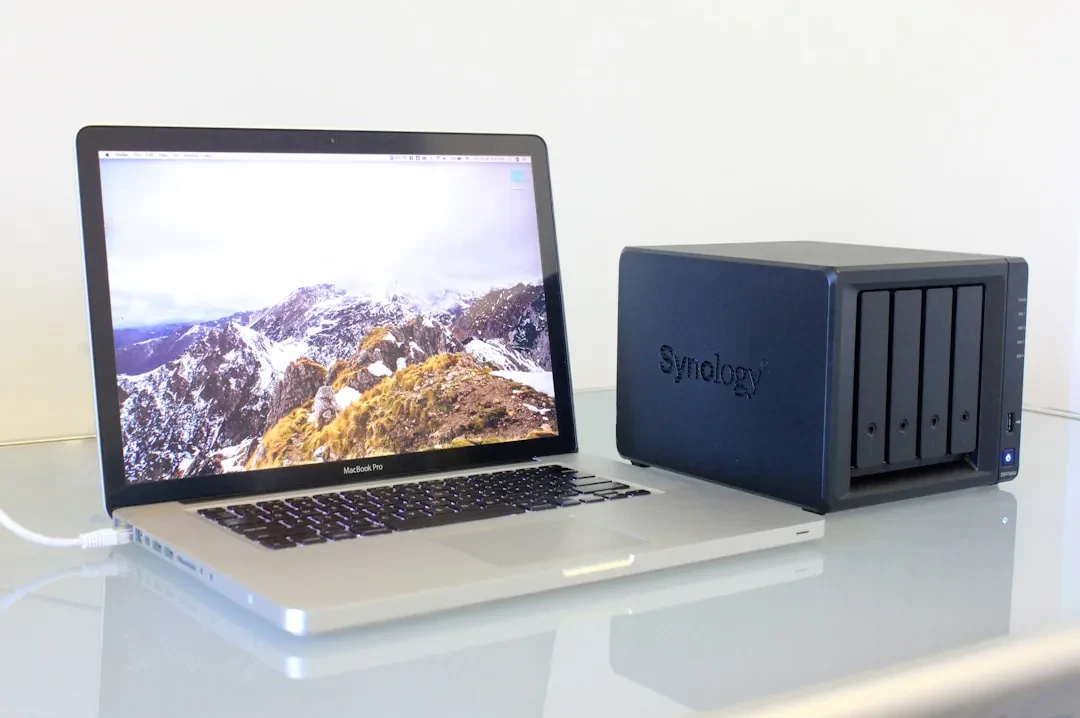
Synology remains the market leader in NAS, despite increasing competition. The two-bay DS224+ is ideal for the average home user. Extremely fast in our tests, it reached around 300 MB/s read and 250 MB/s write, though on a 1 Gbps network speeds drop to just over 100 MB/s. It offers generous ports: dual Ethernet (2.5 Gbps and 1 Gbps) and USB ports front and back. The hardware includes an Intel Celeron J4125 quad-core processor, 2 GB of RAM expandable to 6 GB, and space for two drives up to 40 TB total. The compact, nearly silent design, with minor fan noise under load, suits a home environment. The screwless clip-on drive tray makes installation quick. Setup is simple, supported by the best software in the industry: Synology's web interface and mobile apps are the most polished and user-friendly we have tested. The app selection is vast, with proprietary apps for backup, media server (Plex, Jellyfin), VPN, and security cameras. The downside is the relatively high price and the need to buy drives separately. Synology previously attempted to restrict third-party drives but reversed course. There is no HDMI port for direct TV connection. If more space is needed, the four-bay Synology DiskStation DS425+ offers greater expandability.
Sponsored Protocol
Ugreen NASync DH4300 Plus the affordable four-bay NAS
Ugreen, known for charging accessories, has made an interesting entry into NAS with the four-bay DH4300 Plus. Very competitive price for up to 128 TB of storage (drives not included). Performance is not stellar: about 100 MB/s on a 1 Gbps network, but can reach 200-300 MB/s with adequate network hardware. It features one 2.5 Gbps Ethernet port, two USB-A, one USB-C, and an HDMI port. It runs on a Rockchip processor with 8 GB of RAM (non-upgradeable). The design is compact, with top-loading bays, and it is quiet. Configuration is very easy, suitable for beginners. The app selection is more limited than Synology, but we installed Jellyfin without issues. Drawbacks include average write performance, tiny screws for drive installation, and non-upgradeable RAM. If two bays suffice, the DH2300 is even cheaper. Ugreen recently launched a more powerful Pro model and a battery backup unit.
Sponsored Protocol
Asustor AS6706T for SSDs and total silence
Asustor, an Asus spin-off, offers the six-bay AS6706T that exclusively uses M.2 NVMe SSDs, up to 24 TB. Very high performance (around 300 MB/s) and completely silent, ideal for PC gaming or 4K streaming. However, SSDs are very expensive due to high demand from AI data centers, making it overkill for most users. If you need speed and silence, it is worth considering. A 12-bay model is also available. We also tested the Asustor AS5404T, a four-bay NAS with an attractive design, fast but noisy, and software with some translation quirks. For more on networking solutions, check our article on real-time remote control.
Sponsored Protocol
Alternatives: QNAP and TerraMaster
The QNAP TS-464-8G offers excellent hardware (dual 2.5 Gbps, HDMI, PCIe slot), but its software is less intuitive, with a limited app store (no Plex or Jellyfin preinstalled). The TerraMaster F4-4245 Plus is compact and fast but requires manual drive configuration. For a detailed setup guide, here is an article on TypeScript (unrelated but useful for developers). To learn more about NAS concepts, check the Wikipedia page.