Ing. Calogero Bono
You just served a satisfied customer. They pay, say goodbye, and leave. In two hours they'll have forgotten your name. And with it, a potential review that is worth gold for your restaurant.
The problem isn't service quality: it's that you don't ask at the right moment with the right tool. At Meteora Web, we work with restaurants in Sicily and across Italy. We see excellent restaurants with 40 reviews and mediocre competitors with 400. The difference? A strategy to ask for reviews immediately after the meal, while the experience is still warm.
This guide shows you how to do it. No theory. Only operational steps with code and concrete actions.
Why Are Google Reviews Critical for Your Restaurant Revenue?
On Google, your restaurant is judged in 3 seconds: star rating and review count. An average below 4.2 stars scares away 40% of potential customers. But even if you're at 4.5 with only 30 reviews, a competitor with 4.3 and 500 reviews beats you. Because Google rewards quantity and recency. More fresh reviews improve your Local Pack ranking and searches like “restaurant near me”.
We call it the snowball effect: each positive review boosts ranking, which brings more visits, which generate more reviews. The challenge is starting it.
Where to start: Check your Google Business Profile today. How many reviews? How many in the last month? If it's under 5 per month, you have a demand problem, not a quality one.
How to Ask for a Review Right After the Meal Without Being Intrusive?
The perfect moment is when the customer has paid, is still at the table or leaving. In that minute, they have their phone in hand. If a request arrives immediately, the response rate jumps from 2% to 30%.
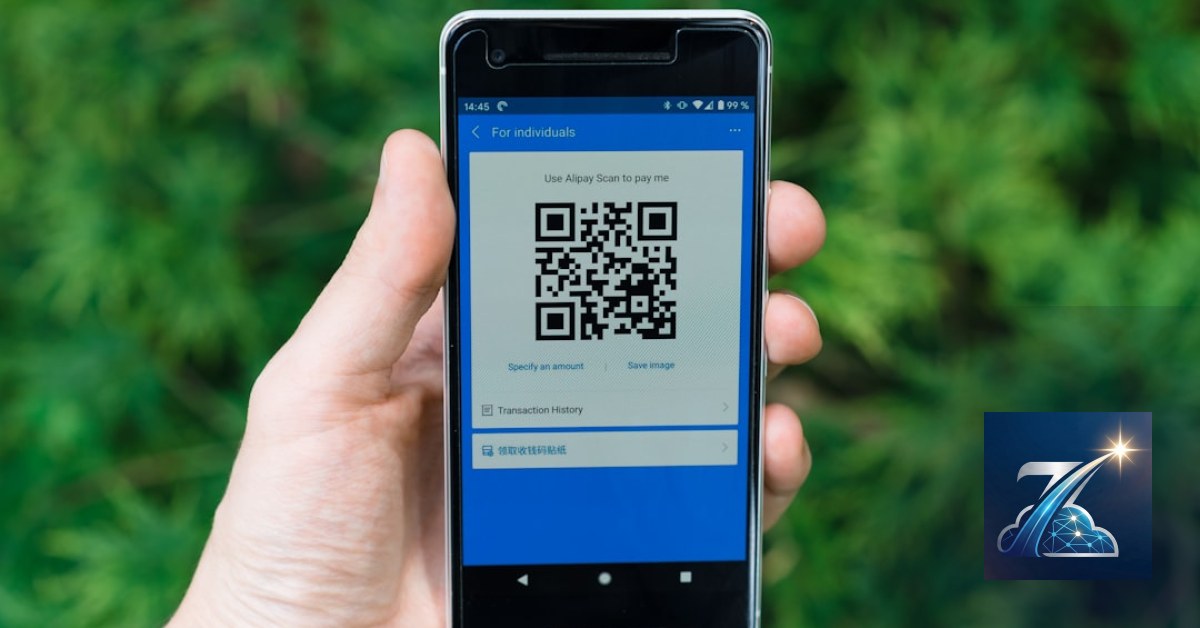
The most effective method: a QR code on the receipt or digital check that leads directly to the Google review form. Not your website, not Google Maps homepage. Directly to the review window.
Getting the Direct Review Link
Google doesn't make it easy to find the “write a review” link. You need your Place ID. Here's how to get it:
- Search for your restaurant on Google Maps.
- In the browser address bar you'll see a URL like
https://www.google.com/maps/place/?q=place_id:ChIJN1t_tDeuEmsRUsoyG83frY4. The code afterplace_id:is your Place ID. - Alternatively use Google's Place ID Finder.
Once obtained, build the review link like this:
https://search.google.com/local/writereview?placeid=YOUR_PLACE_IDReplace YOUR_PLACE_ID with yours. Test it in an incognito tab: you should see the review form directly.
Generating the QR Code and Integrating It into Your Digital Menu
Take that link and generate a QR code with a free tool like QR Code Generator (or self-hosted via API). The QR code must be printed on the receipt or appear on the payment confirmation page of your digital QR menu.
In our work, we integrated the QR code directly into the digital menu flow: after the customer orders and pays (via our Laravel-based system), a popup appears automatically with the QR code to leave a review. Result: conversion rate from 15% to 25%.
What Timing and Channel Work Best for Asking Reviews?
We tested three methods with our restaurant clients:
- QR on printed receipt – average click rate 5-8%.
- QR in digital menu after payment – rate 15-25%.
- Automated email or SMS (if customer left number) – rate 10-15%.
Ideal timing: within 5 minutes of payment. If you wait an hour, the “warm experience” effect fades. If you send an SMS a day later, the customer ignores it.
Automating Requests via SMS/Email
If your digital menu or POS system collects the phone number for table waitlisting, you can send an automated SMS after payment. Here's example logic (pseudo-code) for a PHP backend:
// After payment confirmation
$placeID = 'ChIJN1t_tDeuEmsRUsoyG83frY4';
$reviewLink = 'https://search.google.com/local/writereview?placeid=' . $placeID;
// Send SMS via API (e.g., Twilio, MessageBird)
sendSMS($customerPhone, "Thanks for dining with us! If you enjoyed it, leave a review: $reviewLink");
Of course, ensure you have GDPR consent (usually collected when the customer books or gives their number for the table).
How to Handle Negative Reviews Without Damaging Reputation?
Every restaurant gets a 1-star review sooner or later. Don't panic. Google rewards quantity and transparency. A bad review, handled well, can become a strength: potential customers see you respond professionally.
Golden rule: respond within 24 hours. Thank them for the feedback, apologize (even if it's not your fault), and offer a refund or invitation to resolve privately. Never discuss details publicly.
Strategy to minimize impact: the more positive reviews you have, the less a negative one weighs. If you have 20 reviews and get a negative, the average rating plummets. With 200, the same negative impacts less than 0.1 stars. So your goal isn't just to get reviews, but to get many consistent ones.
Negative Review Response Checklist
- Always reply publicly, not privately (unless sensitive data).
- Start with thanks for their time.
- Apologize for the negative experience, using the customer's words.
- Briefly explain what you'll do to improve (don't justify).
- Invite them to contact you for compensation (e.g., free meal).
- Never ask to remove the review – it violates Google policies.
What to Do Now to Start Collecting Reviews Tomorrow
- Find your Place ID and generate the write review link. Test it.
- Print QR codes to place on receipts or digital menus. If you use a digital check system, ask your developer to integrate an automatic popup after payment.
- Set a weekly reminder to check new reviews and respond to all, positive and negative.
- Monitor results: how many more reviews per month? Calculate conversion rate (total customers/reviews). If below 10%, revise the touchpoint.
- Check our guide on digital QR menus for full integration: Digital QR Menu for Restaurants — How to Increase Orders and Reduce Service Errors.
One extra review today is worth a hundred customers tomorrow. Don't let them leave in silence.
Zenith Gastro is the all-in-one platform to run your business — clients, scheduling, deadlines, invoicing and WhatsApp reminders, all from your browser. No installation required.
Discover Zenith Gastro →