A German tourist with a nut allergy orders a dish that contains nuts, the waiter doesn't understand, and the restaurant ends up in court. Or: an Italian celiac customer can't find gluten information on the online menu and chooses another venue. Two scenarios that can be avoided with a multilingual digital menu and proper allergen management. We at Meteora Web work with restaurants across Italy and have seen first-hand how costly ignoring these regulations can be — and how much trust you gain when you do it right.
Why is a multilingual menu mandatory for selling food with allergens?
EU Regulation 1169/2011 (FIC) requires that consumers be informed about allergens contained in non-prepackaged foods, including restaurant dishes. In Italy, this has been mandatory since 2016. Every dish must clearly indicate the presence of any of the 14 regulated allergens: cereals containing gluten, crustaceans, eggs, fish, peanuts, soybeans, milk, nuts, celery, mustard, sesame seeds, sulphur dioxide, lupins and molluscs.
The law does not specify a language, but if you serve international guests, the information must be understandable. A menu only in Italian using terms like 'glutine' might work for a tourist who knows that word, but not for one who doesn't. Best practice is at least English, plus the languages of your main tourist flow (German, French, Spanish, etc.). A multilingual digital menu solves this: each guest sees the menu in their own language, with allergens translated and universal icons.
What are the legal obligations for allergens and languages in digital menus?
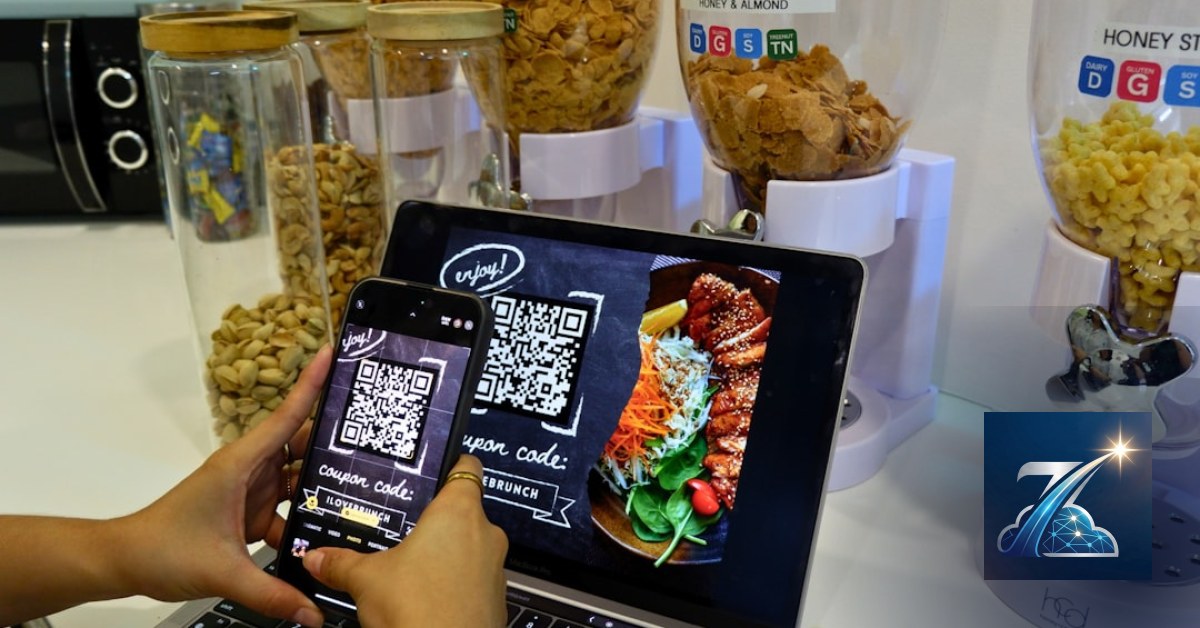
Digital doesn't change the substance: allergen information must be available before purchase. A QR code linking to a web page with allergens is legal, as long as the page is easily accessible (no login, no mandatory download) and the data is up to date. Some Italian regions have guidelines, but no national law dictates a specific format.
Regarding languages: no rule forces translation, but EU law requires 'clarity and comprehensibility'. If your restaurant has a website in English, the digital menu must be in English. If you show photos and prices but no allergens in English, you risk a complaint. We recommend managing languages with a centralised system (e.g., WordPress + WPML) that synchronises translations and allergens. Update once, all languages follow.
How to integrate allergens in a multilingual digital menu without losing your mind?
The secret is a single database for dishes and allergens that feeds all language versions. Each dish has an ID, a list of allergens (coded, e.g., 'gluten', 'dairy'), and a base description. Translations are done separately. Here's an example JSON structure you can use to power your digital menu:
{
  "dish_id": 42,
  "name": {
    "it": "Pasta alla Norma",
    "en": "Pasta alla Norma",
    "de": "Pasta alla Norma"
  },
  "allergens": ["gluten", "dairy"],
  "allergen_notes": {
    "it": "Contiene glutine (pasta) e latticini (ricotta salata). Può contenere tracce di frutta a guscio.",
    "en": "Contains gluten (pasta) and dairy (ricotta salata). May contain traces of nuts.",
    "de": "Enthält Gluten (Nudeln) und Milchprodukte (Ricotta salata). Kann Spuren von Nüssen enthalten."
  },
  "price": 12.00,
  "currency": "EUR"
}
Technical best practice: use a CMS like WordPress with ACF (Advanced Custom Fields) for repeatable fields, or a headless CMS (e.g., Strapi) if you have many languages. Export the JSON via API and display it in an HTML/JS interface optimised for mobile. Add icons for each allergen (e.g., wheat spike for gluten, milk drop for dairy) – they are universally recognised even by non-readers.
What are the most common mistakes in managing multilingual menus and allergens?
We've seen many in projects that come to us:
- Unreviewed machine translations: 'glutine' translated as 'glue' by Google Translate. A legal and communication disaster.
- Hidden allergens: at the bottom of the menu, in a downloadable PDF, or only on request. Not compliant if not immediately visible.
- No cross-contamination warnings: writing 'lactose-free' but omitting 'may contain traces of milk'. Opens you to lawsuits.
- Unsyncronised updates: change pasta supplier and the gluten-free becomes gluten-containing, but the online menu stays old.
- Ignoring actual tourist languages: menu only in Italian and English, but your clientele is mostly Russian or Chinese.
What best practices to adopt for a digital menu that complies and satisfies customers?
Here are the key points we apply in our projects:
- QR code on every table linking to a mobile-optimised web page (no PDF, no heavy images).
- Allergen filters: the customer can select 'gluten-free' and see only suitable dishes.
- Automatic language detection based on browser settings, with a manual fallback. Don't force language switching every time.
- Structured data for Google: add JSON-LD with allergens for each dish. Helps SEO and visibility in search. Example:
{
  "@context": "https://schema.org",
  "@type": "MenuItem",
  "name": "Pasta alla Norma",
  "description": "Pasta with eggplant, tomato sauce, ricotta salata",
  "nutrition": {
    "@type": "NutritionInformation",
    "allergenInfo": "Contains gluten (pasta), dairy (ricotta salata). May contain traces of nuts."
  },
  "offers": {
    "@type": "Offer",
    "price": "12.00",
    "priceCurrency": "EUR"
  }
}- Integration with reservations: ask guests to report allergies during booking. Prepares the kitchen.
- Backup printed menus: always have some paper copies with allergens clearly displayed for guests without smartphones.
What to do now
Don't wait for a fine or a bad review. Follow this checklist:
- Check your current menu: for each dish, list all allergens present (and 'may contain').
- Translate into at least 2 languages (English + the language of your main tourist target) with human review, not just AI.
- Choose a digital system that separates data and languages: a simple spreadsheet won't cut it. WordPress with ACF and WPML works great for most restaurants.
- Implement structured data on your site for each dish. If you don't know how, start with our guide on QR digital menus.
- Test with a real guest from each language: have them try the digital menu and gather feedback.
We at Meteora Web help restaurants build digital menus that comply with regulations, increase bookings, and make every guest feel safe. If you want a free check of your menu, contact us.
Zenith Gastro is the all-in-one platform to run your business — clients, scheduling, deadlines, invoicing and WhatsApp reminders, all from your browser. No installation required.
Discover Zenith Gastro →