In the
Web & Hosting world, there's a fine line between those who love living in SSH and those who, legitimately, prefer a clear, graphical control panel with everything at their fingertips. In recent years, a name has appeared within this second category that is heard more and more often when talking about OpenLiteSpeed and modern hosting:
CyberPanel.
It's not the usual old-school panel. It's designed to work hand-in-hand with OpenLiteSpeed and LiteSpeed, push performance, and at the same time make managing sites, domains, SSL certificates, DNS, and security more accessible. Just take a look at the official website
cyberpanel.net to understand the direction. Clean interface, focus on speed, native integration with tools that usually require a lot of command line work.
For those who deal with servers and web projects every day, CyberPanel is a way to bring some order to a profession that always risks getting lost among scattered configs, notes, scripts, and copy-pasting from old repositories.
What is CyberPanel
CyberPanel is a
hosting control panel designed to manage servers based on OpenLiteSpeed or LiteSpeed. It's not just a simple generic frontend on top of Apache or Nginx. It was born specifically to leverage the high-performance model of the LiteSpeed web server, with particular attention to dynamic sites and WordPress installations.
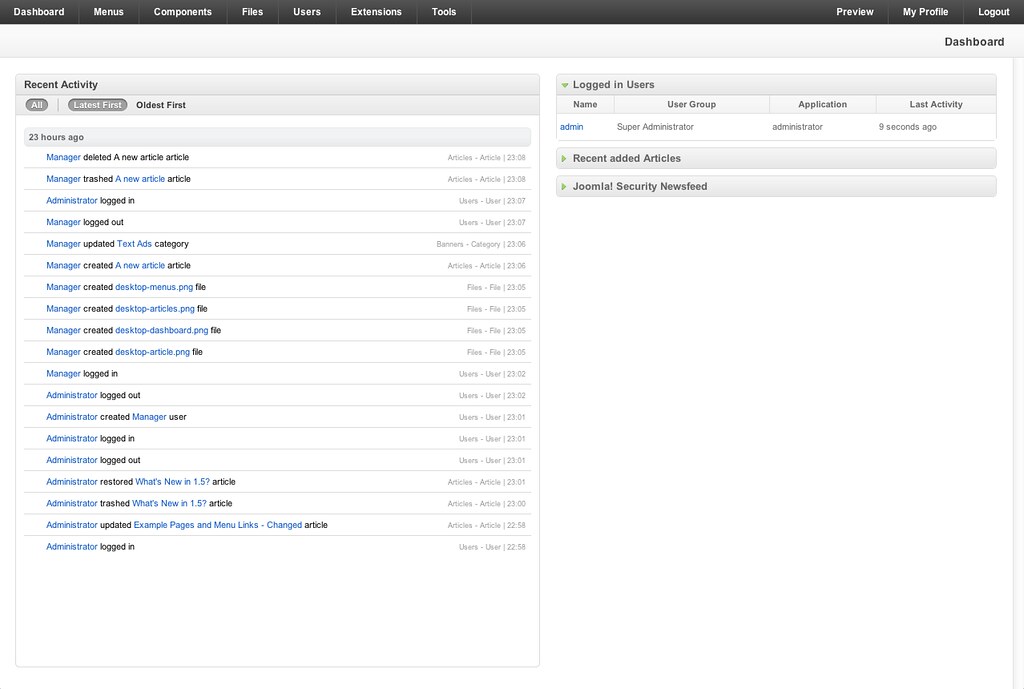
From a practical standpoint, once installed on a VPS or dedicated server, CyberPanel offers a dashboard to create sites, manage domains and subdomains, configure email, set up DNS, generate Let's Encrypt certificates, manage backups, and monitor resources. All without having to manually edit dozens of configuration files.
One of the distinctive elements is the integration with
LSCache, the caching ecosystem developed for LiteSpeed. For those working with WordPress, Joomla, or other CMSs, this means being able to control from the panel many of the optimizations that normally go through plugins and delicate server-side configurations.
How it works between OpenLiteSpeed, sites, and automations
Once CyberPanel is installed, the server is configured to use OpenLiteSpeed as the default web engine (or LiteSpeed Enterprise, in configurations that include it). From then on, every site created from the panel corresponds to a
vhost configured automatically, with document root, logs, permissions, and rules set up consistently.
The typical flow is simple. You access the dashboard, create a new site by choosing a domain, user, resources. With a few clicks, you can enable HTTPS with Let's Encrypt, set up redirects, upload files via the integrated File Manager or FTP, manage MySQL or MariaDB databases with built-in tools. For the most common installations, like WordPress, there is also a wizard that further reduces the time between an empty server and a live site.
On the administrative side, CyberPanel offers
resource monitoring tools. CPU usage, RAM, disk space, load of individual items. For those managing multiple sites on the same server, it's the quickest way to identify who is consuming too much or if something isn't right compared to expectations.
Another important piece is
backup and security management. From the panel, you can schedule automatic backups, both local and to compatible external storage, and configure firewall rules, access limitations, protection against excessive logins. It doesn't replace a serious security strategy, but it offers a much more solid, structured foundation compared to messy DIY.
For those who want to delve deeper from a more technical point of view, the official documentation and guides on cyberpanel.net and related repositories explain how the panel interacts with system services, OpenLiteSpeed configuration files, and the various daemons involved in server management.
Why it truly simplifies server management
The key question is always the same. Do you really need a panel, or is it better to stay on SSH and configuration files? The answer depends on the context, but there are various reasons why CyberPanel has become interesting for those working in the
Web & Hosting world.
First, it reduces
operational complexity for repetitive tasks. Creating a new site, enabling HTTPS, configuring email, setting up cron jobs. All operations an experienced sysadmin can do by hand, but which require time, attention, and documentation. CyberPanel turns them into guided procedures, reducing the risk of simple errors and freeing up time for problems that truly deserve using the terminal.
Secondly, it offers a
unified view of the server's status. Instead of jumping between scattered logs, different commands, and separate panels, you have a single point of access to understand what's happening. This is particularly useful when the number of managed sites grows or when dealing with mixed teams, where not everyone has the same familiarity with Linux.
Then there's the theme of
performance. Being born around OpenLiteSpeed allows CyberPanel to propose sensible settings for cache, compression, connection management. For many projects, especially CMS-based ones, this translates to better response times without having to become an expert in every single web server directive.
Finally, there's a cultural aspect. Panels like CyberPanel lower the entry barrier for those who want to take a step beyond classic shared hosting but aren't yet ready to manage a completely manual server from scratch. It's a sort of intermediate zone where you can experiment, learn, grow, with the peace of mind of having visual tools that hold together the more delicate pieces.
For professionals who work daily on complex infrastructures, CyberPanel does not replace sysadmin knowledge and attention to architecture. But it can become a valuable ally for standardizing processes, avoiding repetitive errors, and offering clients a clearer way to interact with their web space. And that's precisely where a panel stops being just a convenient interface and becomes an integral part of how we build and manage the modern web.