Ing. Calogero Bono
Have you ever generated a logo with AI and ended up with something 'almost right' — decent colors but no personality, readable fonts that vanish on white, or worse, a mark almost identical to your competitor's? You are not alone. In recent months we've seen dozens of small businesses arrive with logos made entirely by automatic generators, convinced they had solved branding. The result? An image that fails on a mug, a website, or a storefront, and has to be redone three months later at double the cost.
We at Meteora Web are not designers, but we work every day with companies that need a solid visual identity to sell online. We come from accounting and ERP, which forces us to think in terms of cost and return. An AI‑generated logo can save time and money in the initial phase, but if you do not know where to intervene, it becomes a hidden cost. In this guide we explain which tools to use, where AI stops, and how to avoid mistakes that will make you reach for your wallet again.
This guide is part of our pillar on AI for images, but here we focus exclusively on logo and brand identity. Let's start.
What Are the Limits of AI for Logo and Brand Identity?
Generative AI for images (Midjourney, DALL‑E, Firefly, Leonardo AI) is exceptional for creating illustrations, patterns, or visual concepts. But a logo is not just a pretty picture. It is a system: it must work in black and white, at tiny sizes (favicon), in print and on screen, and above all it must be unique. AI tends to average millions of images and output statistically frequent combinations. Result? Logos that all look like cousins — same strokes, same pastel colors, same rounded shapes. If you want to stand out, AI alone is not enough.
Another limit is brand consistency. AI has no memory of your business message: it generates an image from a prompt but does not know that your brand communicates solidity, craftsmanship, or innovation. The prompt can guide but cannot replace a strategy. We see it often: clients choose an AI‑generated logo because it is 'nice', then realize it does not work on a dark background or that the font chosen by AI is not available for commercial use. A logo is not a work of art: it is a functional asset.
Common Mistakes When Using AI for Logos
- Lack of scalability: AI often generates raster images, not vector. A logo must be infinitely scalable without pixelation. Use it on a billboard and you get a mess.
- Missing family variants: A brand needs horizontal, vertical, icon‑only, monochrome versions. AI does not output the entire family needed for professional application.
- Uncertain usage rights: Many generators (including Midjourney) have commercial licenses, but details change. Reading the terms is a step 90% of SMEs skip, then surprises appear.
- Weak semantics: AI does not understand puns, complex visual metaphors, or specific cultural references. A mountain icon may evoke strength for an outdoor brand but feels out of place for a financial services firm. You need a critical eye.
Which AI Tools for Logo Actually Work in 2026?
Not all generators are equal. We have tested them on real projects, measuring quality, flexibility, and cost. Here is our practical ranking for business use.
Midjourney — Most Creative, Requires Post‑Production
Midjourney is our favourite for concept and mood, not for the final logo. Its painterly style and ability to generate complex textures make it ideal for inspiration. Recommended prompt: /imagine a minimalist logo for a woodworking workshop, flat vector, clean lines, black and white, no background --v 6. You get concepts that you can later vectorise with Illustrator or Affinity Designer. Do not use the output as is. Midjourney does not produce vectors, resolution is limited, and shapes are not clean enough for professional use.
Adobe Firefly — Native Integration with Design Workflow
Firefly, being from Adobe, integrates with Illustrator and Photoshop. You can generate textures, patterns, and basic vectors. For a logo, though, we advise against using it as a direct producer. It is more useful for creating supporting graphic elements (backgrounds, icons) to insert in a manually drawn logo. Additionally, Firefly is trained on Adobe Stock content and has clear commercial licenses (though with credit limits).
Looka (ex Logojoy) — Easiest for Sole Traders on a Tight Budget
Looka is a template‑based logo generator: choose styles, colours and icons, and it combines them. The result is vector, with packages ready for social media and letterhead. Perfect for those who need a quick and cheap logo (around 50‑100 €) and do not expect extreme originality. Warning: designs are based on templates, so do not expect absolute uniqueness. We recommended it to a client selling local artisan products and it worked well because she manually tweaked fonts and colours after generation.
Leonardo AI — Free and Open, Needs Experience
Leonardo AI has an active community and allows you to generate images with custom models. You can get vector logos using the 'Vector' model and then export as SVG. The limitation is the quality of vector generation: outlines are often imperfect and need manual retouching. A valid free resource if you have graphic skills, otherwise it costs more time than it saves.
How to Integrate AI into the Design Workflow Without Losing Control?
AI does not replace the designer, but it accelerates the exploration phase. Here is the method we follow in our projects and suggest to clients who want to save money.
Step 1: Define Your Brand Brief
Before any prompt, what does your brand want to communicate? Formalize it in 3‑5 keywords. Example: 'solid wood craftsmanship, tradition, modern, monochrome'. Write it in a document. This is the constraint AI does not know. Without a brief, AI gives you an image, not a logo.
Step 2: Generate 10‑15 Concepts with Midjourney or Similar
Use prompts that specify 'flat vector, clean lines, no background, black and white' to get clean bases. Don't ask for specific colours right away: shape first. Example: A minimalist logo for a woodworking shop, flat vector style, featuring a stylized chisel and wood block, clean lines, black and white, no background --ar 1:1. Analyse each result: note what works (the icon) and what doesn't (the type). AI often writes text poorly or nonsensically: ignore text and focus on the icon.
Step 3: Select and Vectorize
Pick 2‑3 best concepts. Import the image into a vector editor (Illustrator, free Inkscape, Affinity Designer). Trace manually with the pen tool or use automatic 'Image Trace' (then clean up). Add brand name with a professional font (Google Fonts or Adobe Fonts, checking commercial license). The real quality leap is here: AI gave you inspiration, but clean lines, proportions, and typography are your (or a designer's) task.
Step 4: Create the Variant Family
From that vector logo derive: horizontal, vertical, icon only, inverted (dark background), greyscale. Use design software to export SVG, PNG (transparent), EPS. Without these variants, the logo is not usable on a website (favicon), social media (profile picture), or letterhead.
Step 5: Test on Real Mockups
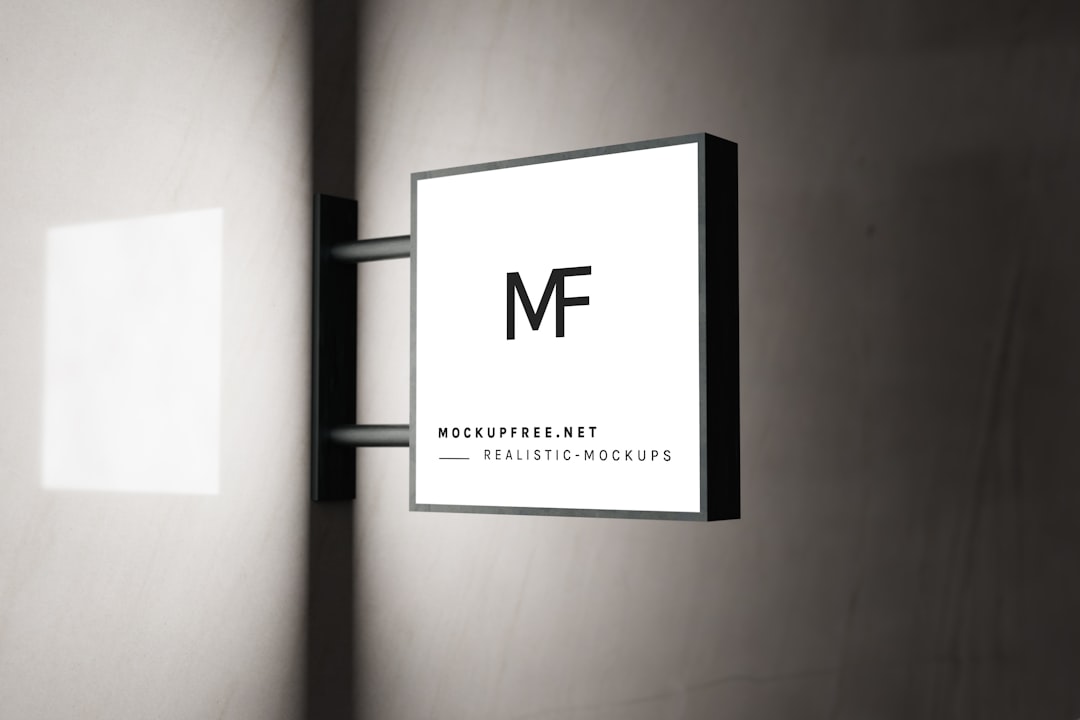
Don't just look at it on screen. Print it, put it on a mug (free mockup sites exist), test on mobile and desktop. A logo with thin details disappears on white, or lines become invisible in offset print. Have a friend who doesn't know the brand test it: 'What company is this?' The answer should be close to your mission.
What to Do Now
Here are 5 concrete actions to start today without wasting budget.
- Write a brand brief of 50 words: who you are, what you promise, 3 visual keywords (e.g. 'minimalist, trustworthy, earthy'). Keep it open while using AI.
- Try Midjourney for free (25 free hours) with prompts that force vector style. Download 10 results, don't stop at the first.
- Vectorize the best concept with Inkscape (free) following YouTube tutorials. If short on time, hire a freelancer on Fiverr (30‑50 € for tracing).
- Choose a font from Google Fonts with an Open Source license. Pair it with the logo, test readability at small scale.
- Generate mockups with free tools (Placeit, Smartmockups) to see the logo on a business card and a website. If it passes, move to production.
Remember: AI for logo and brand identity is an accelerator, not a magic wand. We at Meteora Web use it in our projects to save hours of rough drafts, but the final polishing is always done by human hands. If you want to go deeper, read our complete guide to AI for images. Or contact us: we will help you make the quality leap without compromise.