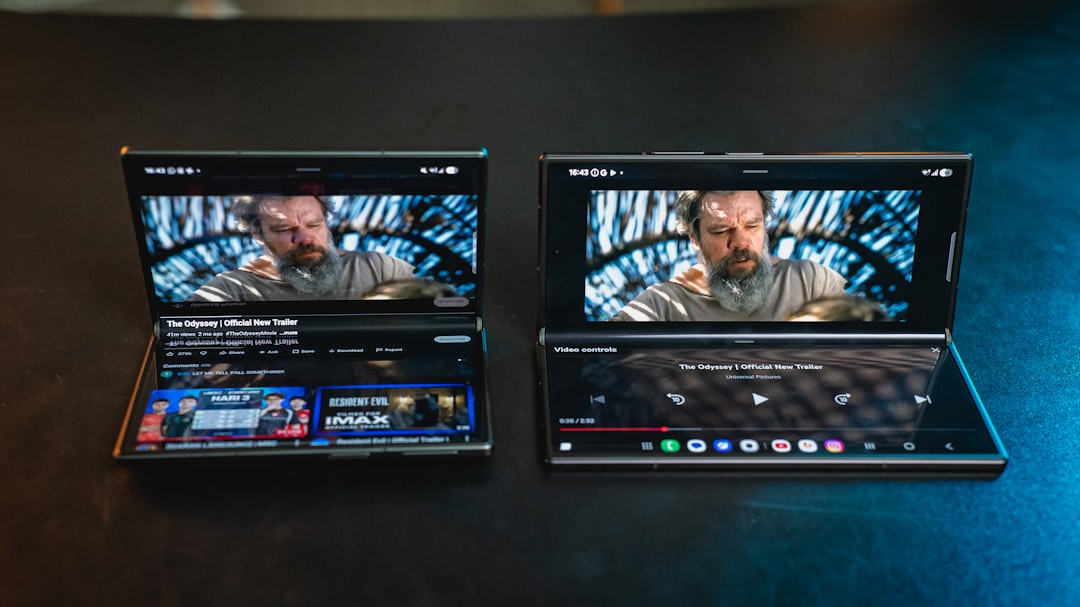
Samsung's new foldable phones are almost here, and among the most interesting features is an updated version of Samsung DeX, the integrated desktop interface. I had the chance to try this new version on the Galaxy Z Flip 8, Z Fold 8, and Z Fold 8 Ultra, and I must say there is a significant improvement that makes it much more useful for those who work on the go.
Four virtual desktops to better organize apps
The main addition in this iteration of DeX is the ability to create up to four workspaces. Each desktop can host up to five apps, which means I can have twenty applications open simultaneously. Even though I rarely need to use all these apps together, the ability to organize them into separate groups makes a huge difference. For instance, I dedicated one workspace to work-related apps like Slack, Gmail, Chrome, Google Docs, and Messages. In a second space, I grouped social networks, while in a third I placed editing tools such as CapCut, PhotoDirector, and PowerDirector.
Sponsored Protocol
To quickly switch from one desktop to another, just click the icon with three vertical lines in the bottom-left corner, a mechanism very similar to Windows 11. This modular organization allowed me to keep apps tidy and be much more productive during work sessions.
Missing features and wishes for the future
Apart from this addition, DeX hasn't changed much compared to previous versions. I appreciate the ability to place two apps side by side and adjust their sizes by dragging the slider between them, for example to give more space to Chrome and shrink Slack. However, there are some improvements that could make the experience even better. In particular, I would like DeX to adopt Windows 11's Snap feature, which allows arranging apps in preset layouts for better organization. Currently DeX only supports side-by-side multitasking, but it would be useful to extend it to four apps simultaneously, each in a quadrant of the screen.
Sponsored Protocol
Another missing aspect is support for multiple user profiles. Many of the best Android phones offer this feature, but Samsung has neglected it for several generations. It would be crucial to cleanly separate work and personal accounts. For example, I have bookmarks tied to my work account that I can't use in DeX because Chrome is configured only with my personal profile.
My verdict on daily DeX usage
I can't deny relying on Samsung DeX when I've forgotten my laptop. I can complete almost ninety percent of my daily tasks using only DeX, but that missing ten percent could easily be covered if Samsung introduced the features I mentioned. DeX is also valuable because I can pair it with my Xreal smart glasses, a wireless mouse, and a Bluetooth keyboard. The result is an exceptional portable desktop experience, with the ability to project the interface in front of me with optional transparency to stay aware of my surroundings.
Sponsored Protocol
Considering Samsung's ongoing developments in wearable displays and smart glasses, I'm genuinely excited to see where DeX goes next. If you want to learn how misconfigured SDKs can compromise privacy, read our article on Android apps and data sharing. For updates on legal implications of AI in Europe, check our guide on GPAI and AI Act. Also, if you're into cybersecurity, don't miss the story about Vangelis Stykas and North Korean servers.