Have you ever seen an event entrance stall because the staff's phone couldn't scan a QR code? Or duplicate tickets, long queues, people walking in without control? We, at Meteora Web, have seen it. And we've built the solution. QR check-in is not just a scanner: it's the moment your ticketing system becomes real. If it fails, everything else – sales, promotions, promoter tracking – loses meaning. This guide explains how to design a check-in that handles the pressure of showtime, with working code and real-world tips we learned on the field.
Why is QR check-in the bottleneck of your event?
We often see it: a client invests in a nice ticketing website, marketing, promos. Then the event night comes and the entrance is chaos. QR check-in is the physical touchpoint between the digital system and a real person. If the reader fails, if the database is slow, if the QR is expired or already used, the customer experience collapses. And so does revenue – a 20-minute queue means people leave or never come back. An efficient entrance is not a luxury: it's the guarantee that your event doesn't lose value in the last meter. We, who have managed ERP systems and real ticketing, know that the difference between a professional and an amateur event shows right there at the gate.
How does a QR check-in system work?
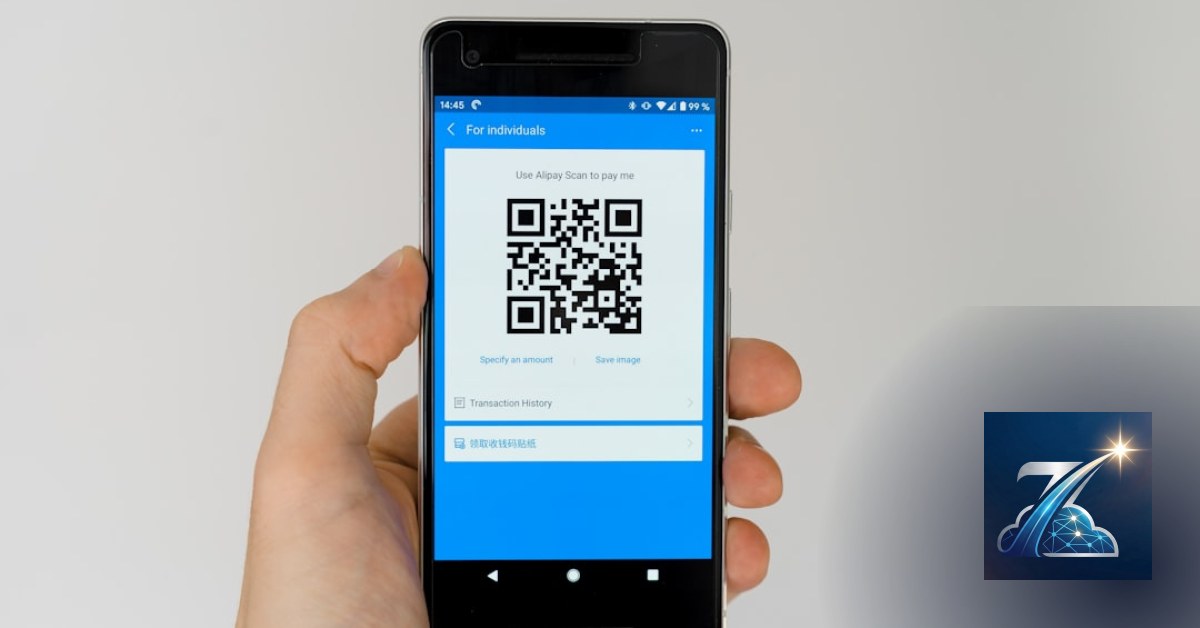
At the core is a simple flow: the customer buys a ticket online, receives a QR (static or dynamic) via email or app. At the entrance, the staff scans the QR with a device (smartphone, tablet, or dedicated scanner). The system verifies validity: date, time, ticket type, status (unused, not expired, not revoked). If everything checks out, it marks the ticket as used and lets them in. The complexity is not in the scan, but in managing concurrent state. What happens if two staff members scan the same QR at the same time? How do you handle network if the event is in a dead zone? And how do you know a QR hasn't been cloned? Answering these questions separates a check-in that works from one that drives you crazy.
Sponsored Protocol
Static vs dynamic QR codes: which one to choose?
Static QR codes contain the ticket ID directly encoded in the image. Advantage: no internet connection needed to read it. Disadvantage: anyone who photographs the QR can enter in your place. Dynamic QR codes, on the other hand, are generated on the fly and bind the ticket to a temporary token or encrypted ID. They require online (or local) verification to check if the token is valid. For professional events or named tickets, dynamic QR is mandatory. We recommend using a short-lived JWT (e.g., 15 minutes) that regenerates when the email or app is opened. This way, even if someone copies the QR, after a few minutes it no longer works.
Which devices to use for scanning?
We've tested three approaches:
- Smartphone/tablet with a dedicated app: the most common solution. We use a progressive web app (PWA) that works offline and updates automatically. Low cost, but requires good lighting and a decent camera.
- Professional 1D/2D scanners: they read even degraded QR codes, fast and robust. Suitable for high volumes (over 500 entries/hour). Higher cost.
- Self-service kiosks: the customer scans on their own. Reduces staff, but needs careful design to avoid bottlenecks.
For most clients, we recommend a PWA on a cheap Android smartphone with a protective case. Best cost/reliability ratio.
Sponsored Protocol
Code that verifies the QR: a practical PHP example
Here's a snippet we use in our projects. It receives a token (e.g., from QR decode), verifies it against a local or remote database, and returns the status.
<?php
// checkin.php - Verify and update ticket status
// Assume PDO connection already established

$token = $_GET['token'] ?? '';

if (empty($token)) {
    die(json_encode(['success' => false, 'message' => 'Missing token']));
}

// Prepared statement to prevent SQL injection
$stmt = $pdo->prepare(
    'SELECT id, status, event_id, expiration FROM tickets WHERE token = :token'
);
$stmt->execute([':token' => $token]);
$ticket = $stmt->fetch(PDO::FETCH_ASSOC);

if (!$ticket) {
    die(json_encode(['success' => false, 'message' => 'Ticket not found']));
}

if ($ticket['status'] === 'used') {
    die(json_encode(['success' => false, 'message' => 'Ticket already used']));
}

if ($ticket['expiration'] < date('Y-m-d H:i:s')) {
    die(json_encode(['success' => false, 'message' => 'Ticket expired']));
}

// Additional checks: event, time, type, etc. go here

// If all good, mark as used
$update = $pdo->prepare(
    'UPDATE tickets SET status="used", checkin_at=NOW() WHERE id = :id'
);
$update->execute([':id' => $ticket['id']]);

echo json_encode(['success' => true, 'message' => 'Access granted']);
This script is intentionally simple. In production, you'll add: rate limiting, access logs, rollback mechanism in case of network failure. We also use a message queue (Redis) to handle concurrent writes.
Sponsored Protocol
How to handle offline when the network drops?
If the event is in an area with no coverage, the check-in must still work. The solution: download locally (on the device) a dump of valid tickets for that event, updated before doors open. Then, during scanning, mark as used locally and sync when the connection returns. Watch out for conflicts: two offline devices could mark the same ticket. We solve this with a sync timestamp and a priority system (first to reach the server wins). In practice: when reconnecting, the server accepts the first write and discards subsequent ones for the same token. The staff is alerted if a ticket was already used from another device.
Checklist for a robust offline check-in
- Download the list of valid tickets (with tokens) when the app starts.
- Use a local SQLite database or a signed JSON file.
- Each check-in operation generates a record with a unique local ID and timestamp.
- On sync, send all records in a batch to an idempotent endpoint (same record not inserted twice).
- Provide a clear UI: green = access ok, red = denied, yellow = pending sync.
- Test with many devices simultaneously: simulate a real queue.
Common mistakes we've seen (and how to avoid them)
Mistake 1: QR code too small or poor quality. The ticket sent via email often gets resized. Set minimum size to 300x300 pixels, with high contrast. Mistake 2: QR expiration incorrectly calculated. A QR generated 24 hours earlier should still be valid? Depends: if dynamic, yes, but if the event has already started? No. We suggest making the token expire only after the event ends or after use. Mistake 3: No physical backup. The device breaks mid-line. Always bring a second phone or tablet with the same pre-synced app. Mistake 4: Untrained staff. The night of the event is not the time to explain how the app works. Spend 30 minutes the day before for a test run with the team.
Sponsored Protocol
How to integrate check-in with the rest of your ticketing system?
At Meteora Web, we've built a single backend that handles sales, promotions, promoters, and check-in. Check-in becomes just a consumer of the events generated by sales. We use webhooks: when a ticket is purchased or refunded, the system sends a notification to the check-in module, which updates its list of valid tickets. This allows real-time data without querying the main database every second. Additionally, each check-in triggers an event that can activate automations: sending a welcome SMS, unlocking a bar credit, updating a live dashboard. Check-in is not the end of the customer's journey: it's the start of their physical experience.
Sponsored Protocol
What to do now
- Decide whether to use static or dynamic QR codes. For small non-named events, static suffices. For everything else, go dynamic.
- Download a QR reader app (e.g., QR Scanner on Android) and test that your tickets are scannable.
- Implement the verification script (PHP, Node, Python – pick what you know) with attention to race conditions. Add thorough logging.
- Prepare an offline plan: save data on the device, test sync under unstable network conditions.
- Train the staff: run a simulation with at least 20 entries in 5 minutes.
- Check out our ticketing software that already integrates all this: see the pillar page.
And remember: a check-in that works is invisible. Customers flow in smoothly, you watch the counters go up. We've done it dozens of times. It works.
Zenith Ticket is the all-in-one platform to run your business — clients, scheduling, deadlines, invoicing and WhatsApp reminders, all from your browser. No installation required.
Discover Zenith Ticket →