 Ing. Calogero Bono
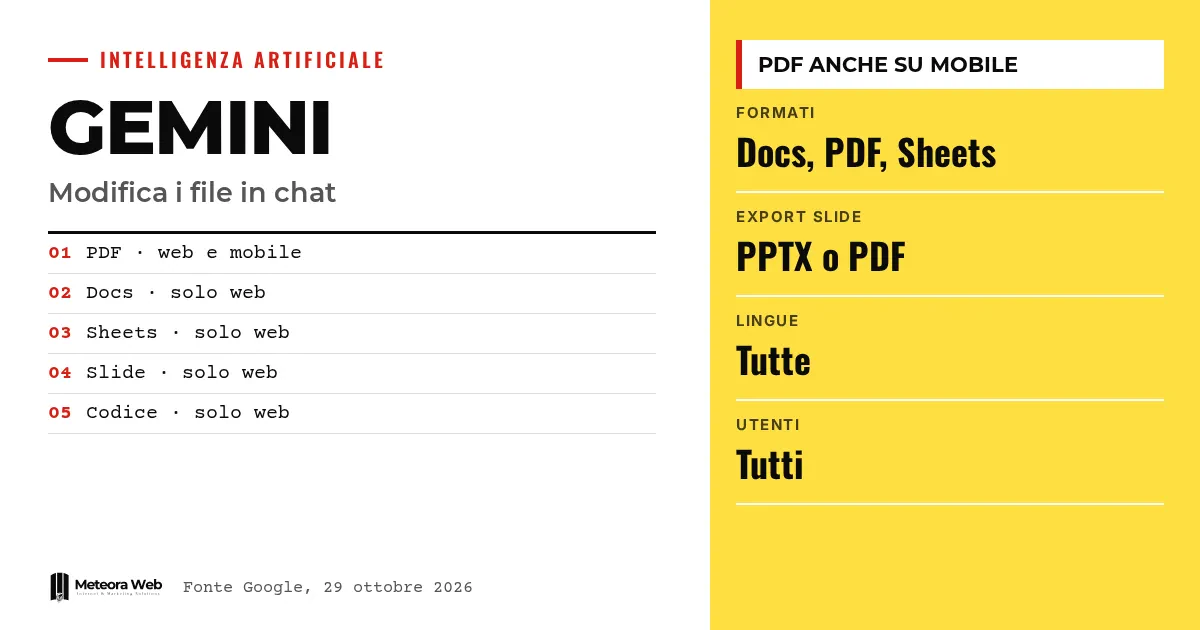
Google has announced that in the Gemini app you can generate, preview and edit files directly inside the chat. The list covers documents, PDFs, presentations, spreadsheets, Markdown, TXT and code. According to Google, the feature is available to all users, in every language where the app is offered. It matters because it moves the finishing work into the conversation, without switching to another application.
A few terms before we get into the facts. A prompt is the instruction you write to the model. A PPTX is the format used by PowerPoint presentations. Markdown is a simple way to format text with symbols. LaTeX is a language used for technical and scientific documents. Inline means the action happens inside the chat, without opening anything else.
What can you do now with files in Gemini?
According to the official Google blog, you can generate, preview and edit files within the chat. You can expand the document to full screen and type your changes by hand. You can also highlight a piece of text to ask Gemini a question or ask it to polish that passage.
Google's example is a study PDF created from handwritten lecture notes uploaded by the user. You then correct it by hand, highlight a section so Gemini changes the text or charts, and ask more questions.
According to The Verge, a typical case is highlighting a table and asking Gemini to turn it into a chart. Earlier, again according to The Verge, Google had already added file generation and download this year, but to refine them you had to leave the app.
Which formats work on web and mobile?
The distinction is clear. Previewing and editing PDFs is supported on both web and mobile. All the other formats work only on web, namely Google Docs, Google Sheets, presentations, Markdown, TXT and code.
As reported by 9to5Google, the web version runs from gemini.google.com. If you often work from your phone, for now the only format you can refine in the app is the PDF.
How does the handoff to Docs, Sheets and Slides work?
9to5Google lists three concrete uses, which it describes based on Google's documentation.
- For presentations, Gemini creates outlines or slide content, shows the layout in chat and lets you change tone and structure. Then you open it in Google Slides or download it as PPTX or PDF.
- For spreadsheets, it generates trackers, tables and data templates from a prompt, previews them and opens them in Google Sheets.
- For documents, it drafts PDFs, Google Docs, LaTeX, Markdown or TXT, with manual or guided edits, and lets you upload them to Drive.
The value therefore lies in the starting point. The draft is created and refined in chat, then moves to the tools you already use.
What existed already and what do competitors do?
The Verge recalls that you could already edit files with Gemini through integrations in Google's Workspace apps, such as the Gemini sidebar in Google Docs. It also recalls that Anthropic launched a feature this year that lets you generate and edit documents and presentations in Claude chats.
The novelty, then, is not the idea itself. It is that Gemini brings it into its own chat, alongside document analysis you may already know if you read our guide on Gemini multimodality.
Limits to know
The sources say nothing about the quality of the generated files, nor about how faithfully formatting survives the move to Docs or Slides. There is no data on errors, timing or size limits. It is not clear whether the features are the same for personal and business accounts, since the sources speak of all users without distinction.
Mobile support is partial and could change, but Google has given no dates. Actual availability may also vary from account to account, so check your own.
What changes for those who work digitally
For a professional or a business owner, the practical benefit is fewer steps for quotes, datasheets, editorial plans or working tables. A draft spreadsheet or presentation can be prepared and corrected without copying and pasting.
The data question remains, however. If you upload client notes or documents into a chat, you need to know where they end up. For exchanging confidential material, a private client area remains a more controlled route.
Developers may also look at our analysis of Gemini for developers, since code is among the formats editable in chat, but only on web. For tabular data, the comparison is with using ChatGPT on CSV files.
Our take
It is a useful but predictable step. After Anthropic did the same with Claude, it would have been odd for Google to lag behind, especially with Docs, Sheets and Slides under its own roof. The strong point is the ecosystem, because the generated file lands where you already work.
On the critical side, the preview in chat does not replace a real review. Models get numbers, formulas and sources wrong, and a spreadsheet generated with confidence still needs checking cell by cell. Moreover, the gap between PDFs on mobile and everything else only on web makes the experience uneven. We consider it a drafting tool, not a delivery tool.
Frequently asked questions
Can Gemini edit files from a smartphone too?
Only PDFs. Previewing and editing PDFs works on web and mobile, while Docs, Sheets, slides, Markdown, TXT and code are supported only on web.
Is the feature available in Italian?
Yes, according to Google. The feature is active for all users in every language where the Gemini app is available.
Can I download the presentations I create?
Yes. According to 9to5Google you can open them in Google Slides or download them as PPTX or PDF.
Can I ask for changes to just one part of the file?
Yes. You highlight the text and ask Gemini to change it or answer a question about it. The Verge cites the example of a table turned into a chart.
Is this a completely new feature?
No. Gemini could already work on files through Workspace integrations, and Anthropic has a similar feature in Claude. The novelty is doing it in the Gemini chat.
What to watch in the coming months
The open questions are whether Google will extend mobile support and whether file quality will hold up under daily use. Meanwhile, you can prepare as follows.
- Try the feature on a non-sensitive document and check formatting and numbers after opening it in Docs or Sheets.
- Define what may and may not go into an AI chat, especially for client data.
- If you need repeatable, controlled workflows, consider purpose-built tools, such as custom software, instead of copying files from a chat.