
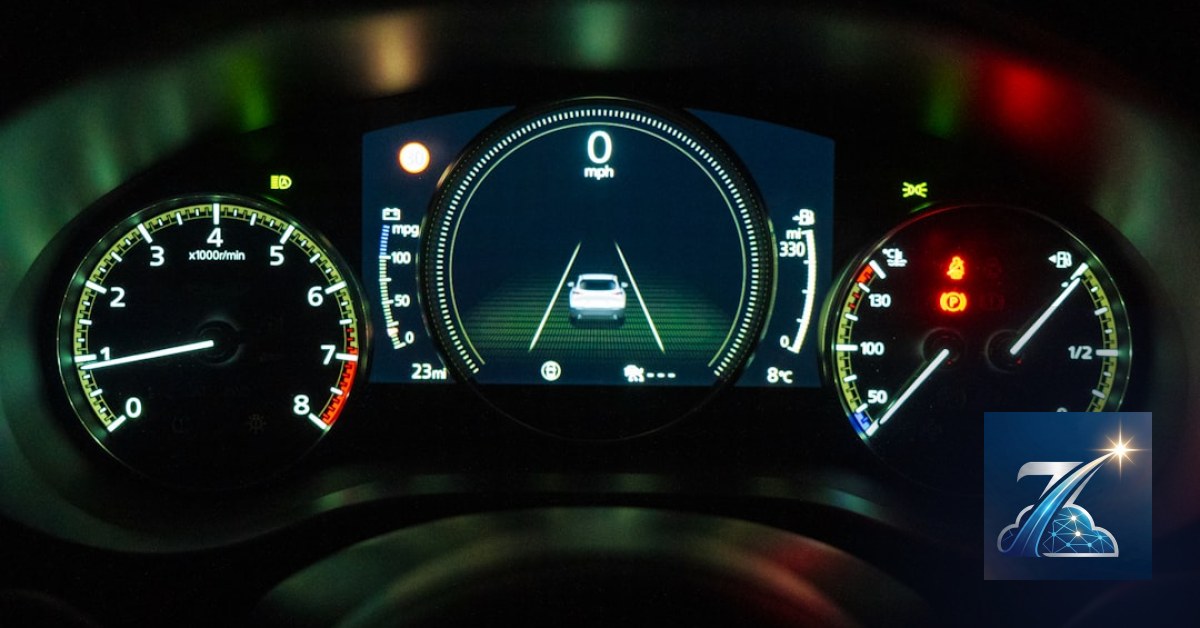

Your customer arrives to pick up the car they booked online. You open the system and discover the vehicle’s oil change is three days overdue. Or worse, the e-bike you promised is stuck in the workshop since yesterday because a puncture was never logged. You lose the booking, the client gets angry, and if it happens often, you lose your reputation.
At Meteora Web we see it every day: fleet status and maintenance tracking is where most rental businesses leak money without noticing. A vehicle sitting idle for maintenance generates no revenue but still incurs depreciation and insurance costs. A skipped service can turn into a major breakdown, multiplying costs by ten.
This guide doesn't talk theory. We show you exactly how to organize your fleet’s status and maintenance — whether cars, bikes, scooters, or equipment — to reduce downtime, lower costs, and never miss a reservation. We start from the real problem and give you concrete tools you can use tomorrow.
Why vehicle status is the first bottleneck to your revenue?
If you manage a fleet, you know status is more than a red/green light. Every status has a direct and indirect economic impact. When a vehicle is available, it can be rented and generate income. When it's scheduled for maintenance, you are investing to keep it efficient — but that unit produces nothing until it's back. Worse is broken or under repair: besides downtime, you incur workshop costs, spare parts, and often penalties from disappointed customers.
The problem is many managers still use Excel sheets, notebooks, or paper calendars. Result: forgotten services, double bookings on unavailable units, missed inspections. We saw a client with 30 cars lose over €8,000 in one month just because of a status update mistake. Switching from Excel to real-time status management is the difference between profit and loss for an entire year.
Available, in maintenance, under repair: each status has a cost
Not all statuses are equal. Here is the map we use for our customers' projects:
- Available: ready for rental. Costs only depreciation and insurance.
- Booked: committed but not yet picked up. Same cost as available.
- In use: generating revenue. The hourly cost is covered by the rental fee.
- Scheduled maintenance: idle for oil change or inspection. Fixed cost + labor + parts. You can plan it.
- Under repair (breakdown): unplanned downtime. Variable costs + possible customer penalty + lost revenue. The most dangerous.
- Awaiting parts: sub-status of repair. Extends downtime and doubles loss.
- Decommissioned: no longer rentable. Must be removed from active fleet.
Operational tip: every status change must be timestamped and linked to the operator who made it. That way you can always trace back who did what and when. We used the same logic in the ERP we built for a clothing store — the principle is identical.
How to track status in real time without Excel
The solution is a centralized management system that syncs status across all channels: website (online bookings), customer app, physical reception. Concrete example: when a customer returns a vehicle, the operator marks “returned” and the status automatically becomes “to check”. After inspection (cleaning, damage, fuel), it changes to “available” or “in maintenance”. If the check finds a problem, a notification is sent to the workshop.
We recommend implementing a Finite State Machine (FSM) in the database. Here's an example SQL table we used on Laravel for a bike rental client:
CREATE TABLE vehicle_status (
    id INT AUTO_INCREMENT PRIMARY KEY,
    vehicle_id INT NOT NULL,
    status VARCHAR(50) NOT NULL,
    start_time DATETIME NOT NULL,
    end_time DATETIME NULL,
    operator_id INT NOT NULL,
    notes TEXT,
    FOREIGN KEY (vehicle_id) REFERENCES vehicles(id)
);
This way you always know what state a vehicle was in at any given time and can calculate total maintenance downtime. Actionable step: ask your software vendor if their system supports a full status history, or if you need to build it yourself.
How to schedule periodic maintenance without going crazy?
Scheduled maintenance is the daily bread of any fleet. Oil changes, filters, brakes, tire swaps, mandatory inspections. If you do it on time, the vehicle stays reliable. If you slip, you risk a breakdown or a fine. The issue is that each vehicle has different triggers: mileage, time, engine hours (especially for e-bikes and scooters).
We saw a rental company in Sicily that scheduled all services every 6 months — regardless of mileage. Result: some cars logged 5,000 km, others 30,000. The low-mileage ones got an unnecessary service, the high-mileage ones ended up with degraded oil. Uncalibrated maintenance is either wasted money or an accident waiting to happen.
Automatic deadlines and proactive notifications
A good rental software must let you set maintenance rules per vehicle: by mileage, by date, by engine hours. Example: “Every 10,000 km or 6 months, whichever comes first”. When the vehicle reaches the threshold, a notification is automatically sent to the operator along with a work order.
We use a queue-based system. In our proprietary management app (Laravel with Livewire), we run a nightly worker that checks all vehicles and generates maintenance tasks due in the next 7 days. Then it sends emails and push notifications. Here is a logic snippet:
$vehicles = Vehicle::where('status', '<>', 'decommissioned')
    ->where(function($query) {
        $query->where('km_next_service', '<=', DB::raw('km_current + 500'))
              ->orWhere('date_next_service', '<=', now()->addDays(7));
    })->get();

foreach ($vehicles as $vehicle) {
    Maintenance::createAlert($vehicle, 'Service due soon');
}
If your software doesn't have this feature, you can still set reminders in Google Calendar or — better — ask for a custom development. The key is that the system warns you before the deadline becomes a problem.
Spare parts and supplier management
Scheduled maintenance is useless if you have to wait three days for an oil filter. An advanced system also tracks spare parts: how many you have in stock, which ones fit specific models, supplier lead times. We implemented this for a client with 200 bikes: every time a service order is created, the system checks if enough parts are in stock. If not, it automatically generates a purchase order to the supplier.
Actionable steps: every time you buy a spare part, register it in your system linked to the compatible vehicle models. Even a simple table “parts → vehicles” saves you from nasty surprises.
Breakdowns and emergency repairs: how to minimize downtime?
Breakdowns happen. The difference between a professional fleet and a random collection of vehicles is how you handle the unexpected. A breakdown without a procedure can keep a vehicle idle for weeks. With a clear workflow, you can have it back on the road in 24–48 hours.
Reporting and assignment workflow
Imagine: a customer returns a bike with a skipping gear. The operator logs “fault” in the system. Immediately a repair ticket is created and automatically assigned to the mechanic on duty (or to an external workshop). The mechanic sees the priority, the problem description, and the vehicle's history. When finished, they update the status to “repaired”, and the system notifies the manager for final check.
We built this flow for a scooter rental company in Palermo: average repair time dropped from 4 days to 1.5 days. The secret? You don't need expensive software: a simple Kanban board (e.g., Trello or Notion) integrated with your main system, or – better – a native module. The essential steps are: report → diagnosis → cost approval → repair → test → available.
Service history and vehicle cost tracking
Every repair must be documented: parts cost, labor hours, date, technician. Why? Because only with that data can you decide whether to repair again or scrap the vehicle. We have seen clients spend more on repairs than the vehicle was worth — simply because they had no clear history.
A minimum report you need: total maintenance cost per vehicle in the last 12 months. If it exceeds 30% of the residual value, replacement is probably better. Here's a query we use:
SELECT vehicle_id, SUM(parts_cost + labor_cost) AS total_cost
FROM maintenance_workorders
WHERE work_date >= DATE_SUB(NOW(), INTERVAL 1 YEAR)
GROUP BY vehicle_id
HAVING total_cost > 0;
Actionable step: demand that your software logs every intervention with cost. If it doesn't today, start a simple spreadsheet. A year from now you'll have precious data.
Which KPIs to monitor to reduce maintenance costs?
Data alone isn't enough: you must turn it into decisions. The right KPIs tell you where to act.
Cost per vehicle, cost per km/hour, failure rate
Three essential indicators:
- Average maintenance cost per vehicle per year: if one vehicle costs significantly more than the average, it deserves analysis.
- Cost per km (cars/motorcycles) or per usage hour (bikes/equipment): tells you if maintenance is proportional to usage. A rising cost per km indicates abnormal wear.
- Failure rate = number of breakdowns / number of rentals: if a specific model breaks more often, consider changing supplier or upgrading the fleet.
We set alert thresholds: for example, if the cost per km exceeds €0.10 for a car, a review is triggered. If a model's failure rate exceeds 5% monthly, we contact the manufacturer.
Benchmarks and alert thresholds
Compare your KPIs with industry benchmarks or with your own historical data. A 20% increase in cost per km compared to the same period last year is a warning sign. Set up automated dashboards (e.g., with Google Data Studio or Metabase) that email you an alert every week.
Actionable step: define your alert thresholds for the three main KPIs today. Write on a sticky note: “If average maintenance cost per vehicle > €500/year, review it”. Check it again in six months.
What to do now
We haven't asked you to revolutionize your fleet overnight. But you can start with three concrete actions:
- Map every vehicle with its current status (available, in maintenance, broken). If you use Excel, create columns: vehicle, status, next service date, km/engine hours.
- Set up an automatic reminder for upcoming maintenance deadlines (even a shared calendar). Your phone can do it already.
- Choose a software that handles status and maintenance as described in this guide. If you already have a system, verify it has status history and workorder features. If not, ask your developer to add them — it's not complex.
At Meteora Web we help rental businesses select and customize the right software. Here is our full overview of rental software. If you want to discuss your specific case, contact us — we start from your numbers.
Zenith Rent is the all-in-one platform to run your business — clients, scheduling, deadlines, invoicing and WhatsApp reminders, all from your browser. No installation required.
Discover Zenith Rent →


