 Ing. Calogero Bono
Microsoft has opened Windows 11 version 26H2 to all eligible devices, including PCs still running Windows 10 but with compatible hardware. The rollout comes just over a month after the initial launch. For those managing business computers, the picture of known issues matters, because some have affected Remote Desktop, Azure Virtual Desktop and Active Directory domains. The good news is that almost all of them are now resolved.
A few terms before we get into the facts. 26H2 is the version designation, second half of 2026. KB is the number identifying a single update, for example KB5127648. Known Issue Rollback (KIR) is the mechanism Microsoft uses to disable a faulty change without removing the whole update. ESU stands for Extended Security Updates, the paid security updates for Windows 10. Credential Guard is the protection that isolates login credentials.
Is Windows 11 26H2 available to everyone?
Yes, for eligible devices. This is reported by Punto Informatico, which cites a message published by Microsoft on its official support pages. The text says the version includes all the features recently announced for Windows 11 25H2 and 24H2 and arrives with the servicing technology for a fast installation.
Distribution goes through Windows Update. If the PC meets the requirements, a notice appears. The initial rollout was gradual, a choice meant to allow quick intervention on a few devices if problems emerge.
What known issues did 26H2 have?
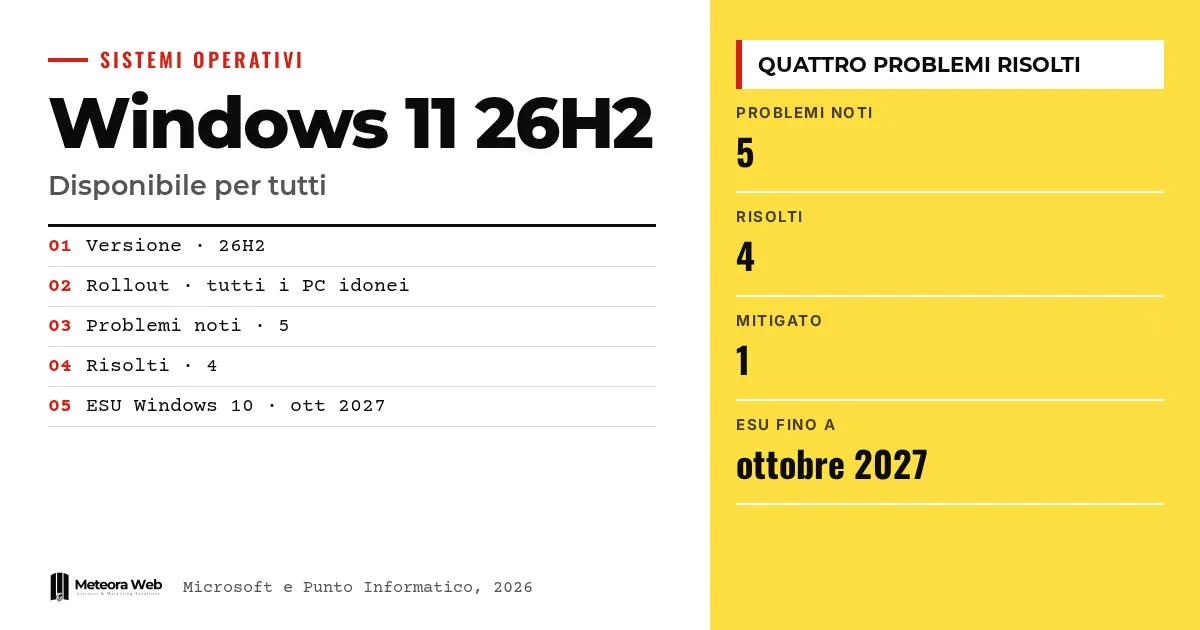
The Microsoft Release Health page lists five issues. Four are marked as resolved, one as mitigated.
- Remote Desktop error 0xC000000D for non-administrator users, resolved with KB5127936 on 28 October 2026.
- Black screen after sign-in, observed mainly on Azure Virtual Desktop hosts with FSLogix, resolved with KB5127648.
- Sudden closing of applications using AC-3 audio decoding, resolved with KB5127648.
- Loss of the trust relationship with the domain, resolved with KB5124010.
- USB audio devices that do not start or stay silent, still with mitigated status.
Why did some PCs lose the domain?
The Machine Identity Isolation case
According to Microsoft, 26H2 enables the Machine Identity Isolation feature. The update does not turn it on by itself, but Windows starts to respect settings already present or distributed through policies. The feature is supported only with domain controllers at Windows Server 2025 functional level or higher.
In the affected cases, some machine accounts protected by Credential Guard lost the secure channel with Active Directory. Users could not sign in with valid domain credentials, while offline access with cached credentials could continue. AD replication and controller services were not affected.
What happened to Remote Desktop and black screens?
Remote Desktop
After the September preview (KB5124010), non-administrator users could fail to connect to devices with Administrator protection active, with the message "The token supplied to the function is invalid". Microsoft clarifies that this protection is on by default in the security baselines of 24H2, 25H2 and 26H2.
Black screen
On Azure Virtual Desktop some existing profiles did not load the desktop. As a temporary fix Microsoft suggests starting explorer.exe from Task Manager or using the Known Issue Rollback. Those who install KB5127648 or later do not need the workaround. If you manage remote servers, hosting with managed security updates follows the same logic of checking before release.
Limits to know
The sources do not say how many devices were affected. The problem with USB audio devices is only mitigated and Microsoft's page does not indicate a permanent fix. We do not have the original text of the support message cited by Punto Informatico, and there are no figures on performance improvements. The status of individual issues may change with future updates.
What changes for those working in digital
If you manage a fleet of PCs, 26H2 should not be installed blindly. Check the domain functional level before enabling Machine Identity Isolation and review the policies on Administrator protection. For virtual environments using FSLogix, test on real profiles. Those still on Windows 10 now have an alternative, with ESU support set to end in October 2027, according to Punto Informatico. Even the black screen problems in remote sessions show that operational control starts with orderly testing and monitoring.
Our take
The gradual rollout worked as it should, since the defects emerged and were fixed within a few weeks. Still, a system version that blocks domain access shows how much security features enabled by default need clear documentation. For small businesses without a dedicated IT department, the advice is simple. Wait a few weeks, install the most recent cumulative updates, and do not start with the PCs you really need to work.
Frequently asked questions
Is Windows 11 26H2 also available from Windows 10?
Yes, if the hardware is compatible. Punto Informatico reports that the rollout also includes PCs with Windows 10 ready to make the switch. The update arrives through Windows Update.
Are the known issues with 26H2 resolved?
Almost all of them. According to Microsoft, four of the five are resolved. The one affecting USB Audio Class 1.0 devices remains mitigated.
How do you fix the black screen after sign-in?
Install KB5127648 or a later update. Until then you can start explorer.exe from Task Manager or use the Known Issue Rollback indicated by Microsoft.
What causes error 0xC000000D in Remote Desktop?
It is linked to Administrator protection being active on the remote device. Microsoft says update KB5127936 of 28 October 2026 resolves it. In the meantime, the protection can be temporarily disabled via Intune or Group Policy.
How long does ESU support for Windows 10 last?
Until October 2027, according to Punto Informatico. Microsoft has postponed the deadline twice. Those who cannot move to Windows 11 therefore have more time.
What to check over the coming weeks with 26H2
The picture changes with every cumulative update. It is worth following the Release Health page before deciding when to make the switch.
- Check whether the USB audio device problem moves from mitigated to resolved.
- Plan a pilot group of PCs before extending 26H2 to the whole company.
- Note the October 2027 ESU deadline for PCs that remain on Windows 10.