 Ing. Calogero Bono
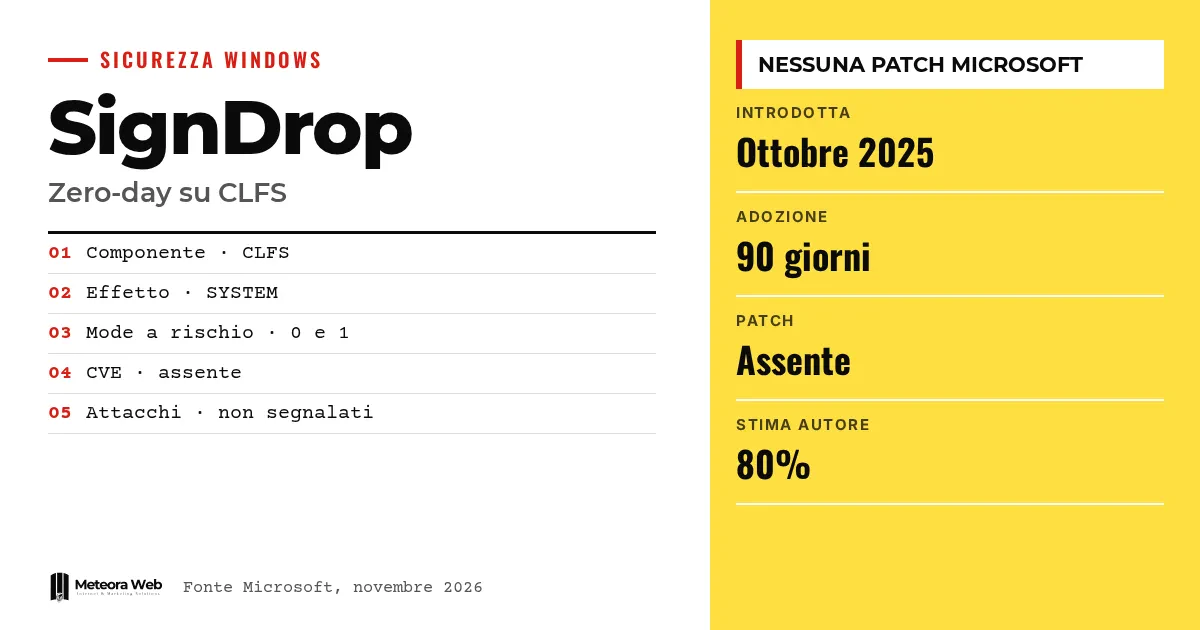
A researcher known as Nightmare Eclipse published SignDrop on Tuesday, an exploit that promises SYSTEM rights to a local Windows user. It targets the Common Log File System driver, and in particular a protection Microsoft introduced in October 2025 to reduce flaws in that component. According to The Hacker News, Microsoft has not confirmed the problem, assigned a CVE, or released a fix. It matters because the defense itself becomes the entry point.
A few terms before we get into the facts. CLFS is the Windows logging service, used by user-mode and kernel-mode programs. HMAC is an authentication code computed over data with a secret key, used to tell whether a file has been altered. SYSTEM is the account with the highest privileges on the system. Zero-day is a flaw made public before a fix exists. Symbolic link is a path that redirects to another, here used to divert the creation of a file.
What did Microsoft introduce with the CLFS mitigation?
In the official documentation Microsoft describes an authentication of log files. An HMAC is added to the files, calculated with a key unique to each system and stored in the registry, accessible only to Administrators and SYSTEM. If the check fails, CLFS refuses to open the log.
The measure is available in Windows 11 25H2 and Windows Server 2025 with updates from October 28, 2025. Alongside the log a recovery file with the .cnpf extension is also created, with the same security attributes as the file it protects.
How does SignDrop work?
According to Ars Technica, the standard user prepares a CLFS log and forces a privileged process, such as Windows Defender, to open it. It does so through a legitimate antivirus signature update function.
Using Object Manager symbolic links, the creation of the .cnpf file is diverted to a location chosen by the attacker. The file is born with SYSTEM privileges but inherits the permissions of the original log, so it remains writable by the user. The researcher argues this can be chained up to a SYSTEM shell.
Which systems are exposed?
According to The Hacker News the exploit was tested on Windows 11 26H2, on an experimental 26H2 build, and on experimental Windows Server 2025. Systems with Mode set to 0 (enforced) or 1 (learning) at HKLM\SYSTEM\CurrentControlSet\Services\CLFS\Authentication are involved.
The learning mode normally lasts 90 days, then switches to enforcement. This is why established installations fall within scope. The researcher, according to BleepingComputer, estimates that 80% of Windows installations are vulnerable. It is his own estimate, not verified.
Does the exploit really work?
An independent test exists. Sungyup Nam, of the Korean company 78researchlab, writes that his colleague Heewon Song tried the code and found it working. Song, however, considers it unreliable for operational use.
For the chain to succeed Defender must be active. Moreover, the execution turns every UAC request into a user shell and a SYSTEM shell, which makes the attack obvious to anyone sitting in front of the machine. The claim that the technique works against any antimalware engine with a privileged process has not been proven.
Limits to know
Microsoft has not confirmed the flaw and has not published an advisory. No CVE, no patch in the November Patch Tuesday, no reported attacks, and no entry in the CISA catalog of exploited vulnerabilities. The 80% figure is the researcher's estimate. We do not know if or when a fix will arrive, or what form it will take.
What changes for those who work with digital systems
The risk concerns those who already have local access, for example a compromised account on a server or a corporate PC. From there SignDrop would aim for SYSTEM rights. If you manage Windows 11 25H2, 26H2 or Windows Server 2025 systems, check the Mode value in the registry to see whether you are affected. Do not disable the mitigation. According to the official source and the researcher, turning it off reopens the memory corruption flaws it was meant to close. Those running servers can rely on hosting with managed security updates, but here you still need to wait for the fix.
Our take
The case shows a limit of layered defenses. A well-written mitigation that rejects unauthenticated files creates a privileged file with inherited permissions, and that becomes a gap. The researcher admits Microsoft did everything correctly and that it is the logic that enables the abuse. The method also weighs heavily – public disclosure without private reporting leaves administrators with no remedy. The fact remains that the code is public and updates, for now, are not enough.
Frequently asked questions
What is SignDrop?
It is a public Windows exploit that promises SYSTEM privilege escalation. It uses the creation of the .cnpf file by the CLFS driver and a privileged process such as Defender.
Has Microsoft released a patch?
Not at the moment. According to The Hacker News there is no confirmation, CVE, or fix, and the November Patch Tuesday did not include one.
Can I disable the CLFS mitigation to protect myself?
It is not advised. With Mode set to 2 or 3 the system falls outside the attack's scope, but CLFS starts analyzing tampered files again and reopens the memory flaws.
How do I check whether my system is in scope?
Read the Mode value at HKLM\SYSTEM\CurrentControlSet\Services\CLFS\Authentication. With 0 or 1 you fall within the scope the researcher declared.
Is it already being used in attacks?
No attacks have been reported. SignDrop does not appear in the CISA catalog of exploited vulnerabilities, and it already requires local access.
What to watch after SignDrop, between Microsoft's advisory and upcoming updates
The next move is up to Microsoft. It is worth following its response and any signs of real-world exploitation.
- Check Microsoft's security update guide for a possible CVE on SignDrop.
- Keep an eye on the CISA catalog of exploited vulnerabilities, since an entry there is the signal of real attacks.
- Read the November Patch Tuesday report and verify whether an out-of-band fix arrives.