 Ing. Calogero Bono
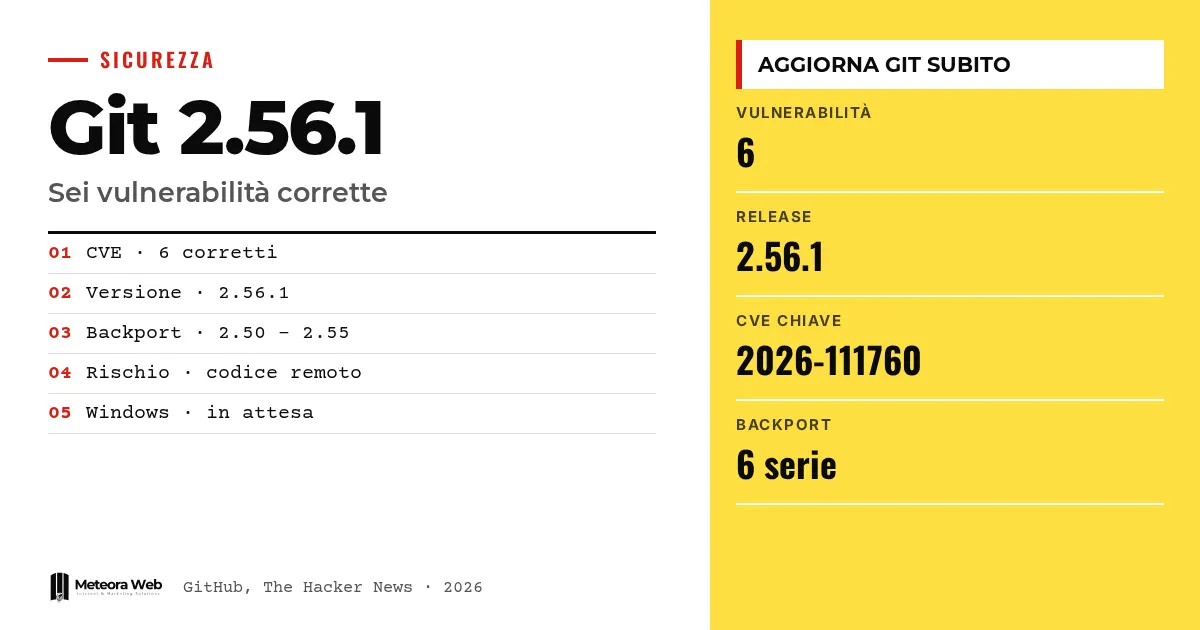
The Git project has released version 2.56.1 to fix six security vulnerabilities. One of them lets someone execute other people's code when a malicious repository is cloned recursively. The others involve writes to unintended files and memory corruption during merges and binary patches. It matters because Git sits inside editors, automation tools and the servers of many companies, and it needs updating everywhere.
A few terms before we get into the facts. Recursive clone is copying a repository together with its submodules. A submodule is a repository inside another repository. Hooks are programs Git runs at specific moments. Path traversal uses paths with special components to escape the allowed folder. A CVE is the code that identifies a public vulnerability.
What did the Git project release?
According to the GitHub blog, the fixes are in version 2.56.1. Backports also exist for the 2.55.1, 2.54.1, 2.53.1, 2.52.1, 2.51.3 and 2.50.2 series.
GitHub recommends moving to 2.56.1 or the corrected version of your own series, and updating applications that include a copy of Git too. Anyone who read our path on Git for developers knows how widespread the tool is in everyday workflows.
How does a recursive clone lead to code execution?
The flaw is tracked as CVE-2026-111760. It is an integer truncation in index handling. An extremely long path passes Git's check, but is then written to disk under a shorter name, which an attacker can make into .git.
This replaces the .git file of a submodule with a symbolic link to a folder containing hostile hooks or configurations. As The Hacker News explains, Git refuses to replace a .git folder with a symbolic link, but in a freshly cloned submodule .git is a file. When Git uses that folder, the attacker's code can start.
The fix discards overly long paths before the length gets truncated.
What are the other five vulnerabilities?
- CVE-2026-113408. When cloning an empty repository with protocol v2, a malicious server can supply a name with path traversal. With the file-based reference backend, a later update can write outside the intended folder.
- CVE-2026-114467. A tag with more than two GPG signatures, if merged, corrupts the stack and can cause a denial of service.
- CVE-2026-114469. A small binary patch that expands enormously gets around the roughly 1 GiB limit and crashes Git.
- CVE-2026-105437. A very large merge with many conflicts and a high conflict-marker-size attribute corrupts heap memory.
- CVE-2026-114466. Three fast-import functions can read arbitrary files or create them and append data to them.
For the last case, Git now rejects those functions in incoming streams, unless the --allow-unsafe-features option is used, which should only be used if you trust the program generating the stream.
Who is most at risk, and what has GitHub already updated?
Servers that perform merges on behalf of users are the most exposed. GitLab, which assigned CVE-2026-105437, identifies git merge-tree as the likely target, because a server can use it to check whether a merge request can be merged cleanly. The attribute is set in a repository's .gitattributes file, so anyone able to open a request could trigger the flaw.
GitHub says it has fixed github.com and GitHub Enterprise Cloud. Enterprise Server needs versions 3.19.15, 3.20.11, 3.21.9 or 3.22.4. GitHub Desktop, the Copilot app, Codespaces and Actions will receive patched Git.
Limits to know
The sources report no active exploits and no severity rating for each CVE. We don't know whether anyone has already exploited the flaws. According to The Hacker News, as of Tuesday at 19:09 UTC Git for Windows did not yet have a build based on 2.56.1, so timing for that platform may change. Timing for GitHub Desktop, Copilot, Codespaces and Actions is also missing.
What changes for those working in digital
The first step is to take inventory of where Git runs. Not just on your computer, but in programs that bundle their own copy, in continuous integration systems and in services that process other people's repositories. Anyone running servers with third-party repositories must update their automations too. If you can't do it right away, GitLab's workaround is to add conflict-marker-size=7 to the info/attributes file of each repository, or to disable those checks on untrusted repositories. If you rely on hosting with managed security updates, you delegate part of this work.
Our take
There are six vulnerabilities, but the message is one. Git should be treated as software that handles untrusted input, not as a simple local tool. We clone, merge and apply patches from external sources without a second thought, and automations do it for us. The most concrete risk lies in the copies of Git hidden inside other programs, which nobody updates until they remember them. The precautions listed by GitHub are fine as a stopgap, but they are stopgaps. On the subject of tools that use Git intensively, we wrote about GitHub Rubicon, where the issue of untrusted input weighs even more.
Frequently asked questions
Which version of Git should I install?
Install 2.56.1 or the corrected version of your series, that is 2.55.1, 2.54.1, 2.53.1, 2.52.1, 2.51.3 or 2.50.2. Also update applications that include their own copy of Git.
Is it enough not to clone unknown repositories?
It helps, but it is not enough. GitHub advises cloning only from trusted servers and avoiding recursive clones, merges and binary patches from untrusted sources, noting that these precautions do not replace updates.
Which vulnerability is the most serious?
The sources give no ranking. The one that allows code execution during a recursive clone is CVE-2026-111760, and it is the focus of the coverage.
Is Git for Windows already updated?
Not yet, according to The Hacker News's latest check. As of Tuesday at 19:09 UTC, no version based on 2.56.1 appeared among the release tags.
Do GitHub users need to do anything?
It depends. GitHub has already fixed github.com and Enterprise Cloud. Those using Enterprise Server must move to one of the indicated versions, and those using local tools must update Git.
Git updates to follow in the coming days
The fix exists, but distribution is patchy. It is worth following those who have yet to release their version.
- Check when Git for Windows publishes a build based on 2.56.1 and update right away.
- Watch for the release of corrected versions of GitHub Desktop, the Copilot app, Codespaces and Actions.
- If you run a code hosting server, consider GitLab's workaround until you can update.