 Ing. Calogero Bono
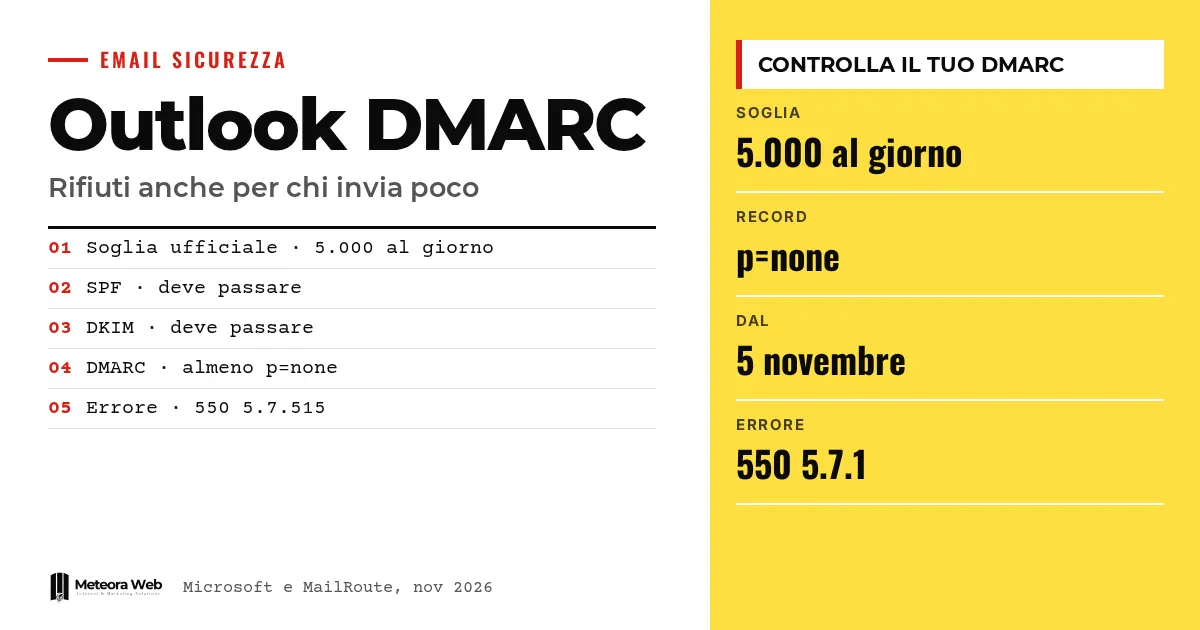
Outlook.com, Microsoft's consumer email service, asks domains sending more than 5,000 emails a day to pass SPF, DKIM and DMARC. An independent report from MailRoute now mentions rejections even for small senders, if the domain has no DMARC record. Microsoft has not confirmed this. If you write to clients with hotmail or outlook addresses, some messages may never arrive without you noticing.
A few terms before we get into the facts. SPF is a DNS record listing the servers authorized to send mail for your domain. DKIM is a digital signature guaranteeing the message has not been altered. DMARC ties SPF and DKIM to the address shown in the From field and tells receivers what to do if the checks fail. Alignment means the From domain matches the one checked by SPF or DKIM. DNS is the list of records that comes with your domain.
What has Microsoft announced for large senders?
In its official blog Microsoft explains that for domains above 5,000 messages a day, SPF and DKIM must pass and DMARC must be at least p=none, aligned with SPF or DKIM, ideally with both. The rule applies to Outlook.com, that is hotmail.com, live.com and outlook.com addresses.
After May 5, 2025 non-compliant messages were to land in the Junk folder. An update of April 29 however signals a change, as Microsoft states it has decided to reject them with the error "550; 5.7.515 Access denied".
What does MailRoute report?
According to MailRoute, from November 5, 2026 Outlook.com rejects part of the mail from domains without a DMARC record. The error message is "550 5.7.1 Message rejected", with the note that authentication records are missing.
The provider says it saw this in its own logs on November 5 and found reports from other administrators the same day. Also according to MailRoute, small senders are affected too, and many domains already had working SPF and sometimes DKIM.
Why is the problem easy to miss?
MailRoute describes a only partial rejection. A message to a Hotmail address goes through, the next one bounces, a new attempt may succeed. The sender sees an error full of codes and assumes a momentary fault.
The recipient knows nothing. So invoices, appointment confirmations and client replies can disappear. It is a silent damage, typical of those who write to individuals and not only to companies. On how the three records work together, see our guide to SPF, DKIM, DMARC and sender reputation.
How do you check and fix the domain?
MailRoute suggests checking with the command dig +short TXT _dmarc.example.com, replacing your domain. If no line starting with v=DMARC1 appears, the record is missing.
The indicated fix is a TXT record named _dmarc with the value v=DMARC1; p=none. This policy does not ask receivers to act on failures, so it does not change how mail is treated elsewhere. There is one condition, because DMARC passes only if SPF or DKIM are aligned with the From domain. If you use Microsoft 365, MailRoute warns that signing with onmicrosoft.com does not count until you enable DKIM for your own domain.
If your mail is tied to your hosting space, check who manages the DNS, as we explain in domain, hosting and email.
Limits to know
The report on below-threshold rejections comes from a single email service provider, which also has a commercial interest. According to MailRoute, as of November 6 Microsoft had published nothing. We do not know how many domains are affected, whether the measure is permanent or a test, or whether the rejected messages depend on other factors. The date of the official source for definitive rejections is also still to be announced.
What changes for those working in digital
The first step is to check every domain you send mail from, including those of clients you manage. A DMARC set to p=none takes a few minutes. Then verify that SPF or DKIM are aligned, especially if you send through external tools such as newsletters, management software and website forms. Microsoft reminds that the record must be on your own domain even if sending is outsourced, and that the Safe Sender list will not be honored. Those doing email marketing, as in the abandoned cart automation, should watch their bounces closely.
Our take
The picture is coherent. The rules were written for large senders, then become the baseline for everyone, and that is the direction major providers are taking. The weak point is communication. If a partial rejection is not announced and the error message does not say what is missing, the cost falls on small businesses without a technician. The report still needs verifying, but the cost of a p=none record is so low that waiting for confirmation makes no sense. A published DMARC also helps against people impersonating you, a topic we cover in phishing and email scams.
Frequently asked questions
Do I need to do anything if I send fewer than 5,000 emails a day?
Yes, it is worth doing. The official rules start with large senders, but Microsoft writes that everyone benefits from these practices. MailRoute reports rejections for small senders too.
What is the minimum DMARC record?
A TXT record named _dmarc with the value v=DMARC1; p=none. According to MailRoute, it does not change how other receivers treat your mail. It only works if SPF or DKIM are aligned.
How do I recognize a rejection?
From the error message returned to the sender. Microsoft cites 550 5.7.515 for large senders, while MailRoute reports 550 5.7.1 with the wording about missing authentication records.
Does the Safe Sender list solve the problem?
No. Microsoft specifies that the Safe Sender list will not be honored by the new enforcement of the rules.
If I use an external service to send, do I still need DNS changes?
Yes. Microsoft clarifies that authentication is tied to your domain even if sending is outsourced. You need to coordinate with the provider to get the correct DNS settings.
What to watch for Outlook rejections in the coming months
Two uncertainties remain – whether Microsoft will confirm the below-threshold rule, and when definitive rejections will start.
- Check your sending logs and count bounces to hotmail, live and outlook addresses.
- Follow the official Microsoft community blog, where the dates of the new phases will be posted.
- Once your senders are aligned, consider moving gradually from none to quarantine and then reject, as Microsoft recommends.