 Ing. Calogero Bono
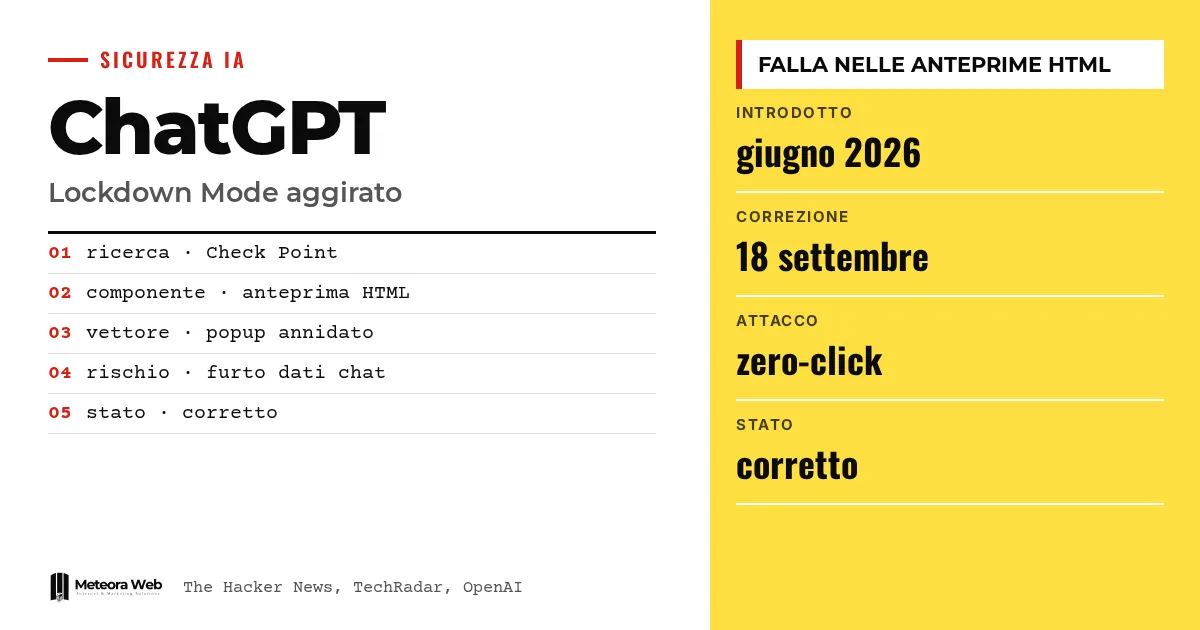
Check Point Research has shown how to bypass ChatGPT's Lockdown Mode, the setting OpenAI designed to reduce data theft through prompt injection. According to The Hacker News, the flaw was in the HTML previews of code blocks, and OpenAI fixed it on September 18, 2026. The case matters because it concerns the very mode offered to those who handle sensitive data. For business owners, it is a useful reminder of the limits of AI protections.
A few terms before we get into the facts. Prompt injection is a hidden instruction embedded in content that an AI reads, pushing it to do something other than what the user asked. Exfiltration is the theft of data sent to an attacker's server. Sandbox is an isolated area where untrusted code runs, with no access to the rest of the app. Popup is a new window opened by the content being displayed. Zero-click describes an attack that requires no click from the victim.
What is ChatGPT's Lockdown Mode?
According to the official OpenAI documentation, it is an optional, advanced security setting. It limits many features that can connect to the web or external services, reducing the outgoing requests that could carry data to an attacker. It does so at the cost of disabling or restricting some useful functions.
OpenAI clarifies that it is not meant for everyone, but for people and organizations handling sensitive data. It does not prevent prompt injection from appearing in processed content, for example in an uploaded file, and therefore does not guarantee the absence of data theft.
What gets restricted
- web browsing limited to cached content
- Deep research and Agent mode disabled
- no file downloads for data analysis
- Canvas connections the user cannot approve
How was Lockdown Mode bypassed?
According to The Hacker News, the problem lay in the HTML previews inside code blocks. The content ran in a sandbox, which prevented it from reading cookies and local storage or contacting external resources without consent.
Popups, however, were handled differently. As Eli Smadja of Check Point explained, ChatGPT intercepted direct attempts to open new windows, but the sandbox permissions still allowed popups to leave it. By creating an additional nested frame, the researchers reached an unmodified popup function. Content opened this way was no longer subject to the same restrictions.
What risks did the flaw open up?
According to Check Point, the flaw could enable silent theft of chat data, phishing and malware distribution, including a zero-click theft in the ChatGPT desktop app. TechRadar reports that the attack could start from a malicious prompt, a malicious GPT or a shared chat.
Whoever controls the popup decides what to display, in an environment the user trusts. For example, a fake ChatGPT update could be simulated to trick users into downloading malware. The problem, The Hacker News notes, was not limited to the Electron-based desktop app.
Are there other related vulnerabilities?
Yes. A week earlier, according to The Hacker News, Parameter Labs had described a way to bypass sandboxes and content security policies and take control of an account through a public sharing link. Check Point said these are two different vulnerabilities in the same component.
Also in September, Check Point had shown a hidden command channel between separate accounts. The source then lists many other attacks on AI tools, confirming that the issue goes beyond ChatGPT. For the bigger picture, our comparison of Claude and OpenAI on security is a good starting point.
Limits to know
Information about the flaw comes from Check Point and the specialist press, not from an OpenAI technical note in the sources provided. We do not know whether anyone actually exploited it before the fix. The sources indicate the remedy is already applied, but do not describe the details. The availability of Lockdown Mode, moreover, depends on accounts, plans and administrator settings.
What changes for those who work with digital tools
If you use ChatGPT with customer data, Lockdown Mode remains useful but is not a guarantee. Avoid opening HTML previews and shared chats from sources you do not know. In managed workspaces, enable only trusted apps and limit write actions, as OpenAI advises. Those who develop software with built-in AI should also evaluate apps, connectors and execution environments, not just the model. The same goes for the servers and applications you manage, where hosting with security updates reduces the exposed surface.
Our take
The case shows that a protection declared "advanced" is only as strong as the weakest feature around the model. Here the weak point was an HTML preview, not the AI. OpenAI's response, with a fix after responsible disclosure, is the right one. But every new feature increases the attack surface, as Check Point itself acknowledged. Treating the lockdown mode as an extra belt rather than a total shield is the most prudent approach. Even the security of Italian SMEs depends on this kind of clear-sightedness.
Frequently asked questions
Was ChatGPT's Lockdown Mode really bypassed?
Yes, according to Check Point Research. By exploiting popups in the HTML previews of code blocks, the researchers escaped the sandbox. OpenAI then fixed the problem.
Has the flaw been fixed?
Yes. According to The Hacker News, OpenAI resolved the vulnerability on September 18, 2026, after responsible disclosure. TechRadar describes it as a server-side fix.
Do I need to update anything?
The sources do not indicate any actions for users. TechRadar reports a server-side fix, so a manual update does not appear to be necessary.
Does Lockdown Mode block all prompt injection?
No. OpenAI states that it reduces the risk of data theft but does not eliminate it. A hidden instruction in a file can still alter the responses.
How do I enable Lockdown Mode?
On personal and self-serve Business accounts, go to Settings, Security, then Advanced security. In managed workspaces, administrators create a dedicated role and assign it to members.
What to watch for in ChatGPT security in the coming months
The case shows that the controls around the model matter as much as the model itself. It is worth following how OpenAI responds to new reports.
- Check whether OpenAI publishes technical notes or updates on Lockdown Mode and HTML previews.
- Verify in your workspace which apps and write actions are actually active for those who handle sensitive data.
- Follow new research from Check Point and Parameter Labs, since the two flaws touch the same component.
Sources
- help.openai.com
- techradar.com, 'AI security controls are only as strong as the wider application environment around them' – OpenAI forced to patch after experts bypass ChatGPT 'lockdown mode' to gain access to entire chat history
- thehackernews.com, Researchers Bypass ChatGPT Lockdown Mode to Exfiltrate Chats Without User Interaction